Inspiring
October 4, 2018
Answered

Even spacing

  • October 4, 2018
  • 2 replies
  • 649 views

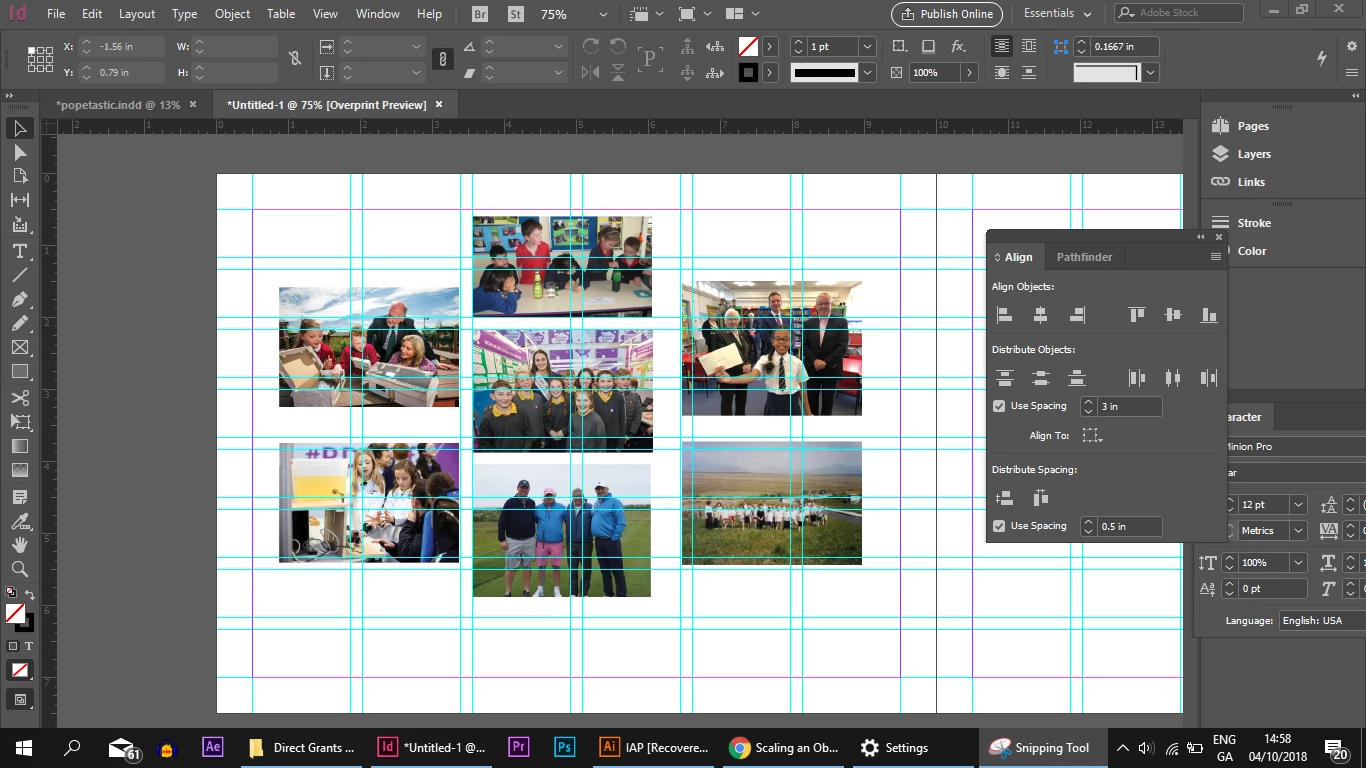
Hi there, i'm trying to create exact even spacing between these images, any help would be mucho appreciated!

    This topic has been closed for replies.
    Correct answer barbafrenzie

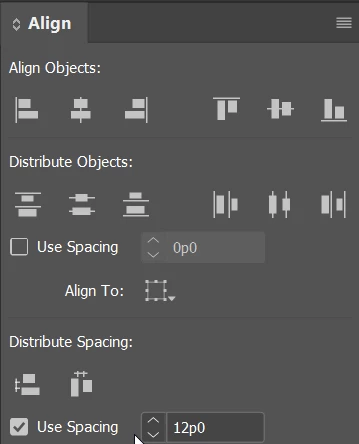
    There's not much to add to the good advice that's already been given. Of course, the alignment command would need to be done more than once. because you've got 3 columns and multiple rows  If you want exact spacing, you may already know to turn on Use Spacing and type in that amount in the Align panel.
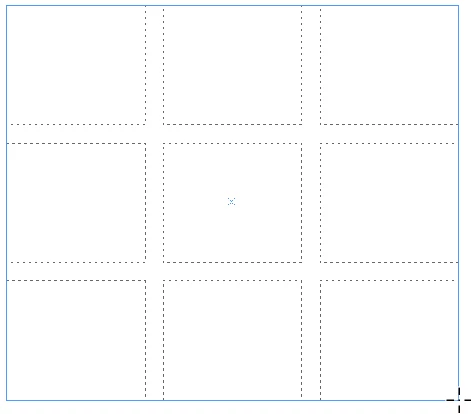
    I think the easiest way to do this would be to start again -- delete the images and File > Place all of them at once. Press and drag over an area. Without releasing the mouse use the up/down/left/right arrow keys to add/remove rows and columns. Before releasing the mouse, you can control the gutter between images by holding down Command or Control and using the arrow keys. When you release your mouse, the images will be placed into the grid.
    After that, while all the images are still selected, you can right click and choose fitting. I usually choose Fill Frame Proportionally. Since the center column in your example is offset in relation to the left and right columns, you'd need to select the images in the center column and hold down Shift to move them up.

    2 replies

    barbafrenzieCorrect answer
    Inspiring
    October 4, 2018

    There's not much to add to the good advice that's already been given. Of course, the alignment command would need to be done more than once. because you've got 3 columns and multiple rows  If you want exact spacing, you may already know to turn on Use Spacing and type in that amount in the Align panel.

    I think the easiest way to do this would be to start again -- delete the images and File > Place all of them at once. Press and drag over an area. Without releasing the mouse use the up/down/left/right arrow keys to add/remove rows and columns. Before releasing the mouse, you can control the gutter between images by holding down Command or Control and using the arrow keys. When you release your mouse, the images will be placed into the grid.

    After that, while all the images are still selected, you can right click and choose fitting. I usually choose Fill Frame Proportionally. Since the center column in your example is offset in relation to the left and right columns, you'd need to select the images in the center column and hold down Shift to move them up.

    Steve Werner
    Community Expert
    Community Expert
    October 4, 2018

    I'm assuming you're trying to distribute the spacing between the pictures because you have the Align panel open, but that doesn't work unless you first select the pictures (they're not selected in the picture).

    Also, make sure the Align To menu is set to Align to Selection is selected.

    Inspiring
    October 4, 2018

    Hi Steve, thanks for reply, I had them selected when i was trying to do it, and i have align to selction checked as well.

    Jongware
    Community Expert
    Community Expert
    October 4, 2018

    You may want to add your exact steps. It is not clear why this is not working for you – it is a fairly intuitive operation.