

manuelb27477138
Inspiring
June 4, 2018
Answered

Exclude the Roman Numerals Number Page Section

  • June 4, 2018
  • 1 reply
  • 1231 views

Hello!

In my Indesign document, normally my first pages are in Roman Numerals like you can see:

After I use the normal numbers like you can see:
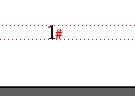
Is there a script to know which number page start my normal number 1?

For example, if my document has the next pages:

I, II, III, IV, V, VI, VII, 1, 2, 3, 4, ...

this means my page 1 is in the number 8.

Here is the code but didn't works, because they find nothing in the number pages:

var doc = app.activeDocument;

// clear find change text preferences before search

app.findTextPreferences = app.changeTextPreferences = NothingEnum.NOTHING;

// this is scripting equivalent of the 'Find What:' edit text field

app.findTextPreferences.findWhat = "1";

// search it in the active document

// you can also search it in almost everywhere: story, text frame, paragraph, line, word, etc

var finds = doc.findText();

if (finds.length > 0) { // something has been found

// for the 1st found item display the name of the page where the 1st text frame (there can be several threaded frames) containing it is located

alert("Found " + finds.length + " items, the first of them is on page " + finds[0].parentTextFrames[0].parentPage.name);

}

else { // found nothing

alert("Nothing has been found");

}

// clear find change text preferences after search

app.findTextPreferences = app.changeTextPreferences = NothingEnum.NOTHING;

Maybe is helpful to know my number pages always have the style called Book Page Number  and is inside of my folder VARIOUS

I try also do this, but the script didn't find the number 1:

var myDoc = app.activeDocument,     

arrayRomanNumerals = ["1"],

I = arrayRomanNumerals.length,  i;     

app.findTextPreferences = null;   

for ( i = 0; i < I; i++) {        

    app.findTextPreferences.findWhat = arrayRomanNumerals;        

    myFound = myDoc.findText();     

    var J = myFound.length,  j;

    var styleBookPageNumber = myDoc.paragraphStyleGroups.itemByName("VARIOUS").paragraphStyles.itemByName("Book Page Number");

    for ( j = 0; j < J; j++) {   

        myFound.appliedCharacterStyle = myDoc.characterStyles[0];   

        if (myFound.appliedParagraphStyle == styleBookPageNumber) {   

            alert("Found!"); }

        else{break;}}}

Thanks so much.

This topic has been closed for replies.
Correct answer Laubender

Hi Trevor,

I replace the line but still not working:

Please, here is my indesign file if you can check:

Download

Script:

var myDoc = app.activeDocument,      

arrayRomanNumerals = ["1"], 

I = arrayRomanNumerals.length,  i;      

app.findTextPreferences = null;    

for ( i = 0; i < I; i++) {        

    app.findTextPreferences.findWhat = arrayRomanNumerals;        

    myFound = myDoc.findText();      

    var J = myFound.length,  j; 

    var styleBookPageNumber = myDoc.paragraphStyleGroups.itemByName("VARIOUS").paragraphStyles.itemByName("Book Page Number"); 

    for ( j = 0; j < J; j++) {    

        myFound.appliedCharacterStyle = myDoc.characterStyles[0];    

        if (myFound.appliedParagraphStyle == styleBookPageNumber) {  

            parentPage = myFound.parentPage; 

            RealNumberPage = parentPage && parentPage.documentOffset;

            alert("The real first page, excluding the Roman Numerals is: " + RealNumberPage); 

        } 

        else{}}} 

Thanks so much!


Hi Manuel,

a document can be parted in sections.

So I think, you are interested in object Section and several of its properties.

var sections = app.documents[0].sections.everyItem().getElements();

for( var n=0;n<sections.length;n++ )

{

var firstPageInSection = sections.pageStart;

var firstPageName = firstPageInSection.name;

var firstPageOfSectionPositionInDocument = firstPageInSection.documentOffset;

var pageNumberStyle = sections.pageNumberStyle;

$.writeln( n +"\t"+firstPageName );

$.writeln( n +"\t"+firstPageOfSectionPositionInDocument );

$.writeln( n +"\t"+pageNumberStyle.toString() );

}

See into documentation e.g.:

Adobe InDesign CS6 (8.0) Object Model JS: Section

Adobe InDesign CS6 (8.0) Object Model JS: PageNumberStyle

Regards,
Uwe

1 reply

TᴀW
Legend
June 4, 2018

A page object has a name property and a documentOffset property. myPage.documentOffset will always give you the number of the page in the document. Does that help?

Ariel

manuelb27477138
Inspiring
June 5, 2018

Hi Ariel!

sorry I am beginner, I added this line but didn't work.:

            var RealNumberPage = myDoc.pages.item(styleBookPageNumber).documentOffset

            alert("The real first page, excluding the Roman Numerals is: " + RealNumberPage);

My full script:

var myDoc = app.activeDocument,    

arrayRomanNumerals = ["1"],

I = arrayRomanNumerals.length,  i;    

app.findTextPreferences = null;  

for ( i = 0; i < I; i++) {      

    app.findTextPreferences.findWhat = arrayRomanNumerals;      

    myFound = myDoc.findText();    

    var J = myFound.length,  j;

    var styleBookPageNumber = myDoc.paragraphStyleGroups.itemByName("VARIOUS").paragraphStyles.itemByName("Book Page Number");

    for ( j = 0; j < J; j++) {  

        myFound.appliedCharacterStyle = myDoc.characterStyles[0];  

        if (myFound.appliedParagraphStyle == styleBookPageNumber) {

            var RealNumberPage = myDoc.pages.item(styleBookPageNumber).documentOffset

            alert("The real first page, excluding the Roman Numerals is: " + RealNumberPage);

        }

        else{}}}

Thanks!

Trevor:
Legend
June 5, 2018

Replace

var RealNumberPage = myDoc.pages.item(styleBookPageNumber).documentOffset

with

parentPage = myFound.parentPage;

RealNumberPage = parentPage && parentPage.documentOffset

The parentPage could be null if the textFrame is of the page so we need to check there's a parent page and if so then we can get it's offset