
August 31, 2022
Question

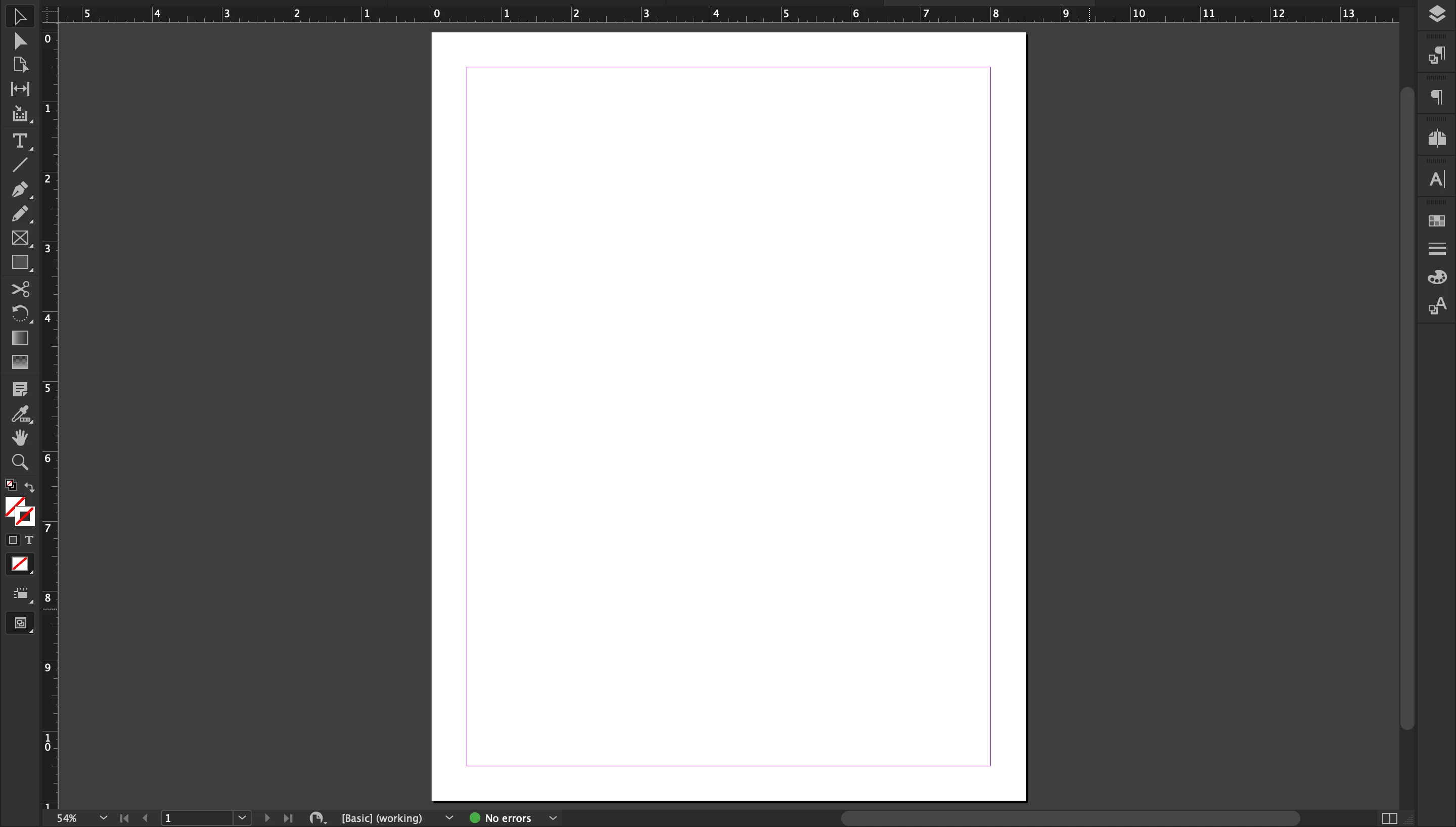
Expanding active space/rectangle bound in Screen Mode>Normal

  • August 31, 2022
  • 1 reply
  • 208 views

Hey, this was really hard to pinpoint the key words for, so sorry if this has appeared in the forums before, but it was impossible to find previous help on this specifically.


I have a basic 8.5x11 one-pager for my job to re-format and would like to expand that purple/pink rectangle that seems to be the active space other text boxes snap to, etc. How do I go about this? Thanks in advance.
This topic has been closed for replies.

1 reply

James Gifford—NitroPress
Legend
August 31, 2022

The pink rectangle represents the document margins set at the time the document is set up, or changed when you go into Layout | Margins & Columns.


You can change margins on a single doc page, on a single parent page, or (what you usually want to do) by selecting both facing parent pages and making changes at the same time.


This is really basic stuff; you might want to spend some time with a few tutorials to learn the basic layout features (and learn the names so you can ask questions! 🙂 )


August 31, 2022

Thanks! Unfortunately, I have to learn as I go as I don't have time to sit through tutorials, to be honest. It's how I became versed in PhotoShop. Thanks again.

September 1, 2022

Well, you know you.


But it seems like a ten-minute tutorial on the elements of the layout screen would have both cured the problem, given you a better overall context and probably taken less time than you did trying to figure out how to ask the question (then ask it, then check back...)


But carry on.


To be honest this all took me less than ten minutes.