
Participating Frequently
June 12, 2024
Question

Export Issue: Blurry at 72dpi

  • June 12, 2024
  • 4 replies
  • 1754 views

Hello all, I would love some help on an issue I've been having recently. 


In both InDesign and Illustrator, I make banners for work. When I go to export, these are my normal settings I use: 
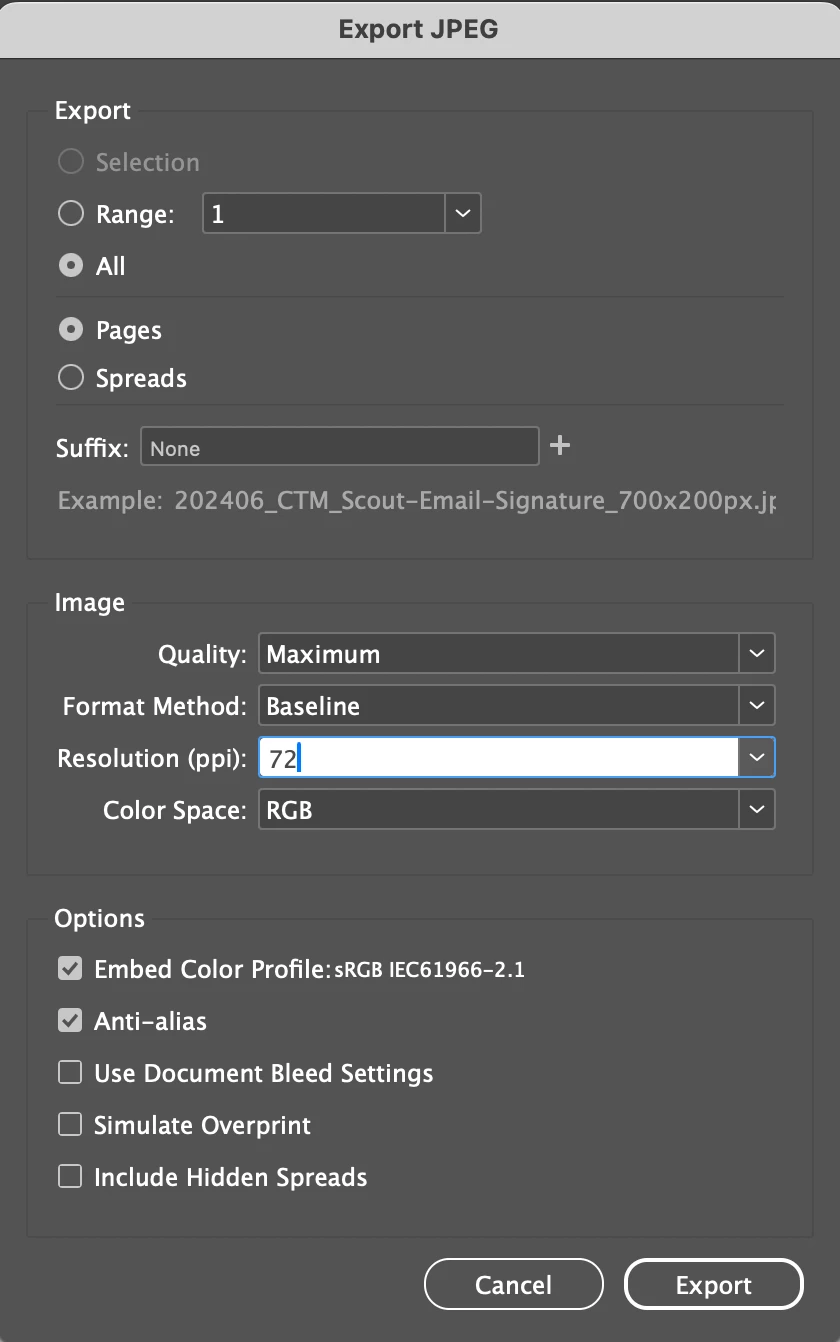
The issue is, it is coming out at the correct dimensions, but is extremly blurry. When I up the resolution to 300 but keep everything else the same, the image looks crytal clear. For example, this is 700x200, 72dpi; which exports to exactly 700x200.

Then the below is 700x200, exported with 300dpi, which changes the final image to 2917 × 833....(sized down to fit in this box)

They are both attached as well.


Does anyone know how I can fix this??

Thanks in advance!!

This topic has been closed for replies.

4 replies

Robert at ID-Tasker
Legend
August 26, 2024

@Sydney Ziemba


Turn off Anti-alias. 


rob day
Community Expert
Community Expert
June 12, 2024

Hi @Sydney Ziemba , when you decide that the JPEG is blurry what magnification are you viewing at in Photoshop (or a browser)? Is it 100%

Also, the content of the banner matters, 700 pixels would be a problem if you are trying to resolve 9px type.

rob day
Community Expert
Community Expert
June 12, 2024

Also, another thing to consider is most browsers detect high res HDPI or Retina displays and scale up the page accordingly. So you can work at a higher pixel dimension, and then in the HTML set the <img> tag’s width and height properties to the desired pixel dimensions. You can see the effect in this capture from Safari on my iMac Retina display. The top image’s actual pixel dimensions are 1400 x 400 px, and the bottom image is 700 x 200 px


In the HTML code I have set the width and height for both as 700 x 200, but the top image looks crisper because Safari is detecting the Retina display and scaling the page up:


<!DOCTYPE html>
<html>
<head>
<meta charset="UTF-8">
<title>Resolution Comparison</title>
</head>
<body style="background-color:#000;">
	<div style="margin: 10px;">
		<img src="1400.jpg" width="700px" height="200px">
	</div>
	<div style="margin: 10px;">
		<img src="700.jpg" width="700px" height="200px">
	</div>

</body>
</html>


BobLevine
Community Expert
Community Expert
June 12, 2024

Resolution does not exist on the web, only pixel dimensions. First thing I would advise is to avoid JPGs and use PNG but it is what it is and I would advise you to use the proper tool for this...Photoshop.

Participating Frequently
June 12, 2024

I'm not sure why this doesn't work as I make banners in both of these programs all the time?

James Gifford—NitroPress
Legend
June 12, 2024

So are you saying there's only something wrong with this banner/project?


As Bob notes, there's really no such thing as resolution for web use, only the pixel dimensions of an element and how it's scaled to the display. Some apps and workflows are better at fine adaptation and aliasing to get better clarity out of small type and fine detail than others. InDesign is not really a raster image/pixel/web graphic app and thus is not as strong at these abilities as, say, tools intended for the purpose, like Photoshop.

Participating Frequently
June 12, 2024

Why is my image blurry at 72dpi (usually never have a problem?) and why when i up it to 300dpi, does it size up so much? I'm used to the file size being bigger, but not the actual dimensions of the JPEG...

Participant
August 26, 2024

I have the same problem as you said,

When I export the image at 72dpi, it becomes blurry. But at 300dpi, it becomes crystral clear 

In my case, the problem occurs after installing windows 11
From then, I reinstall different version of windows 10/11 and Illustrator, but it never solved.

When i try to present the problem to others, people always goes to detail and give explanation of ppi and dpi