bartonlew
Legend
March 24, 2023
Answered

Export to PDF 2-page view with cover standing alone

  • March 24, 2023
  • 1 reply
  • 11353 views

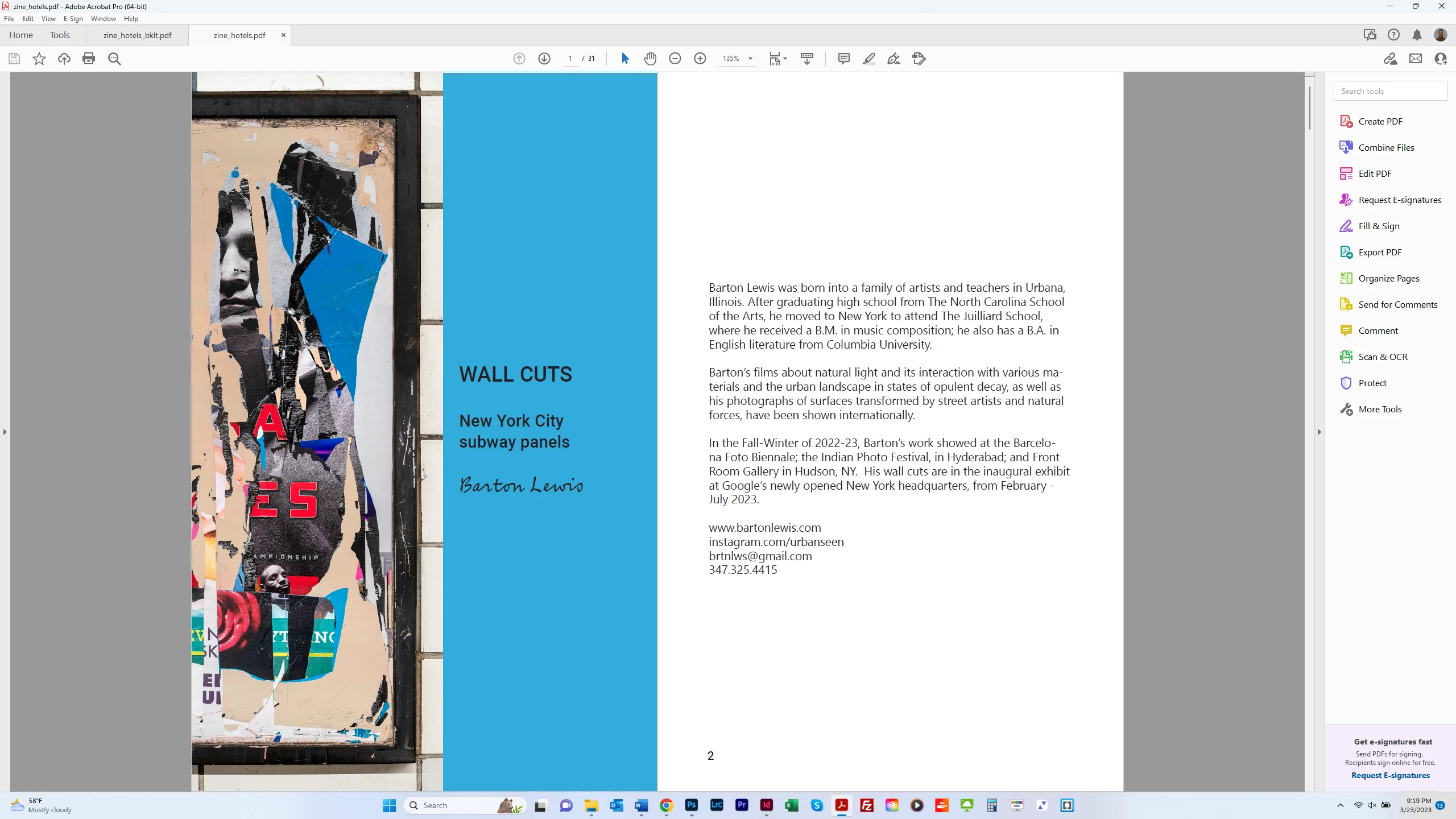
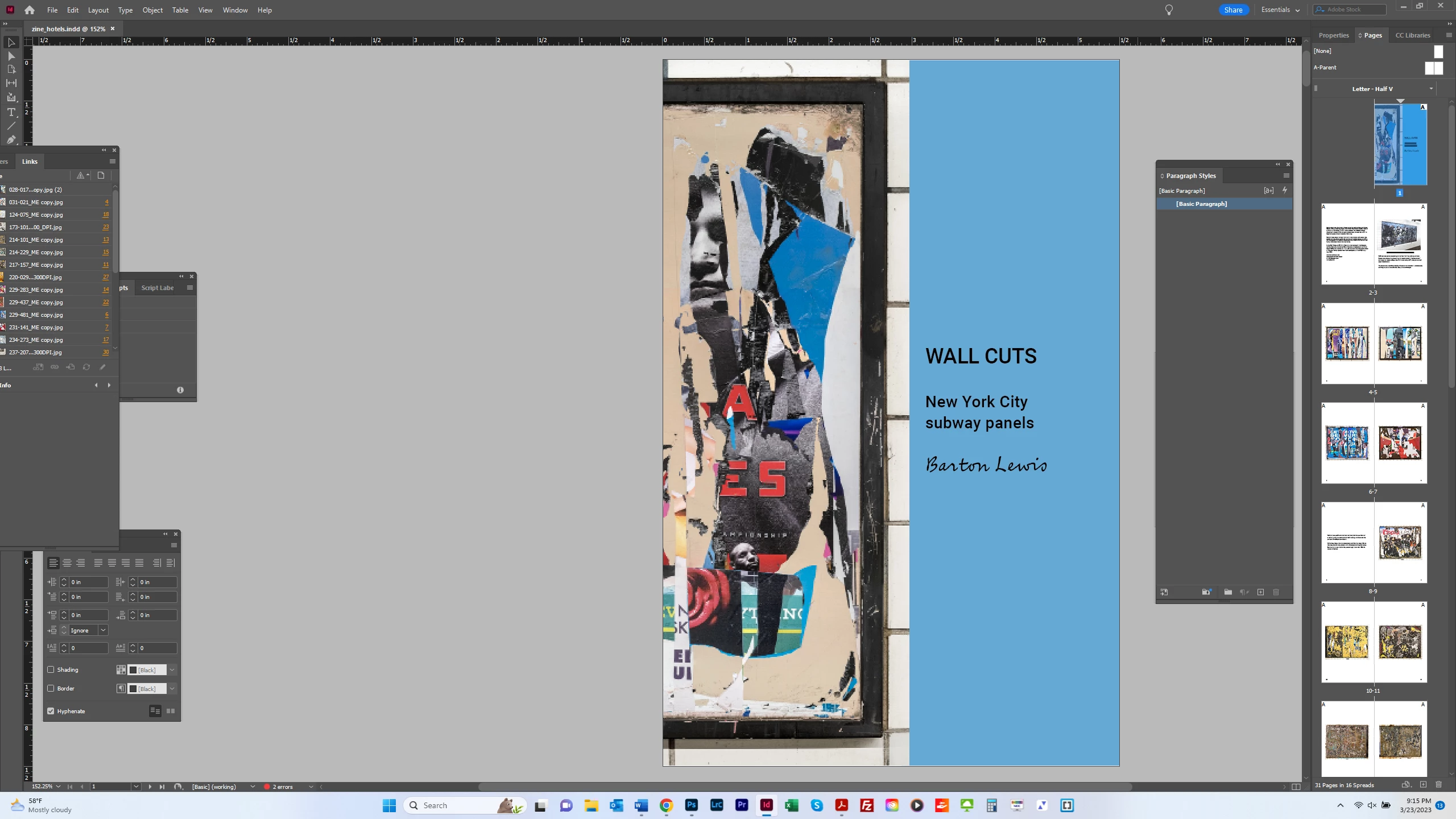
I want to export my zine and view it as a 2-page PDF, but with the cover appearing on its own, as it does in InDesign.  The 1st screen shot below shows this.  The 2d screen shot shows the PDF in 2-page view, with page 2 facing the cover.  This throws the pairing of images in facing pages off.  I want the convenience of someone looking at the PDF online but with the proper layout.  How can I achieve this?  Thanks.  


This topic has been closed for replies.
Correct answer Brad @ Roaring Mouse

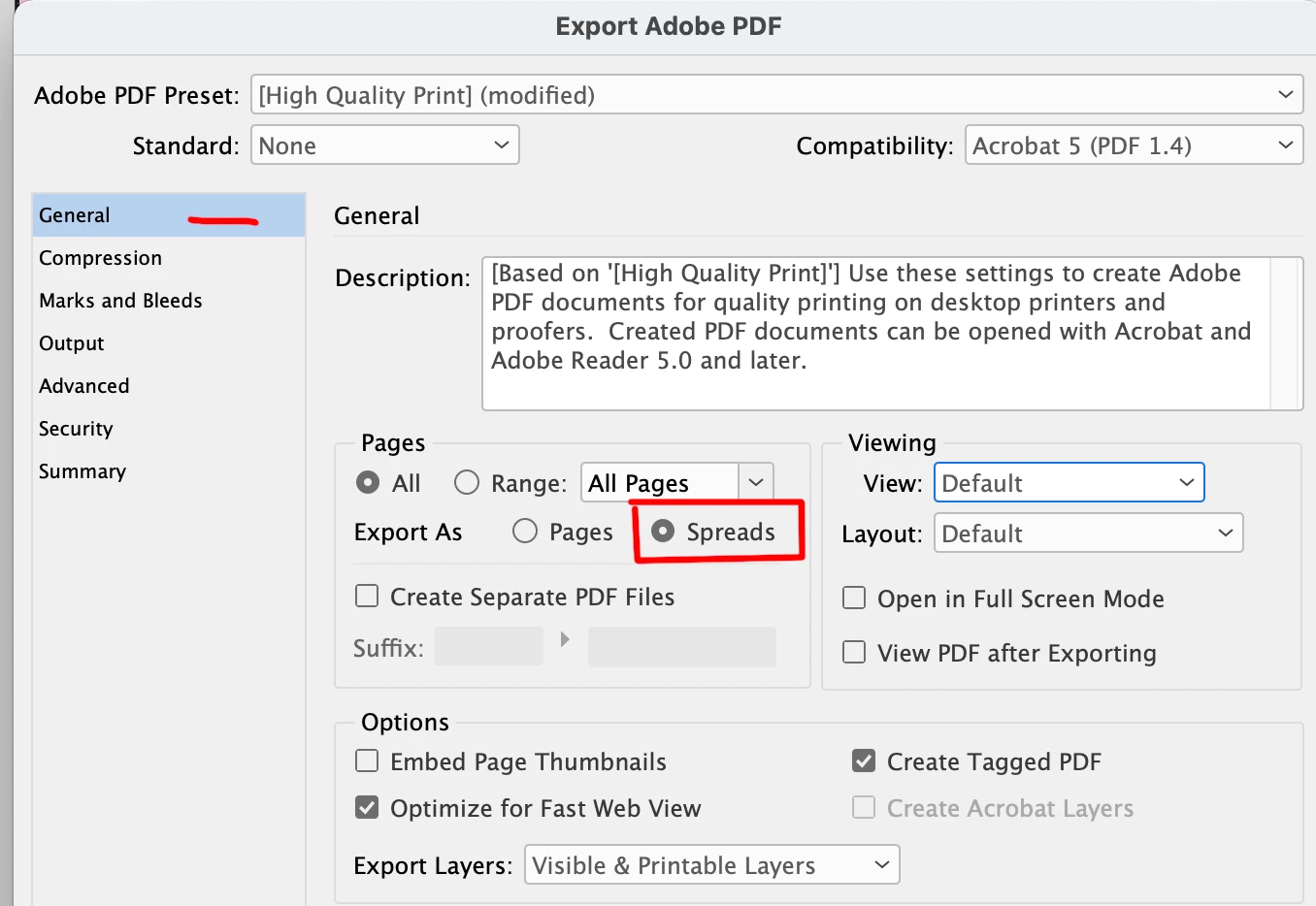
It's better if you export your PDF as Reader's Spreads. If your file is properly setup as a facing-pages document, this will keep your cover as a page by itself and the remainder as two-up reader's spreads.

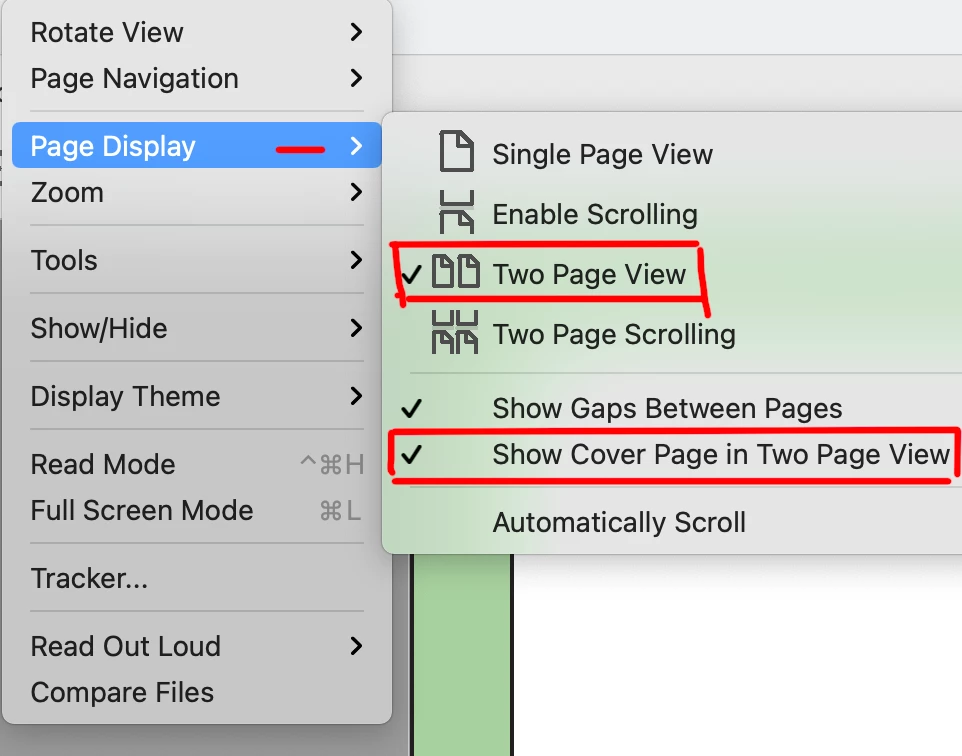
It can be done in Acrobat/Reader as well, but this is a preference of the person using the program:


1 reply

Brad @ Roaring Mouse
Community Expert
Brad @ Roaring MouseCommunity ExpertCorrect answer
Community Expert
March 24, 2023

It's better if you export your PDF as Reader's Spreads. If your file is properly setup as a facing-pages document, this will keep your cover as a page by itself and the remainder as two-up reader's spreads.

It can be done in Acrobat/Reader as well, but this is a preference of the person using the program:


bartonlew
bartonlewAuthor
Legend
March 25, 2023

I had a different user experience when selecting this option. See below.  Maybe the versions have changed?  Single Page Continuous and Two Page Continuous were alternative options in Layout, not in tandem with Default and not in combination with each other.  


James Gifford—NitroPress
Legend
March 26, 2023

I think the difference is that Brad's solution exports the document as fixed spreads, so that every 'page' is double width and cannot be viewed differently in a reader. My solution exports all pages singly but sets/prefers the display to be two page if it can, or reduce it to single pages on a smaller screen or higher zoom.


Spread export is inflexible but keeps page sets together, regardless of the reader or user settings. "Show as spreads" is flexible but it may be difficult to get all readers to show the pages as intended (not all PDF readers have the same functionality).


Does that make sense?