
tessaslisz
New Participant
April 6, 2021
Answered

Exported InDesign image is bigger than expected

  • April 6, 2021
  • 4 replies
  • 573 views

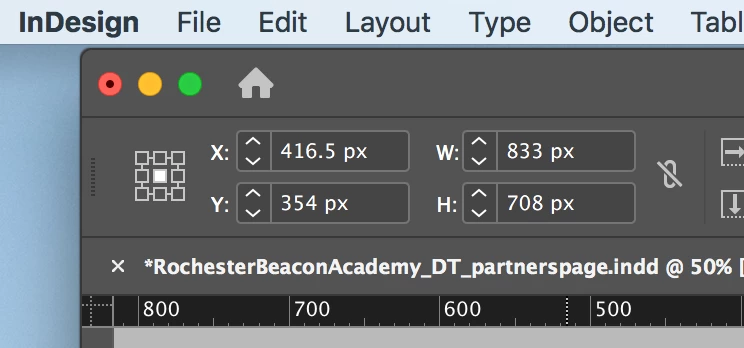
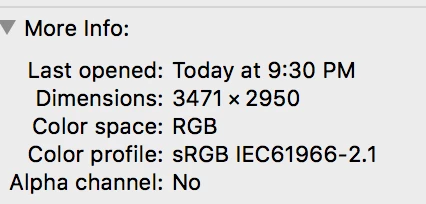
I created an image in InDesign with dimensions of 833 x 708 px. However, when I export it as a JPEG, the dimensions of the image are 3471 x 2950 px. Does anyone know why this might be occurring?
 

This topic has been closed for replies.
Correct answer Eugene Tyson

You just need to change the image resolution in Photoshop.

4 replies

Eugene TysonCorrect answer
Braniac
April 6, 2021

You just need to change the image resolution in Photoshop.

rob day
Braniac
April 6, 2021

Or set the Export Resolution to 72ppi—11.5694*72 = 833px

rob day
Braniac
April 6, 2021

If you set your Ruler Units to Inches, it is easier to see how the JPEG Export Resolution affects the export pixel dimensions.


With Ruler Units set as Inches your selected object’s output dimensions are 11.5694" x 9.8333". 

11.5694"*300ppi = 3,470.82px


Brad @ Roaring Mouse
Inspiring
April 6, 2021

Looks like you exported your JPEG at 300 dpi. In order to match the dimensions of your document, you want to export at screen resolution, i.e. 72 dpi.

Braniac
April 6, 2021

How is your resolution set?

I don't use this feature, but it looks like if you set your document to a certain pixel size, it will export a jpeg of the same size if you use 72ppi. Larger resolutions will make larger jpegs. But then, I could be wrong about this.