Answered
Exported PDF images are way too bright in Chrome
- April 7, 2022
- 3 replies
- 890 views

Well, yes, there is an "inbetween" solution.
[1] Export to Print PDF with either your method that works for you.
Or set it up this way:
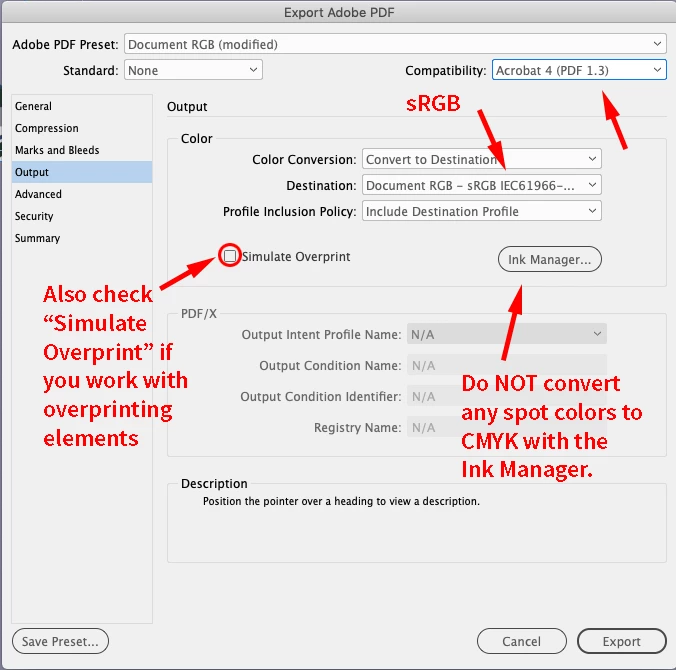
[2] Also export a second PDF to Interactive.
[3] Open the interactive PDF with Acrobat Pro and exchange all pages with the ones of the PDF you did in step [1].
The interactive elements are maintained. Save to a new name in Acrobat Pro.
Regards,
Uwe Laubender
( ACP )
Already have an account? Login
Enter your E-mail address. We'll send you an e-mail with instructions to reset your password.
 AdChoices