
Participant
January 25, 2020
Question

Exported PDF suddenly has many issued exposed by Acrobat preflight

  • January 25, 2020
  • 3 replies
  • 718 views

Hello!


I have been preparing smaller and larger files for print for a long time. This time however (I have a feeling it has something to do with the new version of Indesign 2020 which I insalled a few days ago, it turned out my PDF for print has many issues. 

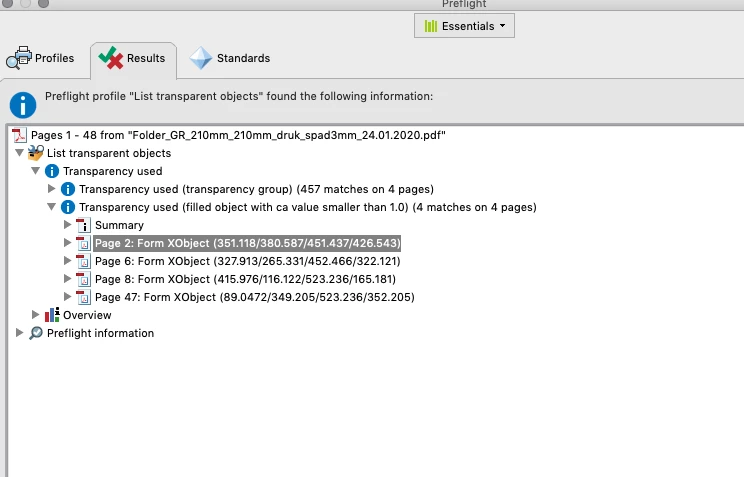
1. A pasted eps file which by definiton shoudl not have transparencies and has no effects added whatsoever, according to Acrobat preflight, contains transparencies.


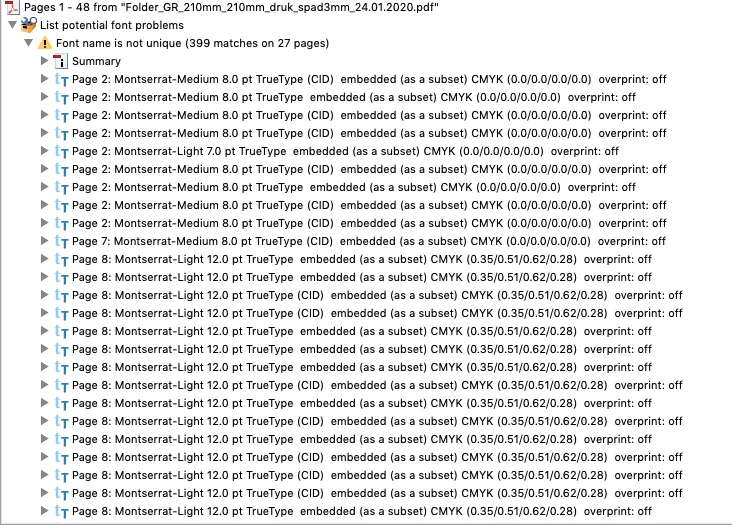
2. Issues with fonts:


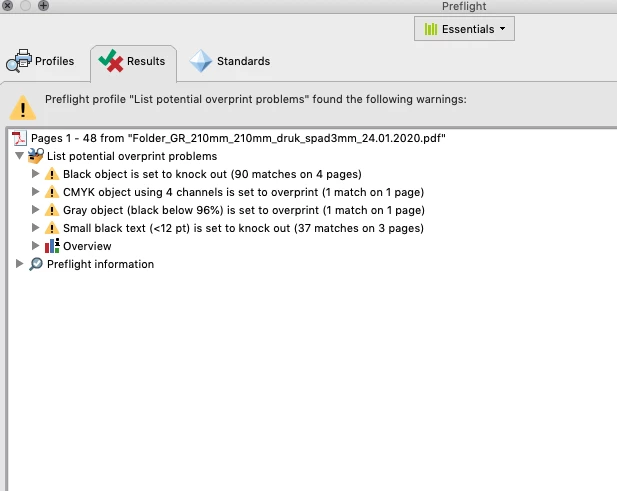
3. Other issues (color/ CMYK values)?
 

I exported the file with a default setting for high quality print. 


I would appreciate you advice.

Thanks in advance!


This topic has been closed for replies.

3 replies

rob day
Community Expert
Community Expert
January 26, 2020

Have you tried preflighting the document in InDesign where the preflight profile checks for Transparency under Images & Objects, and Overprinting Applied under Color? ID’s Preflight will let you find and select those objects.

Michael Bullo
Community Expert
Community Expert
January 26, 2020

What happens if you don't include this EPS file in your InDesign document? Do you still get these issues when you export? You could try progressively removing elements from your InDesign file, exporting and checking the PDF to see where exactly the issue creeps in.

Legend
January 25, 2020

What do you mean by a "pasted EPS file"? Please describe your workflow, and also settings for export.

Maja M.Author
Participant
January 25, 2020

Hi,


- I place files such as client's logos in .eps format inside the InDesign document. They do not contain any transparency when prepared in Illustrator (from what I know the eps file does not contain transparency anyway). I do not add any effects such as shadows etc in InDesign. 

- I export the file into a PDf. I chose "high quality print". By default the export box chooses "compatibility: Acrobat 5 / 1.4. I did not change anything here. 

- I add bleed and I export the file. 


Later on when I opened the preflight window in Acrobat I saw the list of issues including the issues with "transparency". When I click on "show" it marks mostly those eps logos which have never caused any problems before. Actually it also indicates that some text contains transparency which is even stranger. 


Maja M.Author
Participant
January 25, 2020

Maybe I should add that the file was originally prepared in the previous version of InDesign. I recently reopened it in the 2020 version and started working on it again.