Participant
August 1, 2017
Answered

Exporting all selected objects as individual separate png files

  • August 1, 2017
  • 1 reply
  • 34508 views

I'm looking for a way, possibly via a script, to export all selected objects on an InDesign page as individual separate PNG files.

    Correct answer Barb Binder

    InDesign can do it for you.

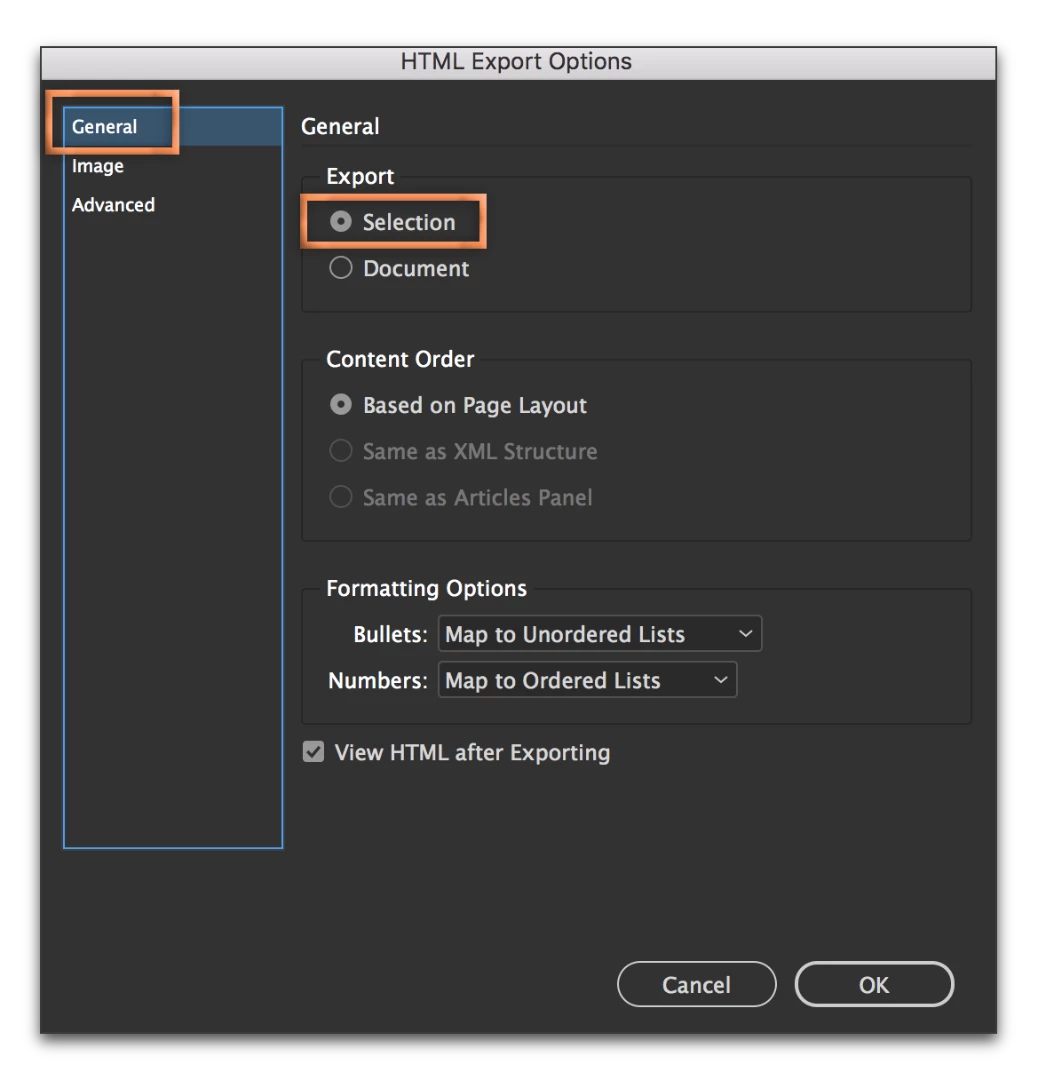
    1. Select the images on a spread.
    2. File > Export > HTML
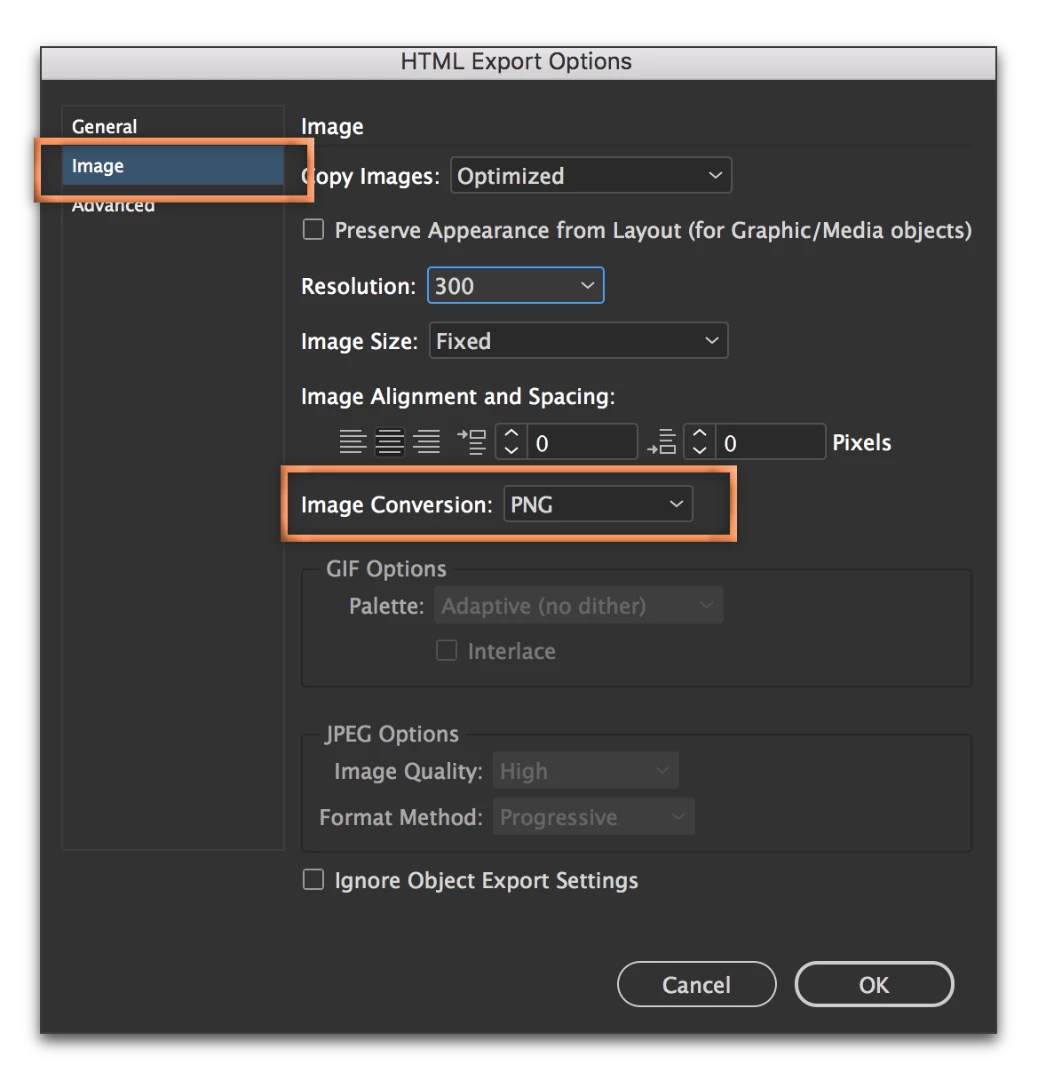
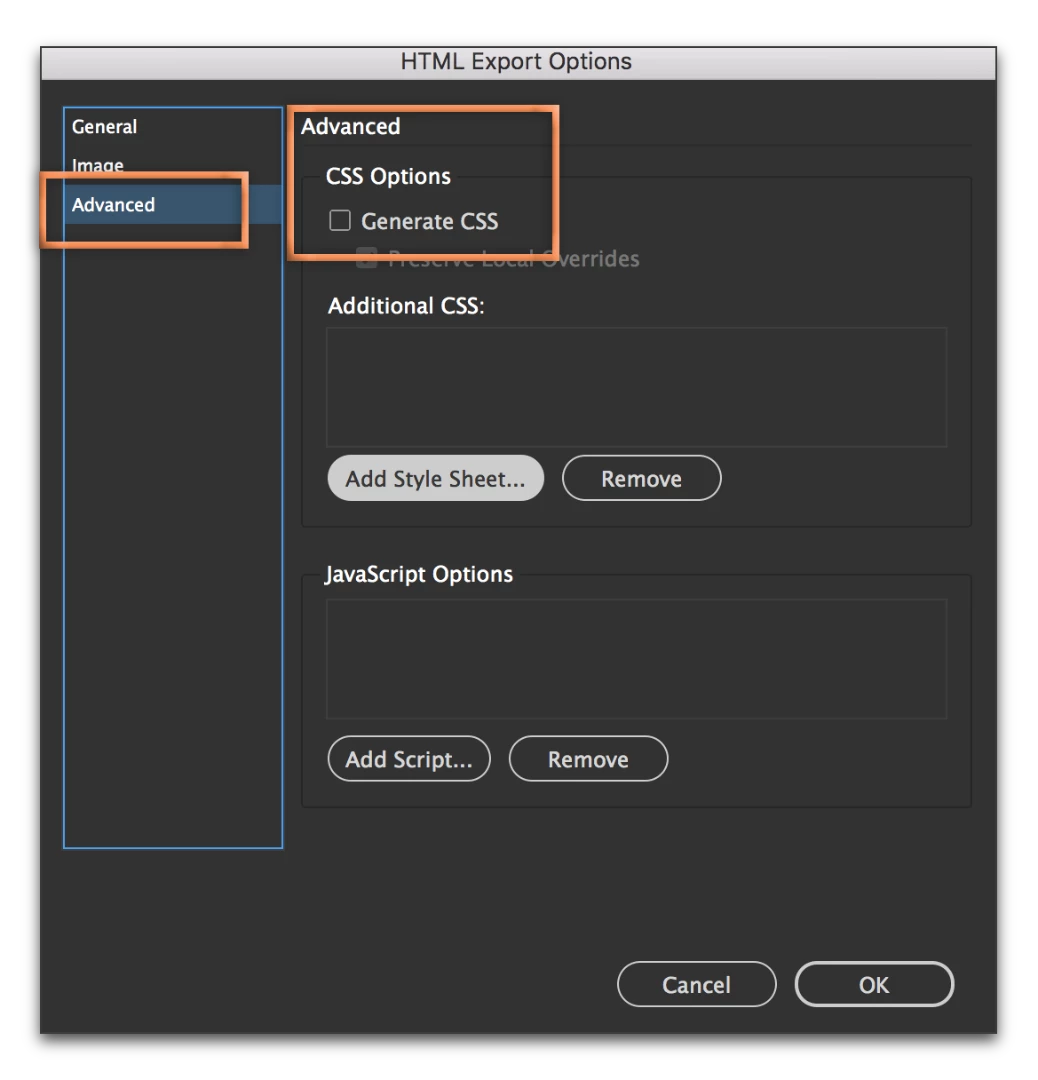
    3. Go through the settings as follows:


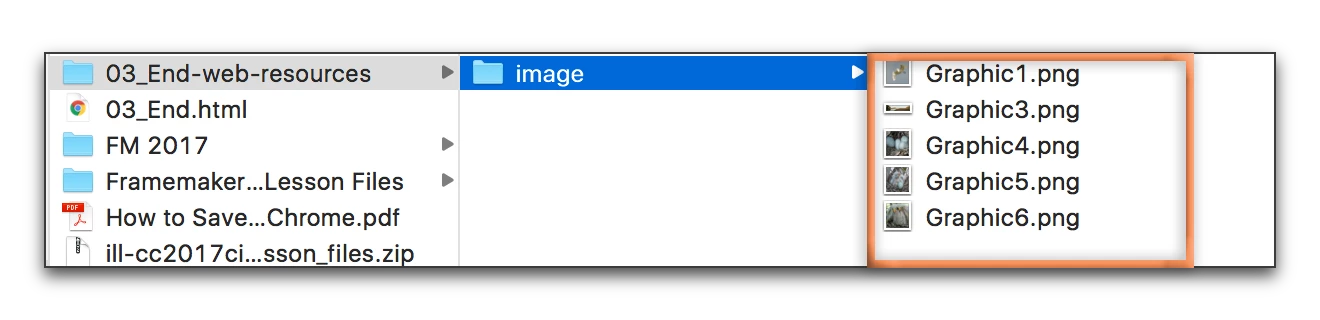
    When you complete the export, the PNG files will be in a folder. Throw out the accompanying html file.
    1 reply

    Barb Binder
    Community Expert
    Barb BinderCommunity ExpertCorrect answer
    Community Expert
    August 1, 2017

    InDesign can do it for you.

    1. Select the images on a spread.
    2. File > Export > HTML
    3. Go through the settings as follows:


    When you complete the export, the PNG files will be in a folder. Throw out the accompanying html file.

    ~Barb at Rocky Mountain Training
    Known Participant
    October 17, 2018

    This is exactly what I'd like to do as well, but I'm trying to export some text within a rectangle frame (for png buttons) and the html export treats that as text and not an image. Is there a script or other way of exporting all selected objects to png files? I'd like to keep the text live if possible. Thanks!

    BobLevine
    Community Expert
    Community Expert
    October 17, 2018

    This thread is more than a year old and has been answered. Please start a new discussion with full details on your version of ID, operating system and exactly what you're trying to do.