
Participant
February 11, 2020
Question

Eyedropper tool grabbing text color not fill color

  • February 11, 2020
  • 2 replies
  • 634 views

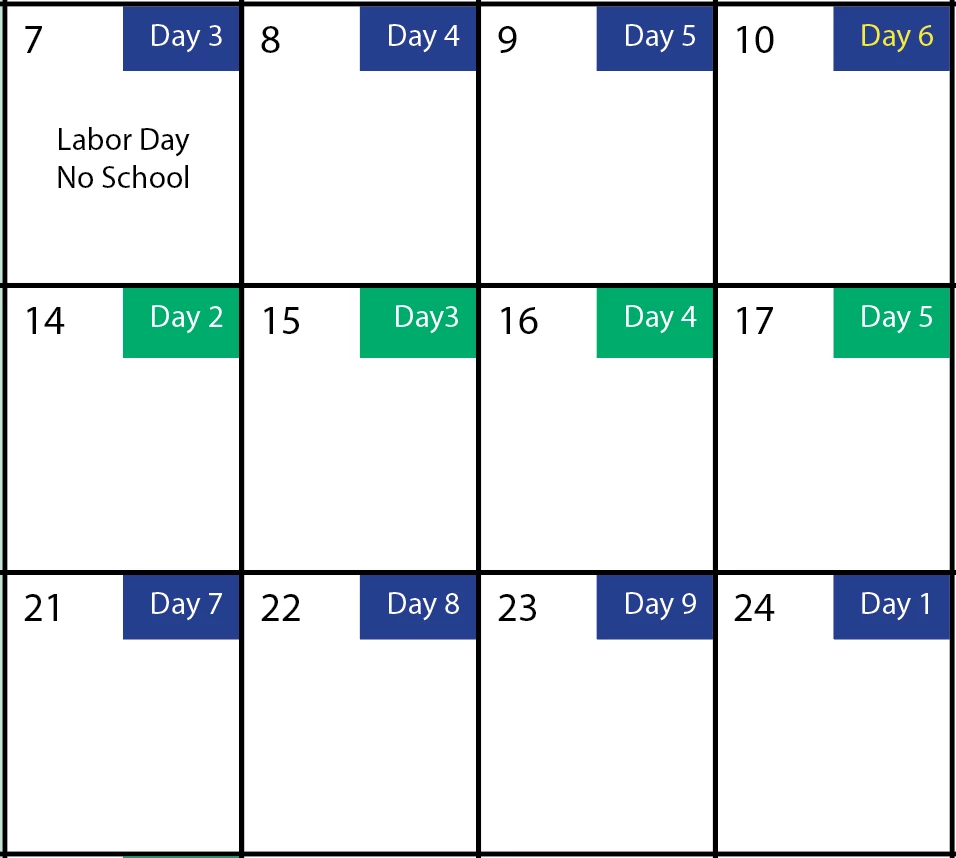
I am working with Indesign 2018. I created a table with different colored cells used in a calendar design (see attached). I want to use the eyedropper tool to quickly change the boxes from green to blue and vise versa. When I click on the blue box to pick up the fill color, a tiny "T" appears above the eyedropper tool letting me know it grabbed the text color NOT the cell fill color of the cell. When I move to a new cell and click, nothing happens. How do I pick up the fill color in a cell using the eyedropper tool when there is text in that cell. Right now it only picks up text colors not fill colors. I tried double-clicking eyedropper tool and played with the options, no luck.
This topic has been closed for replies.

2 replies

Community Expert
February 11, 2020

Hi Chris,

yes, this seems to be a restriction in the feature itself.

If the cell contains no text one is able to pick up the cell's fill color.


But I think there is a better way than using the eyedropper tool for this:

Just position your Swatches panel next to the table and drag a fill color from the panel to a table cell.


Regards,
Uwe Laubender

( ACP )

Community Expert
February 11, 2020

Create different Cell Styles that have different colours for your blue and green.

Then you can assign keyboard shortcuts to the cell colours if you like - or just select the cell style from the Table Styles menu.


The main advantage here is if you want to change the colour to something else, just change the cell style. And they all change (where applied)

Participant
February 11, 2020

The trouble I am having with the cell styles is each box has three cells in it. One cell has the day of the month (which is gray), one cell has the "Day #" cycle (which is blue or green) and the third cell would hold the holiday (which is yellow). I've attached a picture and shades each box so you can see what I'm talking about. I can't seem to get the style right to shade correctly.