

Myers250
Participant
June 18, 2019
Question

Facing Pages - No Gutter /Bleed

  • June 18, 2019
  • 1 reply
  • 1350 views

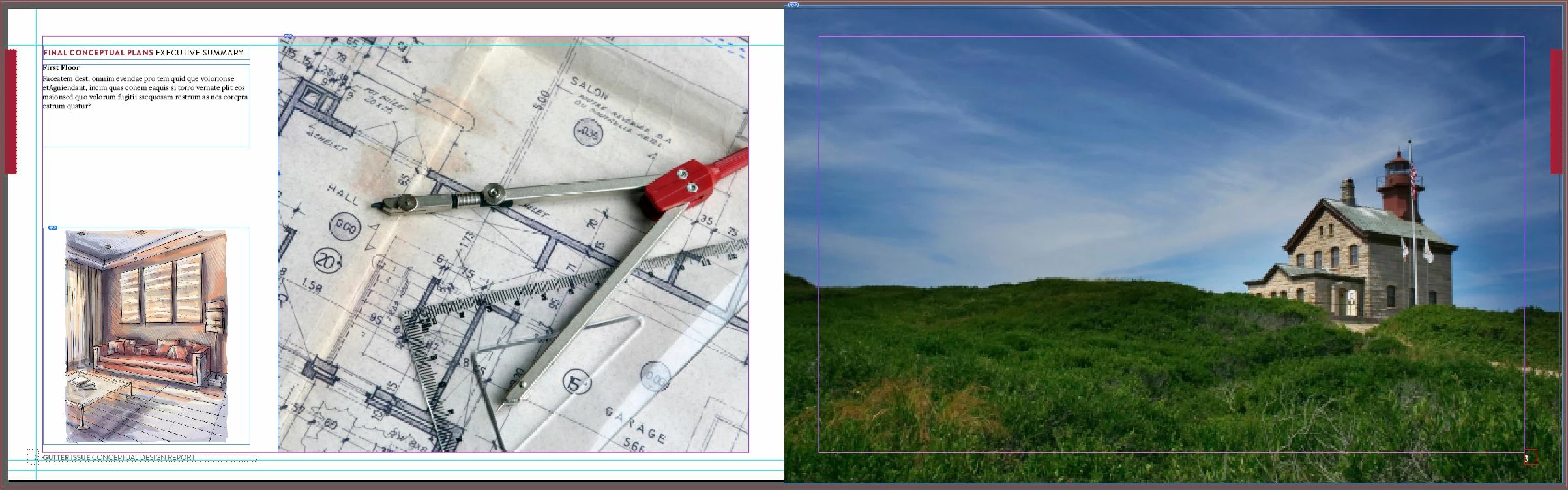
I have my InDesign document set-up with .125" bleeds and facing pages because the footer and page numbers are different left to right.  However, I need the image on the right to bleed .125" in the middle of the facing pages but not show up on the left page.  Is there a way to get the gutter to show between the two pages to alleviate having to separate out to individual pages and adjust bleeds?

Seems like this should be a standard, not a headache, especially when you have to convert your whole 40+ page document to single and adjust each page to send out to a printer.
This topic has been closed for replies.

1 reply

Legend
June 18, 2019

Unless you are printing spiral bound or single pages, it is unlikely that your file needs to bleed into the gutter. In most cases, you can set inside bleed to 0.

If you actually need to have an inside bleed, try this method:

https://indesignsecrets.com/breaking-pages-apart-to-bleed-off-a-spine.php

Myers250
Myers250Author
Participant
June 18, 2019

I will take a look at the link, but yes, we are printing spiral bound for a final deliverable.

rob day
Community Expert
Community Expert
June 18, 2019

yes, we are printing spiral bound for a final deliverable.

If the document is setup as non-facing pages, you can still arrange the pages as spreads, and then use the Page tool to separate the spread pages and get a manual inside bleed along with the spread view. If the spread has a crossover photo then you don't need to separate the pages—with crossovers you do want the bleed coming from the opposite page.

See #17 here for the setup details:

Re: Inside Bleeds