Participating Frequently
June 5, 2022
Answered
Faint outlines around image cutouts
- June 5, 2022
- 2 replies
- 3243 views

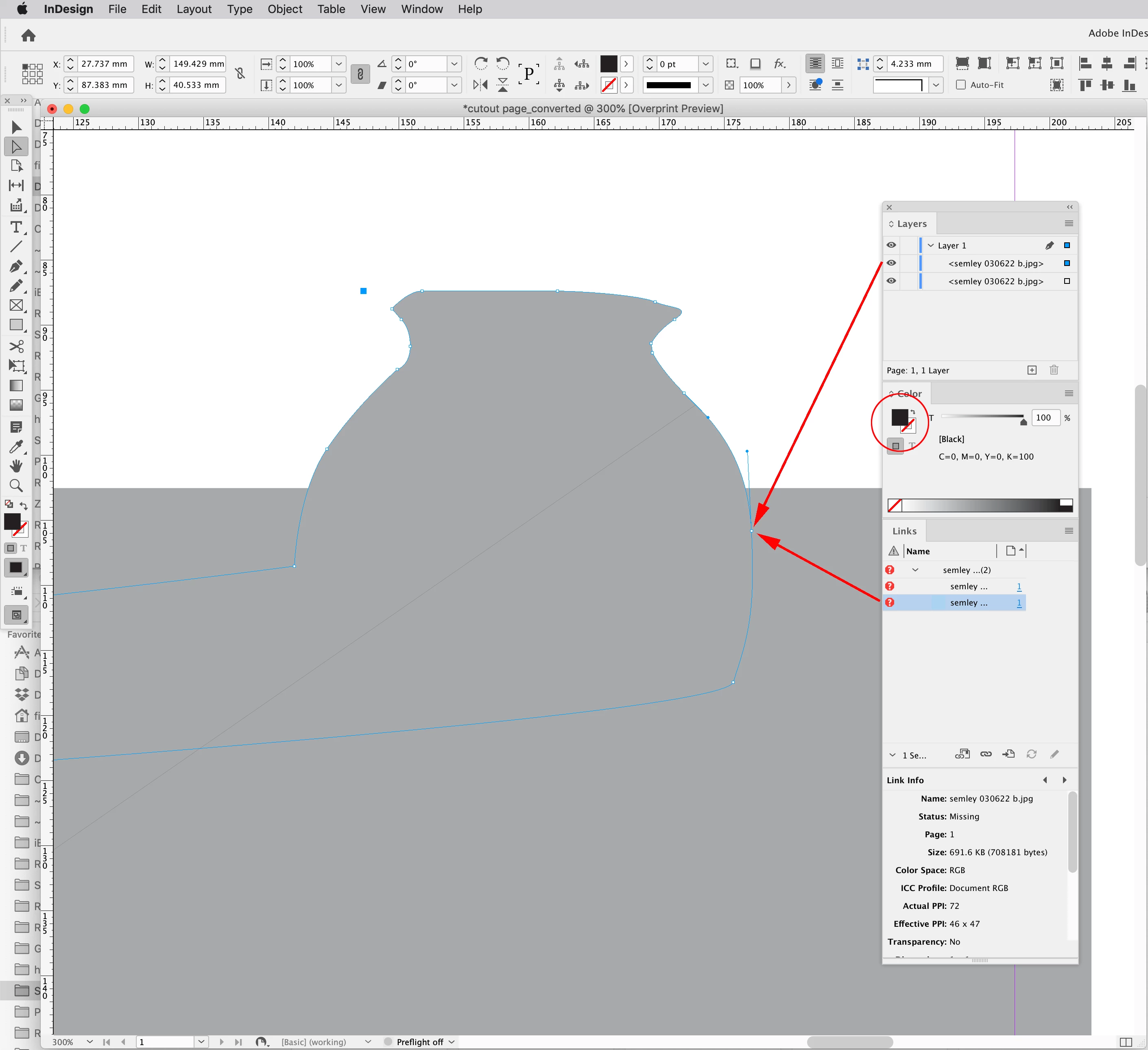
Hi @steveb41091698 You have placed the semley 030622 b.jpg image twice with the top version in a cut out path to create the silo. The path’s fill is set to [Black], try setting it to [None]. You did not include the image file for us to download, but I can see the effect of the [Black] fill with the image missing:
Rob has got it.
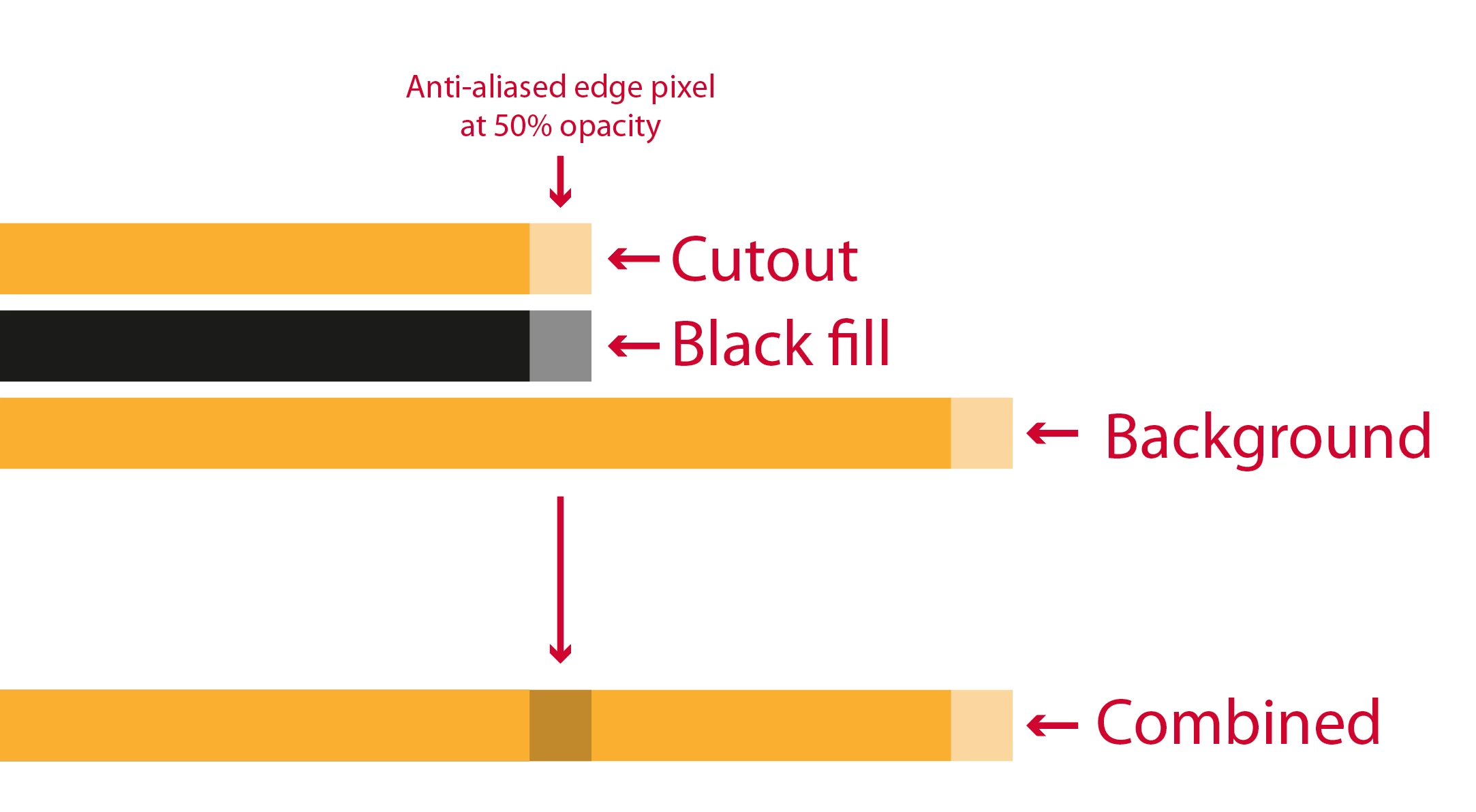
Just to describe WHY this is happening.... Your top object has an unecessary black fill; this creates a new object in the stacking order, so when it's rendered, your background image is rendered first, then the black object (i.e. the errant fill), then the cutout image on top of that. Since you are rendering for the screen/exporting PDFs at a lower resolution, the edges of each object are anti-aliased so there's a fringe of semi-transparent pixels around each, hence the "Black" fill's edge shows through the edge of the top object, giving you the grey fringe.
Like so:
Remove the Black background, and all will be fine.
Already have an account? Login
Enter your E-mail address. We'll send you an e-mail with instructions to reset your password.
 AdChoices