
Hosun
Inspiring
February 17, 2023
Answered

Find/Change and search area

  • February 17, 2023
  • 3 replies
  • 889 views

Hi, 


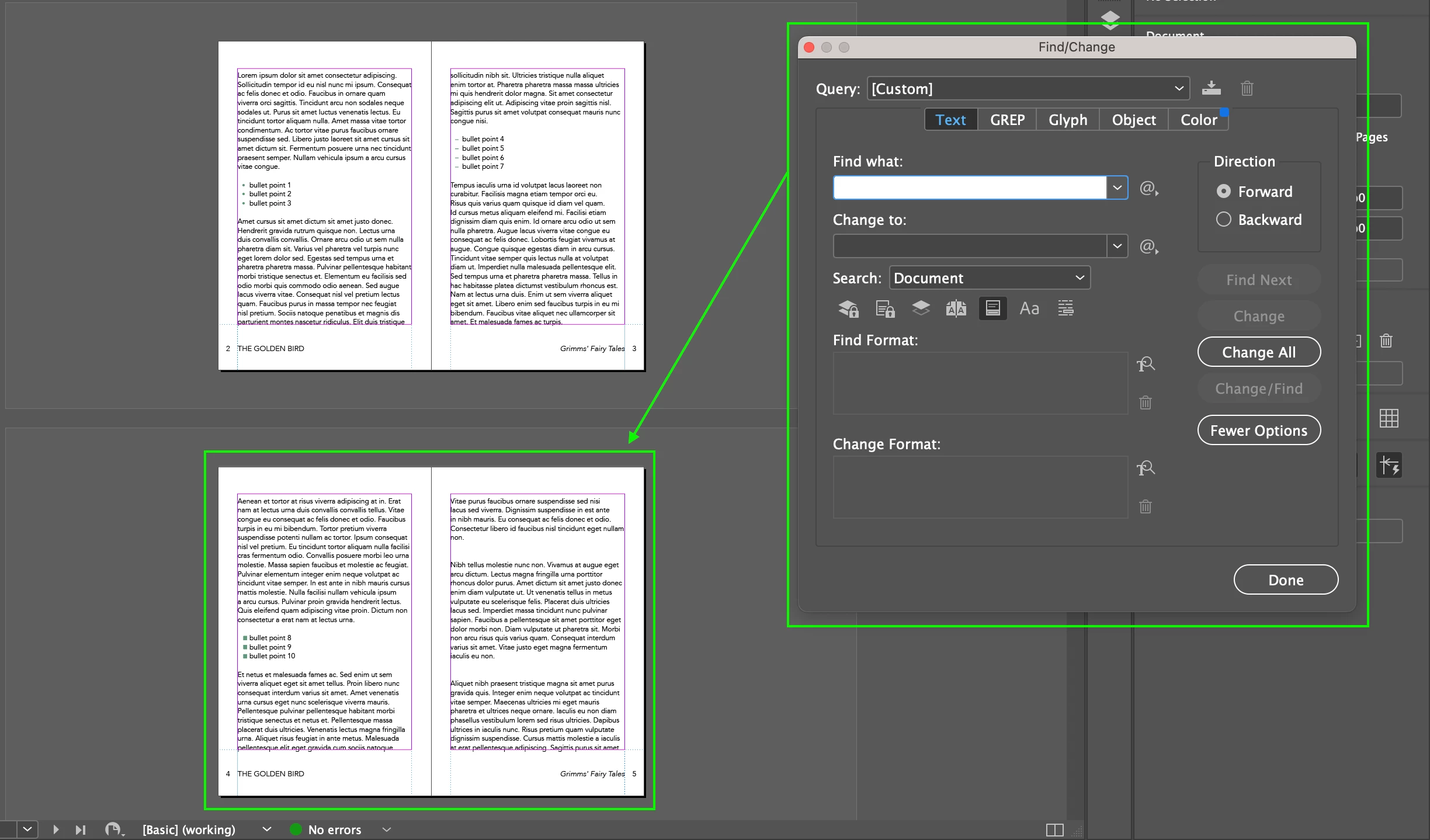
When I run Find/Change, it starts from Page 1.


Is there any way to specify the search area?


Hosun 
 

This topic has been closed for replies.
Correct answer Dave Creamer of IDEAS

Document = all stories in active document. 
All Documents = all stories in all OPEN documents


3 replies

jane-e
Community Expert
Community Expert
February 17, 2023


@Hosun wrote:

When I run Find/Change, it starts from Page 1. Is there any way to specify the search area? 


You can:

  • Make a selection and choose "Selection"
  • Click an insertion point and choose "To End of Story"


Is that what you are trying to do?


Jane


Steve Werner
Community Expert
Community Expert
February 17, 2023

I agree with Jane. Those are the most plausible and fastest ways of limiting the search.

Peter Spier
Community Expert
Community Expert
February 17, 2023

You can search the entire document, the current story, or a selection, and if you have an active cursor inthe story you can choose to search forward or backward from the insertion point (but eventually it will search the entire scope).

John Mensinger
Community Expert
Community Expert
February 17, 2023
quote

When I run Find/Change, it starts from Page 1.


Is there any way to specify the search area?


If you mean a page range, no. As you've seen, the choices are limited to Document and All Documents when there is no selection active, and to the menu items below when there is a selection:
