
Participant
April 11, 2023
Beantwortet

First run on Windows after install: [cursing removed] is this?

  • April 11, 2023
  • 6 Antworten
  • 2002 Ansichten

Installed InDesign on my wife's Windows 11 computer so she can do some church bulletins, and when she first runs it, she gets this screen that has zero indication of what it is, what it's for, or what needs to be done. 

Can anyone enlighten us as just just what in the heck this is/means? 
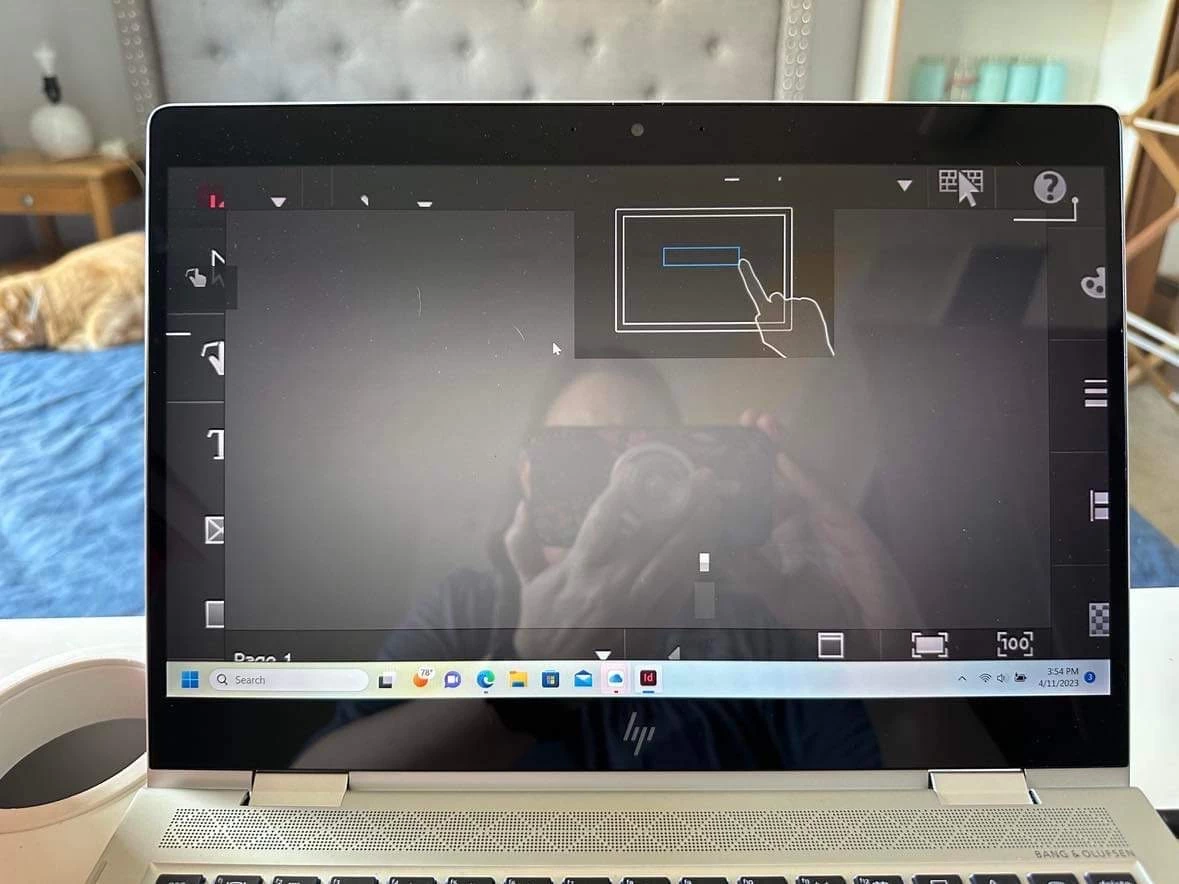
 

Utter UX fail (adobe? Microsoft? Who knows? I'm a Mac user, and have never seen this)

for not providing any actual text, tooltips, or even a *shred* of context as to what this is. Forcefully terminating InDesign and restarting makes it go away, but... [cursing removed] ?  


Dieses Thema wurde für Antworten geschlossen.
Beste Antwort von BobLevine

It is most definitely NOT a resolution issue...it is InDesign't touch interface which is very simple to turn off by switching workspaces.

6 Antworten

Community Expert
September 13, 2023

@BobLevine said: "… which is very simple to turn off by switching workspaces."

Sometimes it's not that simple. I made the experience that InDesign was completely unresponsive the first time after installing it when showing the Touch workspace on a laptop with Windows 11. What helped was to kill the process and start up a second time. But I had to go hrough that "tutorial" from A to Z ( what's new etc.pp. ) at start-up and finally I was able to switch the workspace.


Regards,
Uwe Laubender
( Adobe Community Expert )

James Gifford—NitroPress
Legend
September 13, 2023

I don't think there's any question that a new install should not start up in touch mode. At all. No matter what device it's installed on. The user should have to select touch mode as a manual step. Auto-detect, aka "let's outguess the user," is a bad engineering choice here.

Participant
September 13, 2023

This is obviously a failure of Adobe and there are enough complaints that Adobe--not the user community-- should fix it right away. We pay too much to tolerate this nonsense.

BobLevine
Community Expert
Community Expert
April 12, 2023

You've never seen it on a Mac because Macs do not have touch screens. 

jmlevy
Community Expert
Community Expert
April 12, 2023
James Gifford—NitroPress
Legend
April 11, 2023

Yes, it's almost certainly a failure of InDesign to properly set/request a high enough screen resolution, so nothing is "fitting" on teh screen, the contents of that dialog included. It's not normal, usually doesn't happen and can be easily fixed by getting InDesign to reload with full screen res.


I have to note that the combination of "WTF" and "church bulletins" made me laugh. ")


Participant
April 12, 2023

Yikes. It had been a hot minute since either of us used InDesign and we had forgotten just how utterly awful the UX has always been on this product. 

Apparently Adobe needs to learn to use their words, not just cryptic pictures. 

(and touch screens on a laptop are about the most useless feature ever. There's a reason Macs don't have them)

James Gifford—NitroPress
Legend
April 12, 2023

Have you ever seen or used a 2-in-1? While it's a bit thicker than a typical tablet, the use of 2-in-1 with the keyboard flipped over is no different than a tablet.


You're missing my point: keyboards/HIDs and touch screens don't mix. You can use one or the other, yes, even on the same device, but not as a pair. (Part of HP's reason for abandoning the concept, back in about 1988, was fear of lawsuits for RSI and workplace injury from the disastrously bad ergonomics... but, of course, that was a different era.)


However, we're two full generations into newcomers who think a 16-inch laptop screen is an adequate workbench, and that fingerpainting is superior to other methods of input and control. I'll go shout down the wind and order back the tide, now.


Inspiring
April 11, 2023

Definately a screen resolution issue. I'd try going to the executable, right clicking for properties and changing the compatibility and "Change High DPI Settings" just so you may open InDesign to alter it's resolution natively within the program.

BobLevine
Community Expert
BobLevineCommunity ExpertAntwort
Community Expert
April 12, 2023

It is most definitely NOT a resolution issue...it is InDesign't touch interface which is very simple to turn off by switching workspaces.