Thanks @rob day for all the information. I have decided to go for 260% to be on the safe spectrum.
Now I have tried both profiles to see what changes occur. My document contains lots of black and white pictures, some of which are on the same page as colored pictures so the final document will be printed in full color.
Whenever I change the profiles of the pictures individually through Photoshop to Fogra47 and place it into inDesign they turn slightly blue. Is this common for the Fogra47 profile? I tried color correcting it through Photoshop but this makes it impossible.
Whenever I change the profiles of the pictures individually through Photoshop to Fogra47 and place it into inDesign they turn slightly blue. Is this common for the Fogra47 profile?
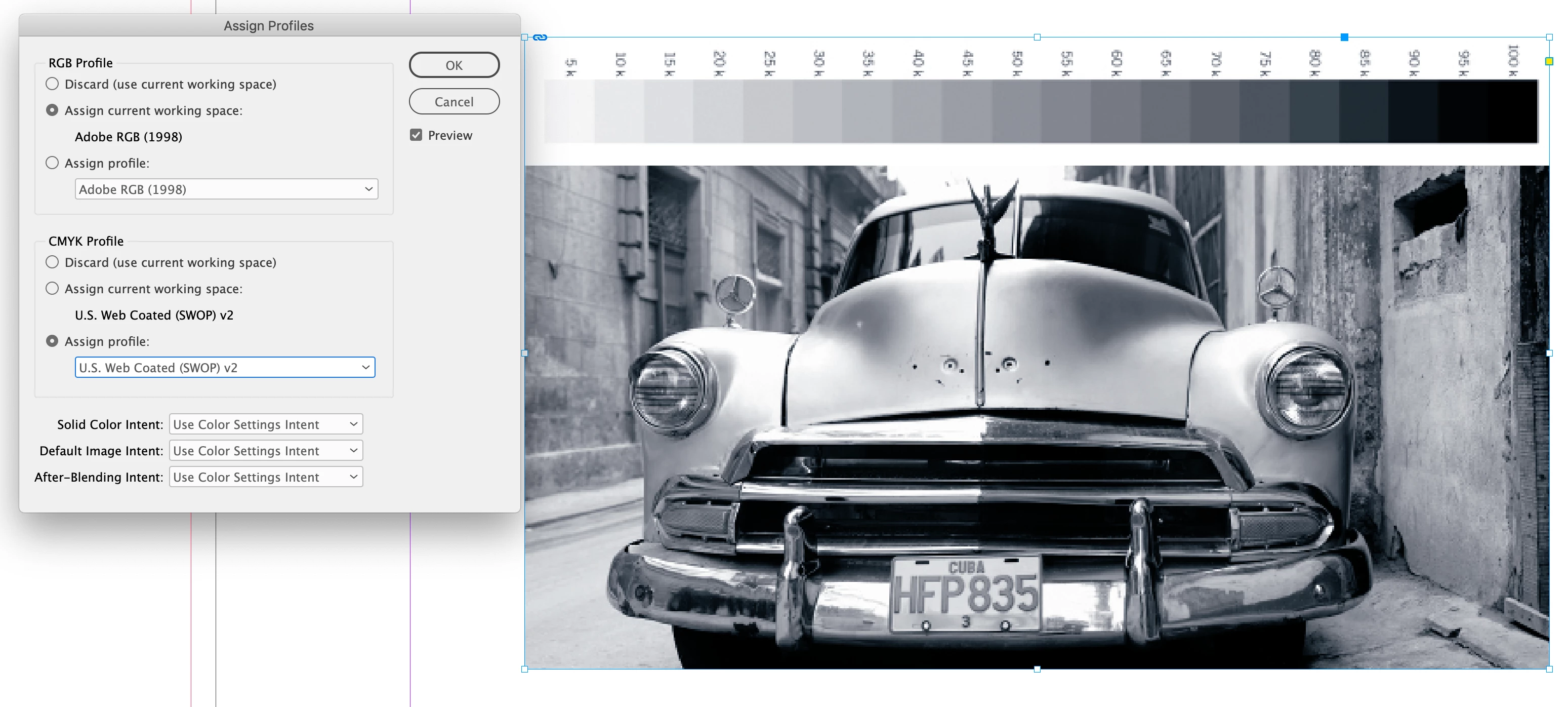
Sounds like your InDesign document doesn’t also have Fogra47 assigned. You don’t want conflicting CMYK profiles, check Edit>Assign Profiles... and set the InDesign document’s CMYK profile to Uncoated_Fogra47
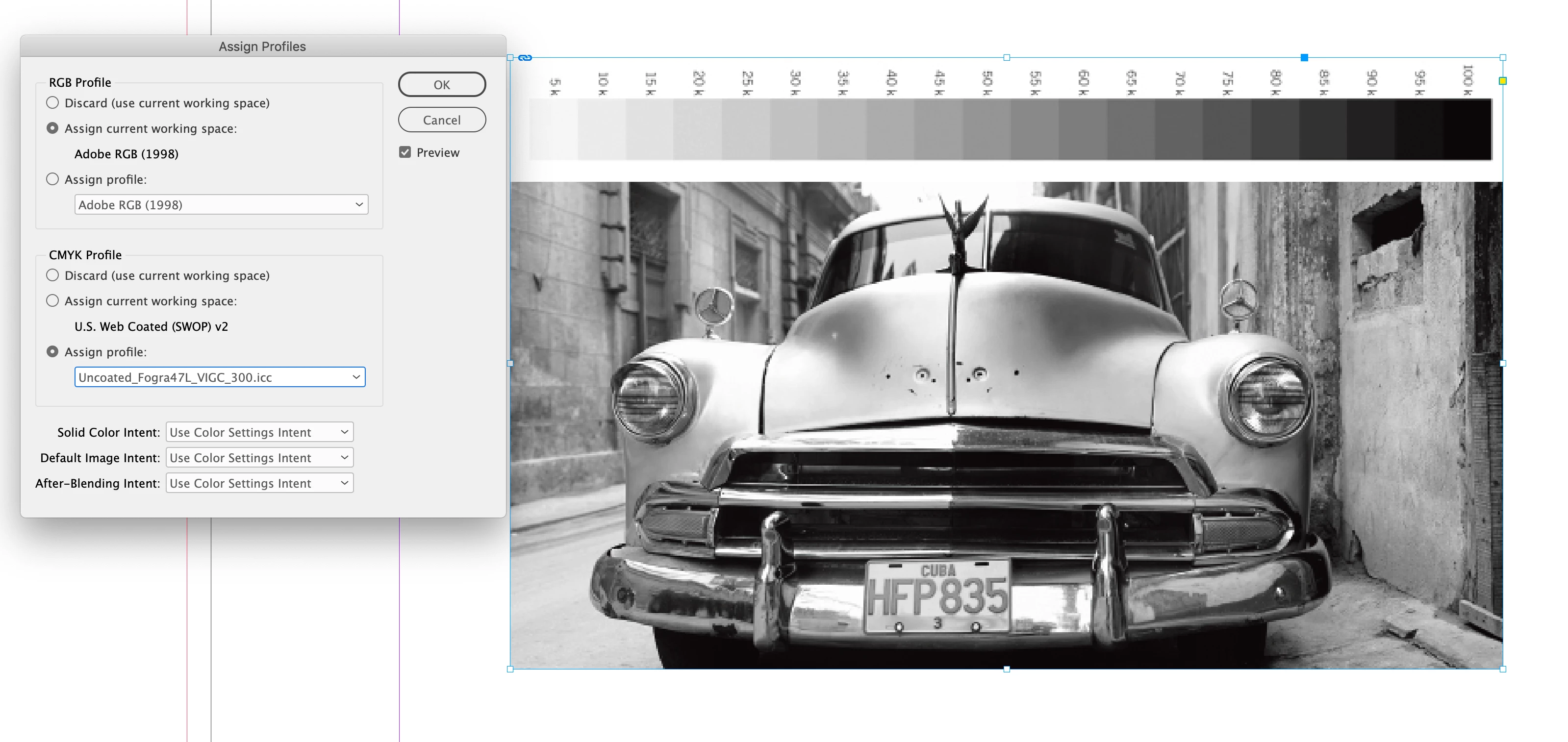
If it is set to the default US Web Coated SWOP there would be a blue cast:
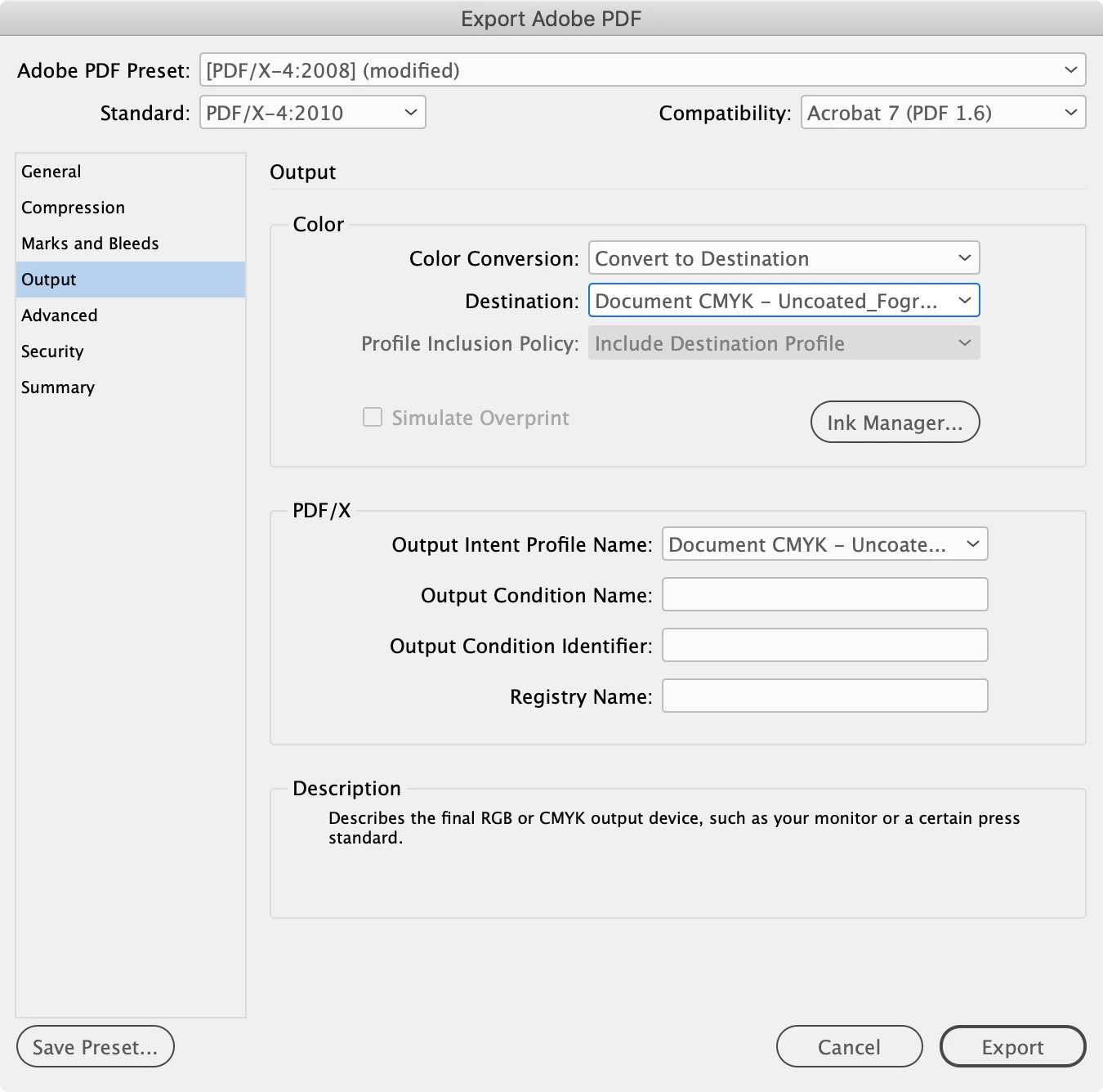
But you don’t have to make the CMYK conversions in Photoshop. It‘s more efficient to place RGB images with their profiles embedded and make the CMYK conversion from the PDF Export Output tab. Something like this would convert all of the RGB images in your document to the assigned CMYK document profile:

 AdChoices