Participant
May 31, 2024
Answered

font issue: yellow highlighting

  • May 31, 2024
  • 1 reply
  • 449 views

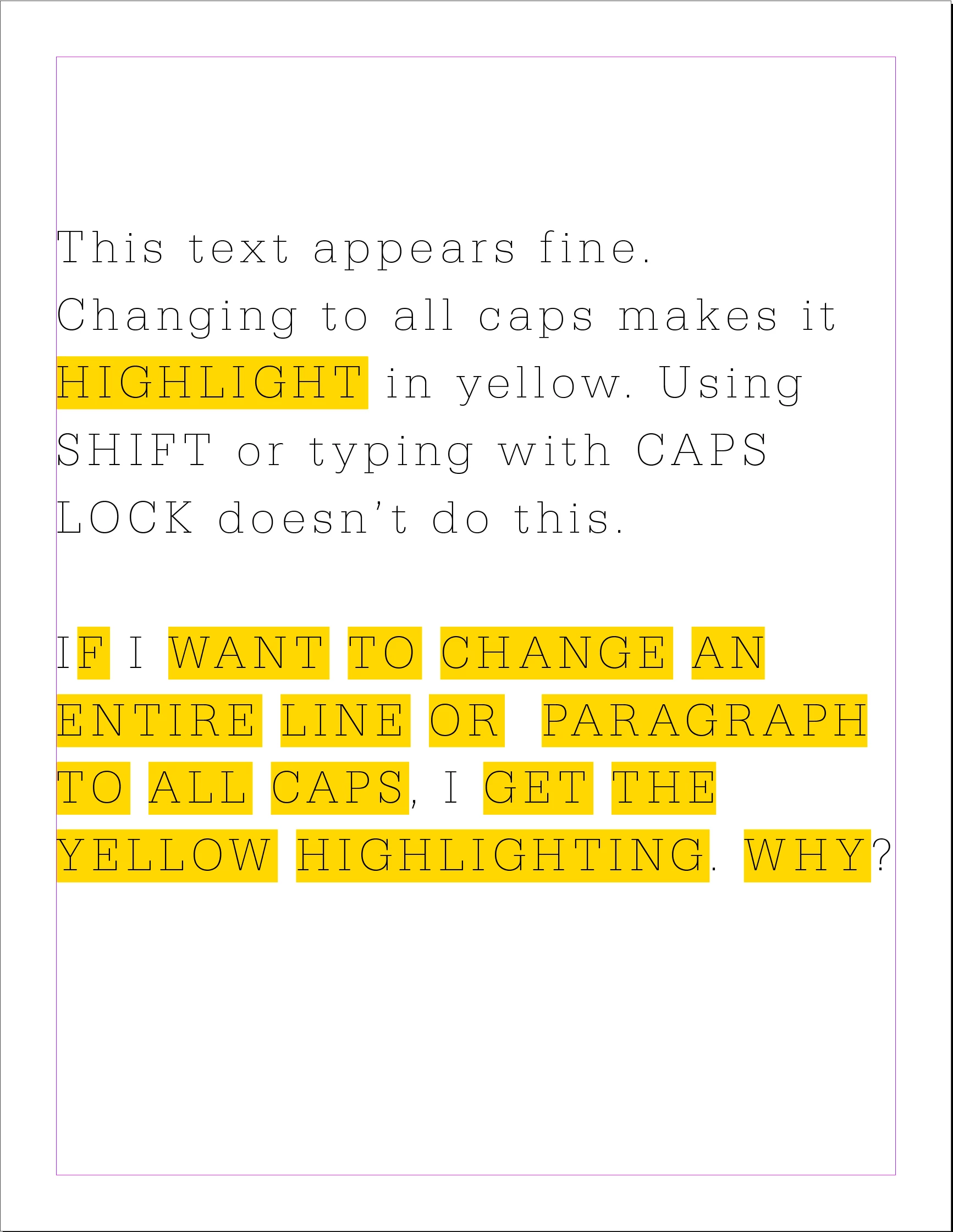
I've been using InDesign for years and have never had this issue until the past couple of weeks, after getting a new computer and installing Creative Cloud. When I set a word, line or paragraph of text to be "all caps," it highlights that text in yellow. I know pink highlighting means a font is missing, but I've never seen yellow before and don't understand why it's doing this. 
 

This topic has been closed for replies.
Correct answer Peter Kahrel

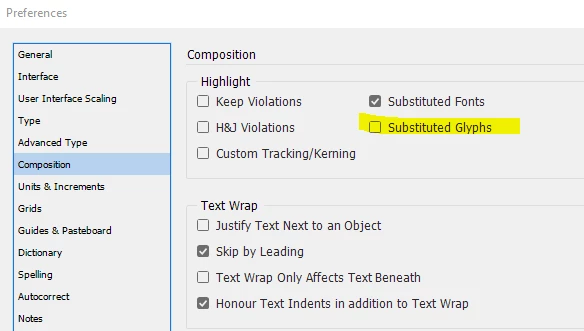
Looks as if the highlighting of substituted glyphs is enabled. You can check it in the Preferences window in the Composition tab:


1 reply

Peter Kahrel
Community Expert
Peter KahrelCommunity ExpertCorrect answer
Community Expert
May 31, 2024

Looks as if the highlighting of substituted glyphs is enabled. You can check it in the Preferences window in the Composition tab:


Brad5FCBAuthor
Participant
May 31, 2024

Yes, that fixed it. Thank you!