
Participant
June 12, 2025
Question

Fonts not Packaging in InDesign

  • June 12, 2025
  • 2 replies
  • 523 views

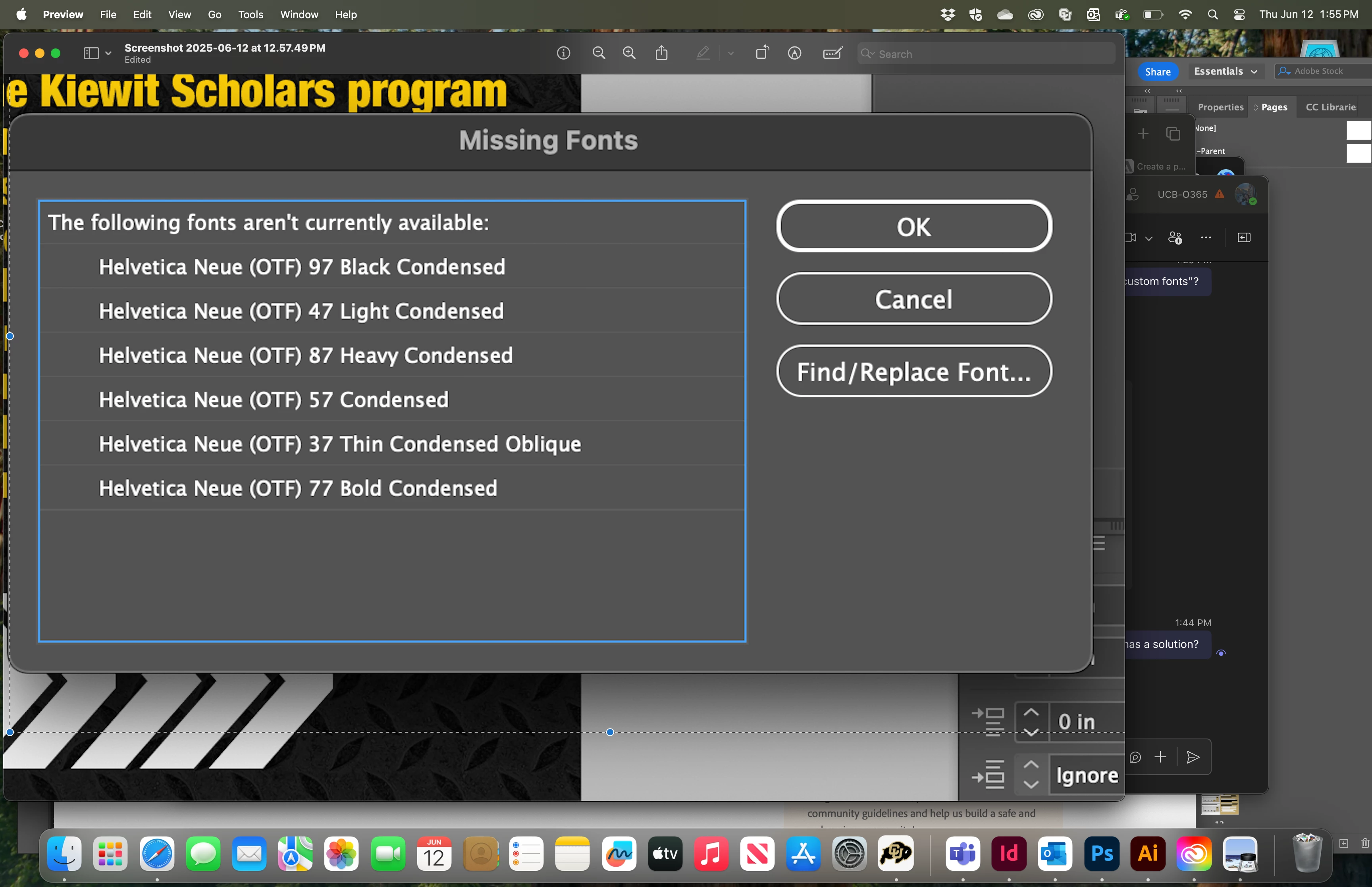
I have used these downloaded fonts previously for multiple projects in InDesign, and have never had any issues until now. In the middle of working on this project, InDesign unexpectidly crashed, but when I reopened it, it claimed to have "no errors". Yet, when I go to package the file, it says all fonts are available until it gives me this message moments later, and won't let me "replace" the fonts I clearly have. I've worked on other projects with my downloaded fonts in InDesign since, and this is the only document that seems to have any issues. Any solutions? 


2 replies

BobLevine
Community Expert
Community Expert
June 13, 2025

If the fonts are available, where are they installed? In the system? Are they in a Document fonts folder?

Do they work with other documents? Can you create a new document and use them? Can you package them there?

Participant
June 13, 2025
The fonts are installed on my Mac under the font book, and I haven’t had any trouble until now. While troubleshooting, I also tried to move a folder of document fonts used in the failed packaging, to the folder and reopen and attempt to repackage it. But that still didn’t work.

The fonts work with all other documents, across all Adobe platforms. This one seems to be the only one with issues. I’ve been able to use them and package them in new documents, but I’m trying to avoid redoing this entire document if possible.

Get Outlook for Mac <>
Peter Spier
Community Expert
Community Expert
June 13, 2025
Just tried this. Opened the file after saving it as an .IDML and it said my fonts were missing again 😕😕

Sophia Marshek
ID: 110977503

quote
Just tried this. Opened the file after saving it as an .IDML and it said my fonts were missing again 😕😕Sophia MarshekID: 110977503
By @amazing_fantasy0515

Souonds like at some point you had two versions installed, possibly system and activated from Adobe Fonts. Could that have happened?

@Dave Creamer of IDEAS 's suggestion for the Document Fonts folder should work if the version is the same.

kglad
Community Expert
Community Expert
June 13, 2025

in the future, to find the best place to post your message, use the list here, https://community.adobe.com/

p.s. i don't think the adobe website, and forums in particular, are easy to navigate, so don't spend a lot of time searching that forum list. do your best and we'll move the post (like this one has already been moved) if it helps you get responses.


<"moved from cc desktop">