
Participant
April 28, 2019
Question

Footer lines sometimes appear double in pdf print

  • April 28, 2019
  • 2 replies
  • 448 views

Hi,

I'am finishing a chessbook and still have one mysterious issue that I can't figure out. Hopefully you can help.

After exporting the book to pdf (1.3), a couple (~10) of pages have a double footer line. In InDesign everything looks the same as other pages.

InDesign:
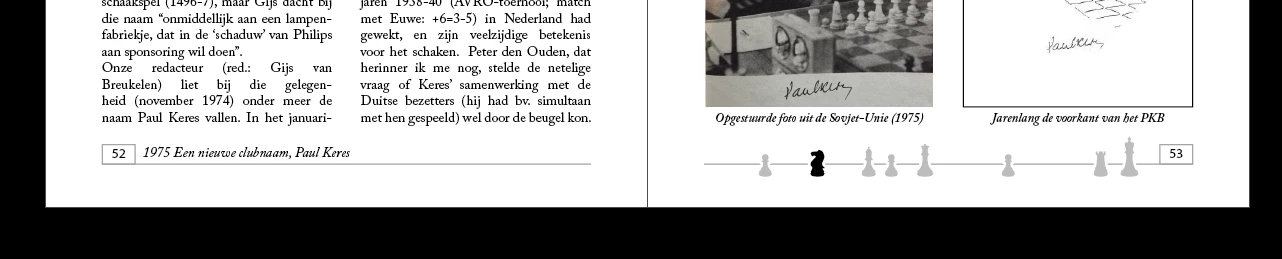
PDF:

A double footer line. Most other pages are good in the pdf.

Strange! In 290 pages the single footer line remains single. Maybe images could have an influence?

Thanks in advance. If you need more information, feel free to ask.

Kind regards,

Niels Ondersteijn

    This topic has been closed for replies.

    2 replies

    Barb Binder
    Community Expert
    Community Expert
    April 28, 2019

    Hi nielso97693720:

    There is a second line weight command to be aware of in Acrobat:

    See if Line Weights is checked. If not, check it. And have you printed a page yet? That would help you determine if it is a display issue or a real issue.

    ~Barb

    ~Barb at Rocky Mountain Training
    Steve Werner
    Community Expert
    Community Expert
    April 28, 2019

    I'm sorry I'm not seeing any difference in the PDF file. I've looked at your screen captures twice and don't see it.

    The only thing different is the printers marks which appear around the PDF file.

    Participant
    April 28, 2019

    Hi Steve,

    See the difference between the lines (indesign and pdf):

    Most pdf pages have the single line like in InDesign.

    Steve Werner
    Community Expert
    Community Expert
    April 28, 2019

    I've never experienced this problem but I've heard that the Enhance Thin Lines preference in Acrobat sometimes can cause problems. You might try turning this OFF: