
hatyp4481900
Participant
December 7, 2016
Answered

Footnote span columns in inDesign 2017 is not working

  • December 7, 2016
  • 1 reply
  • 3699 views

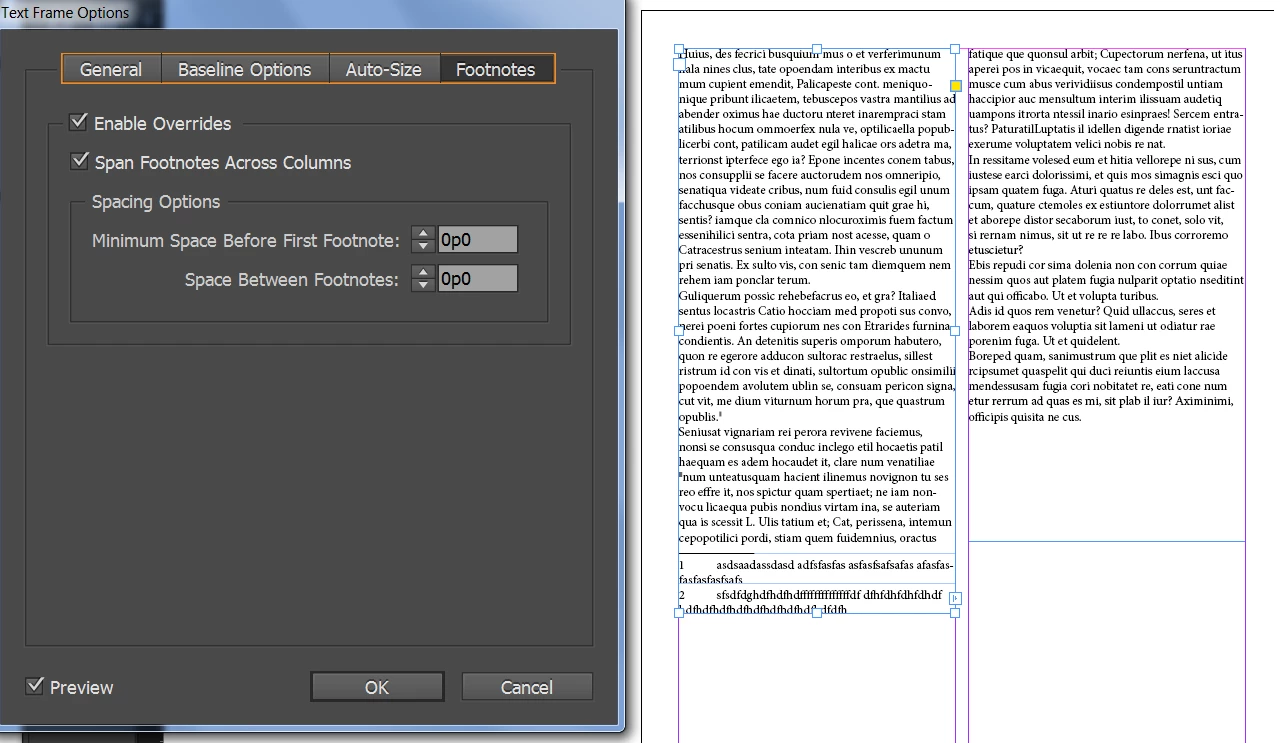
I did everything according to the new Adobe inDesign footnote columns span. I checked off "Span Footnotes across columns", but it's not working. The footnotes are still showing in one column only. I'm not sure what I'm missing.
This topic has been closed for replies.
Correct answer Barb Binder

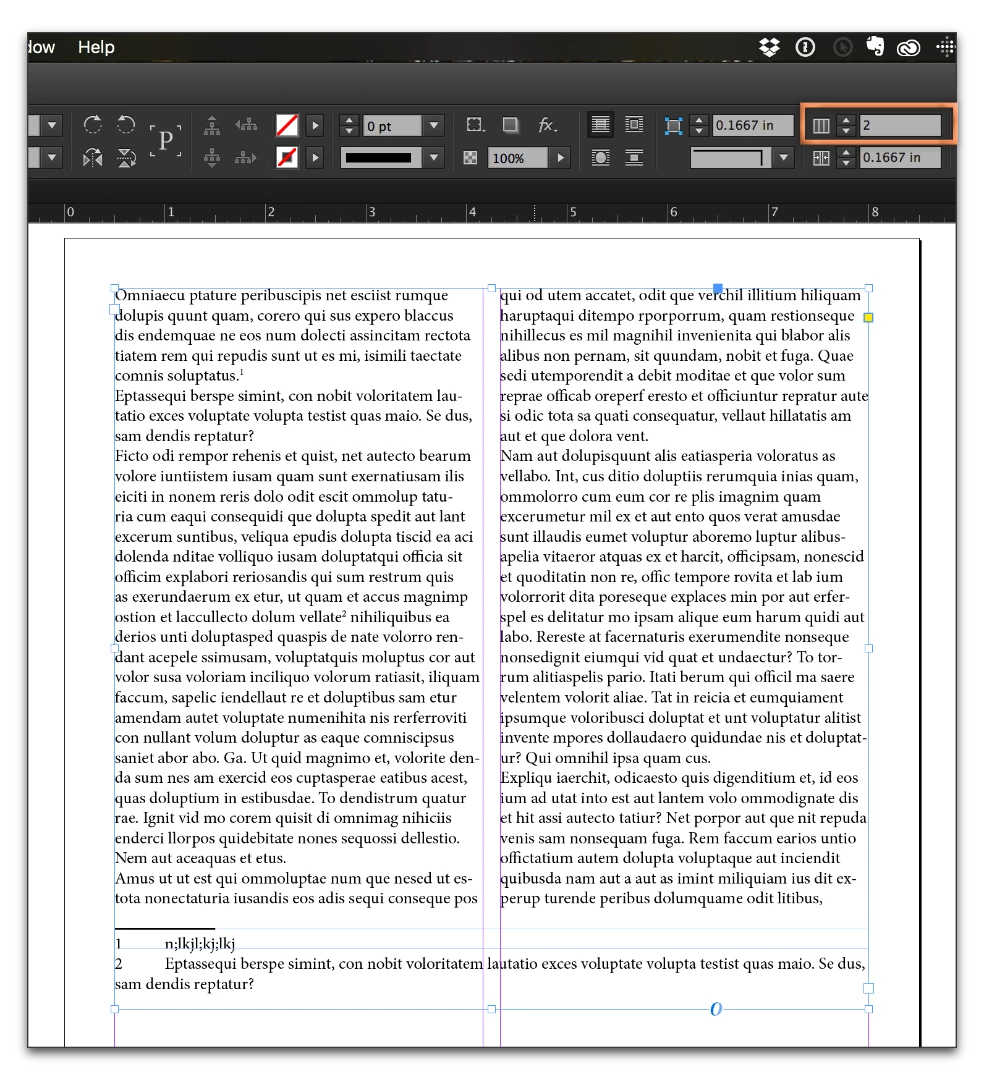
Your text is in two separate frames, one over each column. Place the body text into one frame with two columns, then footnote span will work correctly.

1 reply

Barb Binder
Community Expert
Barb BinderCommunity ExpertCorrect answer
Community Expert
December 7, 2016

Your text is in two separate frames, one over each column. Place the body text into one frame with two columns, then footnote span will work correctly.

~Barb at Rocky Mountain Training
hatyp4481900
Participant
December 7, 2016

Thank you so much. That worked! I knew I was missing something!

Barb Binder
Community Expert
Community Expert
December 7, 2016

Great! Glad you are back on track!

~Barb at Rocky Mountain Training