Scott Falkner
Community Expert
Community Expert
March 19, 2019
Answered

Footnotes are not autonumbering

  • March 19, 2019
  • 2 replies
  • 6220 views

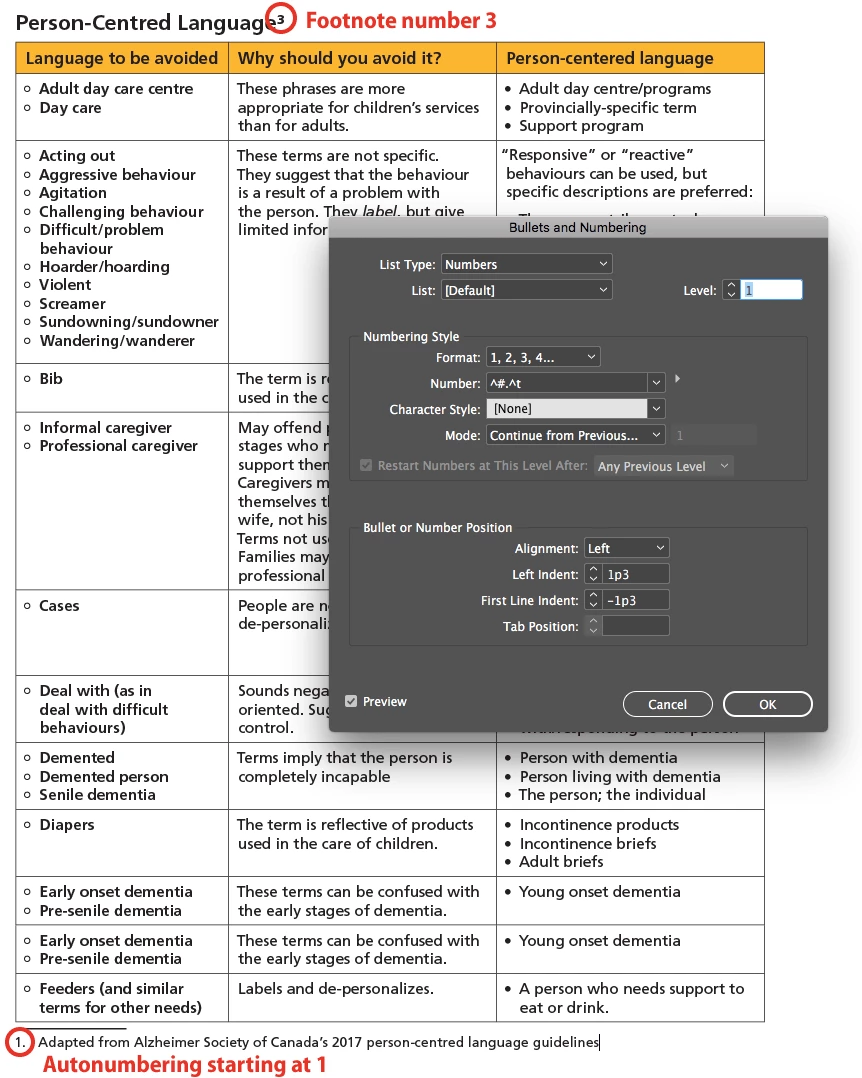
I have a document with footnotes. All the text is in one story. The Footnote style is set to continue from previous number, but the footnotes are all starting at 1. The references are properly incrementing. All footnotes are numbered 1. There are no overrides. I exported to IDML and opened that, but the problem persists.

How do I get InDesign to increment the footnote number?

    This topic has been closed for replies.
    Correct answer Barb Binder

    Outnumbering = autonumbering plus autocorrect.

    Dropbox - Footnotes.idml

    I didn't bother packaging the fonts, which are all OTF Frutigers.

    Nothing I change in Footnote Options has any effect. I tried removing the numbering in the Footnote style, then changing footnote options. I think the footnote numbering is added as text, not formatting, and since I removed the text to use numbered paragraphs there's nothing to update.

    So there are two problems here: One is a PEBKAC because I didn't understand the mechanics of footnote numbering. The other is a bug in which numbering doesn't work for footnotes.


    Hi Scott:

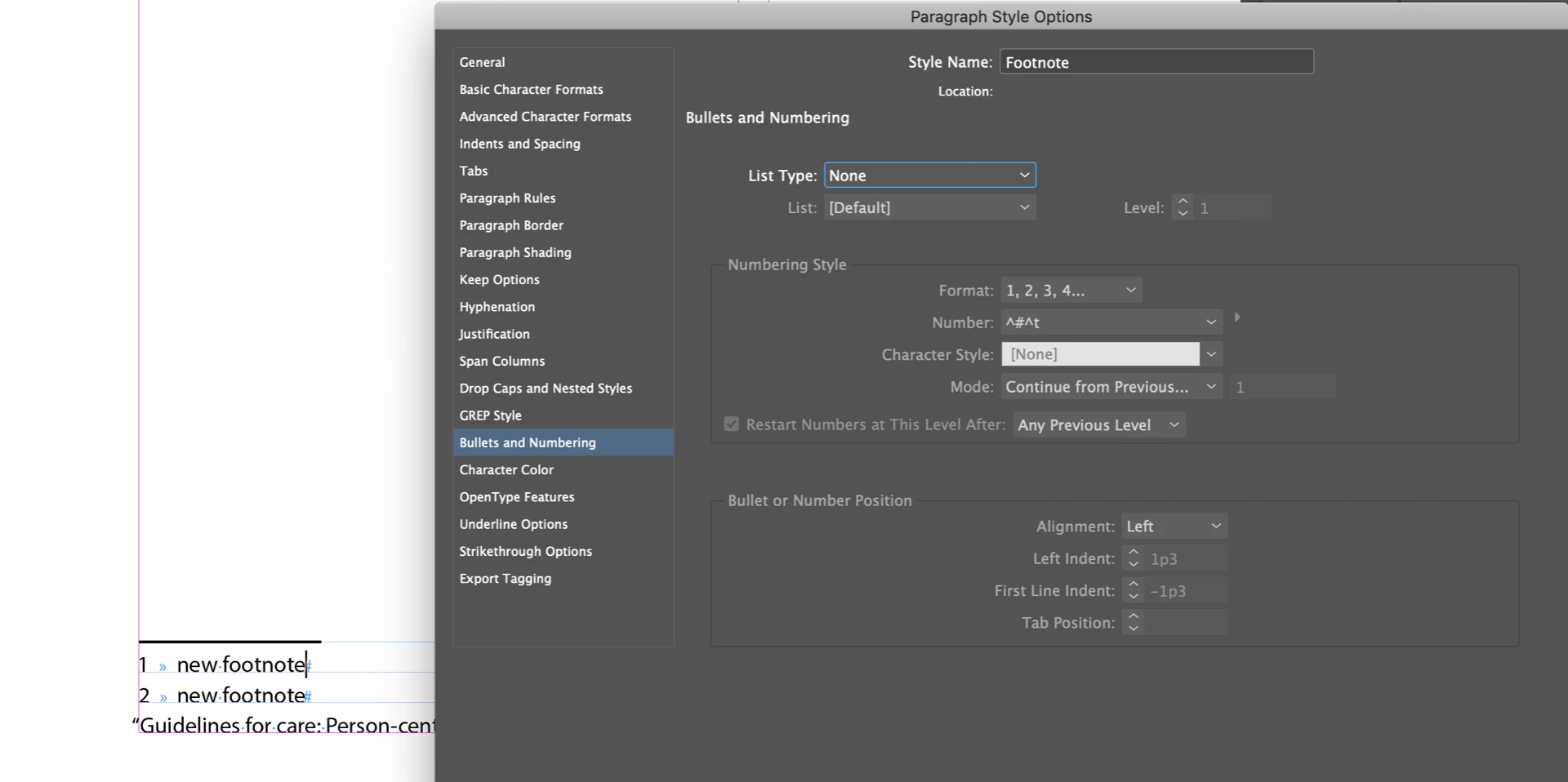
    When I add new footnotes, they work as expected, once I disable numbering for the ¶ style:
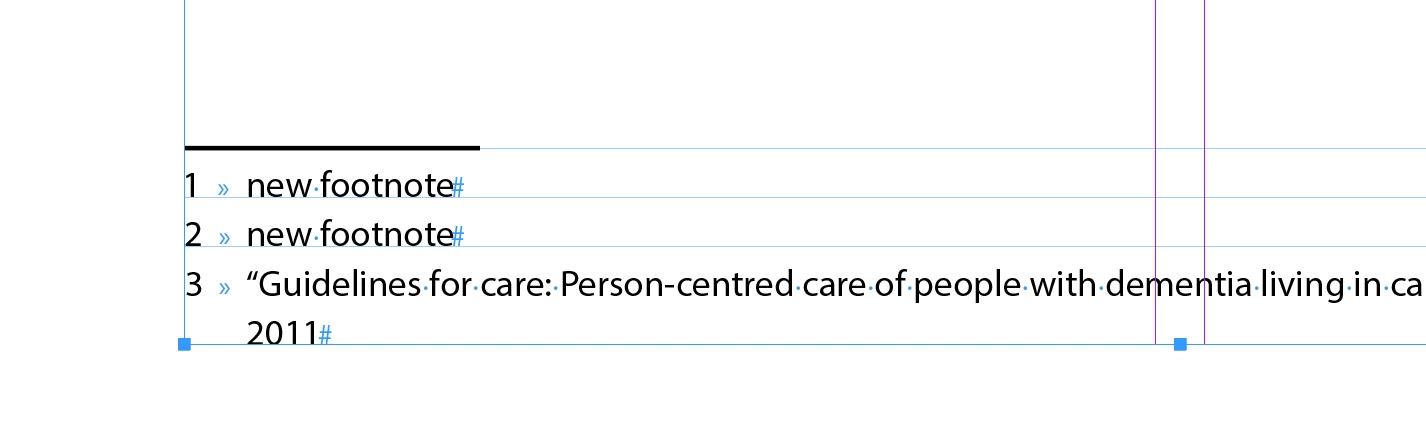
    I cannot figure out how you removed the footnote number on the existing footnote (how did you remove the numbering), nor can I bring it back, short of cut and paste:
    Because I do legal work, I work with more footnotes than any normal person, and I've never encountered any bug associated with them, in any version of InDesign. Then again, I've never disabled the footnote numbers and tried to rebuild them with auto-numbering.

    ~Barb

    2 replies

    Barb Binder
    Community Expert
    Community Expert
    March 20, 2019

    Hmmm. Do you have the wrong dialog box in your screen shot, or are you trying to control footnote numbering via a numbered list?

    ~Barb

    ~Barb at Rocky Mountain Training
    Scott Falkner
    Community Expert
    Community Expert
    March 20, 2019

    I am trying to apply outnumbering to footnotes with a numbered list. My footnote options are below. This is damned confusing. I turned off numbering in the style and the numbers just go away. Seems like the right way to format text that you want automatically numbered is to use a numbered list. This seems to have completely buggered my footnotes. If I insert a new footnote the correct number is generated for it, but it is text, not formatting. I guess I need to manually insert numbers for my footnotes now. Still, why is autonumbering not working? I don't see how this is not a bug.

    Barb Binder
    Community Expert
    Barb BinderCommunity ExpertCorrect answer
    Community Expert
    March 20, 2019

    Outnumbering = autonumbering plus autocorrect.

    Dropbox - Footnotes.idml

    I didn't bother packaging the fonts, which are all OTF Frutigers.

    Nothing I change in Footnote Options has any effect. I tried removing the numbering in the Footnote style, then changing footnote options. I think the footnote numbering is added as text, not formatting, and since I removed the text to use numbered paragraphs there's nothing to update.

    So there are two problems here: One is a PEBKAC because I didn't understand the mechanics of footnote numbering. The other is a bug in which numbering doesn't work for footnotes.


    Hi Scott:

    When I add new footnotes, they work as expected, once I disable numbering for the ¶ style:

    I cannot figure out how you removed the footnote number on the existing footnote (how did you remove the numbering), nor can I bring it back, short of cut and paste:

    Because I do legal work, I work with more footnotes than any normal person, and I've never encountered any bug associated with them, in any version of InDesign. Then again, I've never disabled the footnote numbers and tried to rebuild them with auto-numbering.

    ~Barb

    ~Barb at Rocky Mountain Training
    Inspiring
    March 19, 2019

    How are you generating the notes? Are you using 'Bullets and Numbering' or Indesign's footnotes?

    Scott Falkner
    Community Expert
    Community Expert
    March 19, 2019

    https://forums.adobe.com/people/Ian+Blogs  wrote

    How are you generating the notes? Are you using 'Bullets and Numbering' or Indesign's footnotes?

    The footnotes are created as footnotes (Type > Insert footnote).

    Peter Kahrel
    Community Expert
    Community Expert
    March 19, 2019

    > The footnotes are created as footnotes (Type > Insert footnote).

    Why are you then showing a screenshot of the Bullets and Numbering dialog? When you go to the Footnote options window, what do you see there?