Hi Vinny,
The Jedi is back! 
There's a way to do it but I'll only give the idea!
In fact, it's very simple if you think simply!  … and, after having defined its main steps and tested them, it could be scripted! [but, personally, not for free!]
Without my script, it's manually doable because I'm not sure the op has such a lot of kinds of occurrences!
At the beginning, I suppose the sidebar text is always inserted in the main text flow (before cutting and placing it into an anchored text box on the side).
Cut & Place can be kindly done by Javascript!
The only thing to really do is to "mark" the texts to be treated! For that, I use a condition [in orange in the video].
To have a more precise idea of what I mean, see: Sidebar - YouTube
In this video, the text is only "copied & placed".
So, after this first step and having played the script:
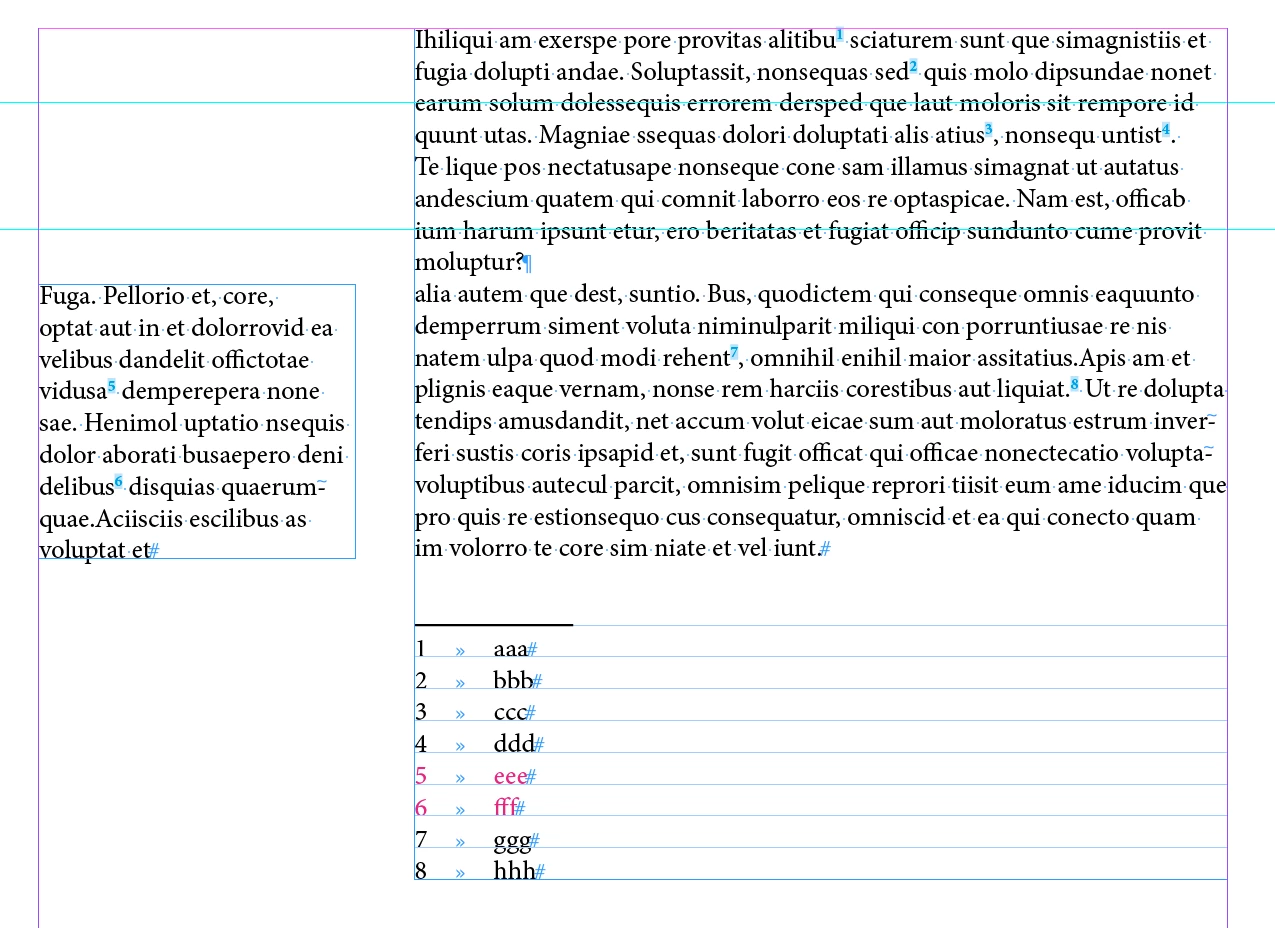
As you see, it's the final result!
How to do it? Manually, with explanations:
In fact, the true idea: keep the footnotes "5" & "6" markers always in the main text flow!! … but now they became [automatically] "invisible" using a grep style:
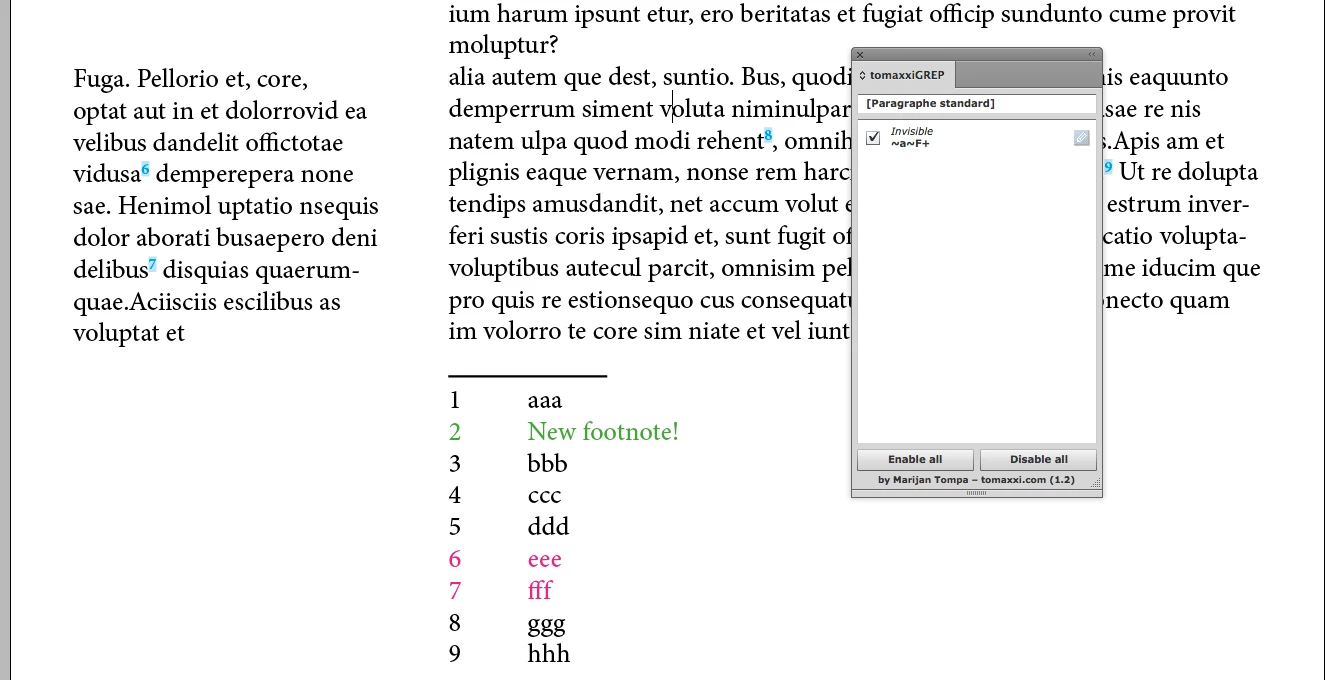
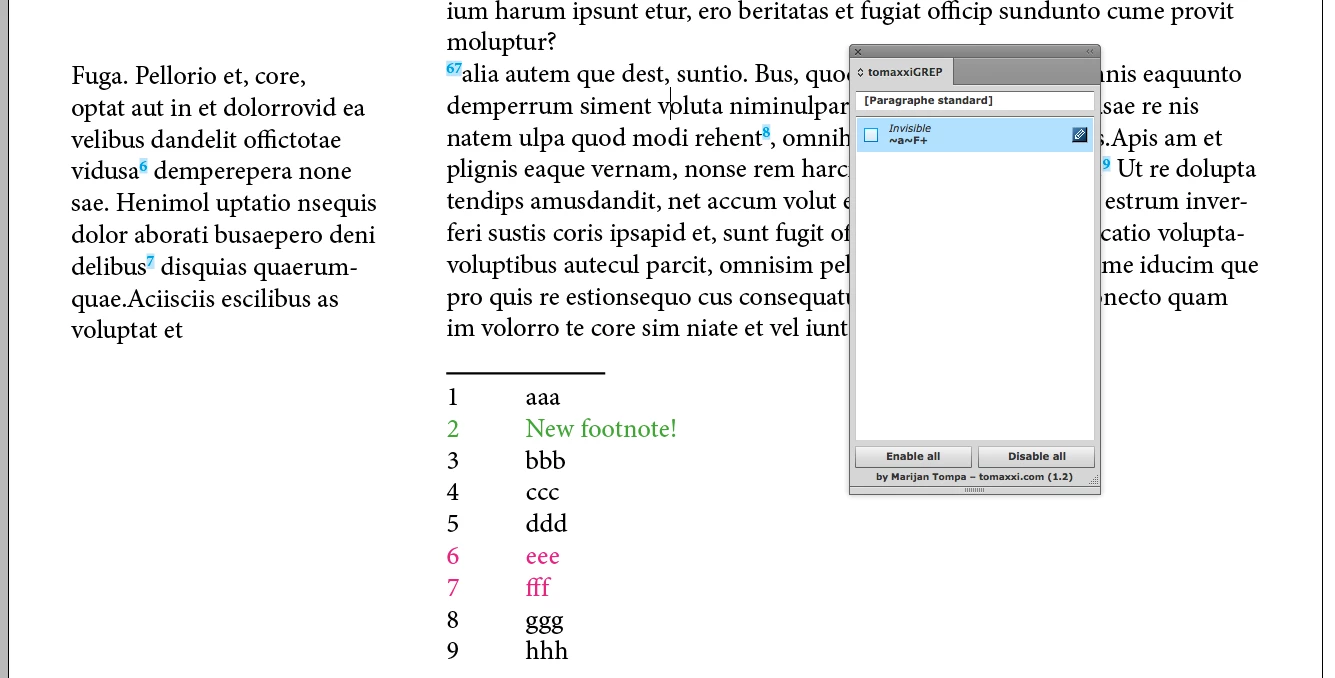
How this can be done? The script searches all text marked with the condition and especially finds text including footnote markers!
What it does is to create, in this particular case, a cross-reference as text-anchor just after the footnote marker based on the calculation of the "real footnote number"!! [This could be simple for this: document, stories, pages [as text frames].
After CR creation, the footnote markers are "moved" at the beginning of the text to be cut [another part of the script]! So, when the text is cut, it's "only the text with the CR"!
So now, there's a link! …
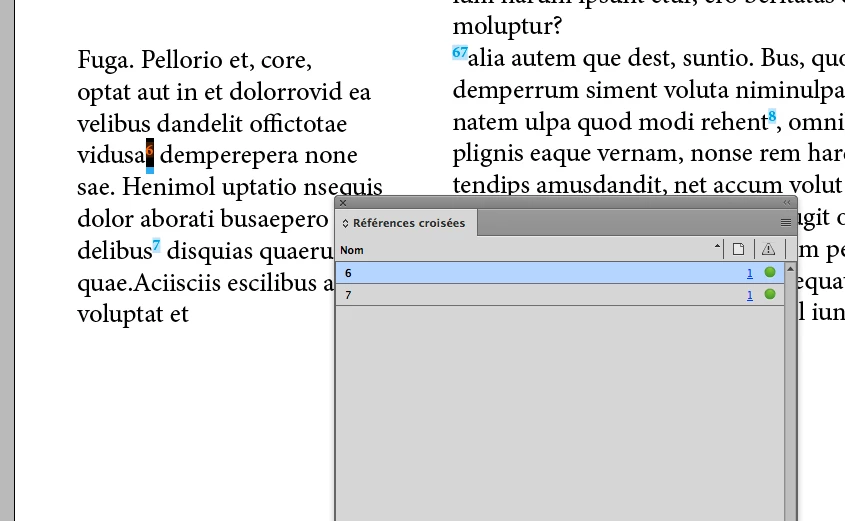
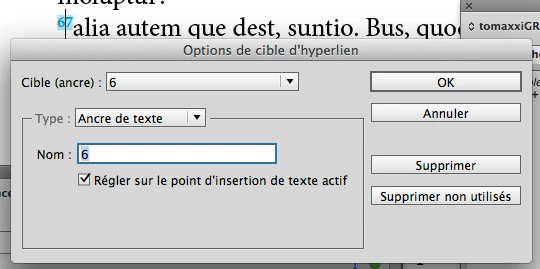
… but this link is not automatic!! if, e.g., the op adds a new footnote [new "2", in green].
The update is not automatic but the op just needs to launch the script again! Associating a keyboard shortcut to the script, just 1 click to update!
How? If the text-anchor name [the number] is not equal to the "real" footnote number [here, we previously had "5" & "6"; we have now "6" & "7", the script "updates" the text-anchor names! It modifies the "wrong" ones and globally updates the CR!
After having adding the new footnote "2", see the numbers in the side block: "5" & "6" (in blue), see the footnote numbers "6" & "7" (in red) and see the "warning yellow icons" in the "Cross-references" panel [in French: Références croisées] …
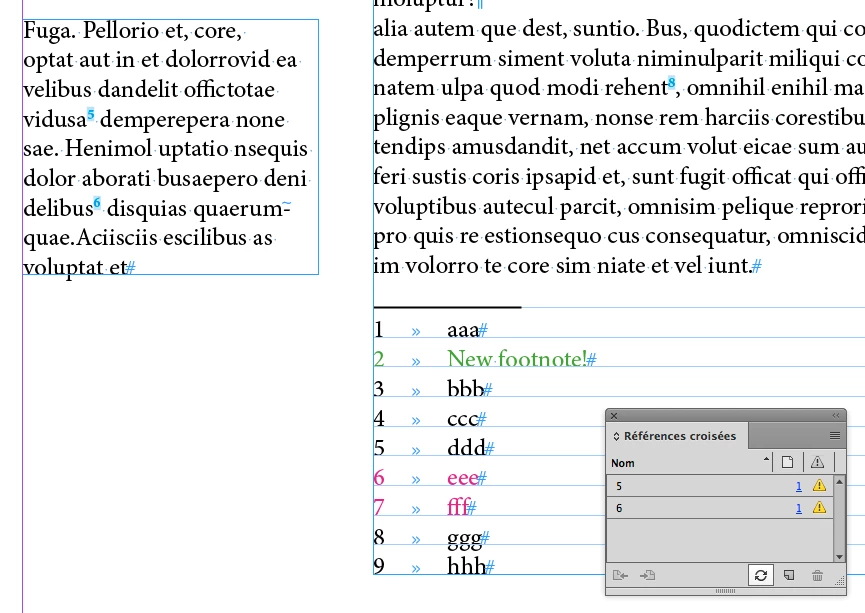
… After update:
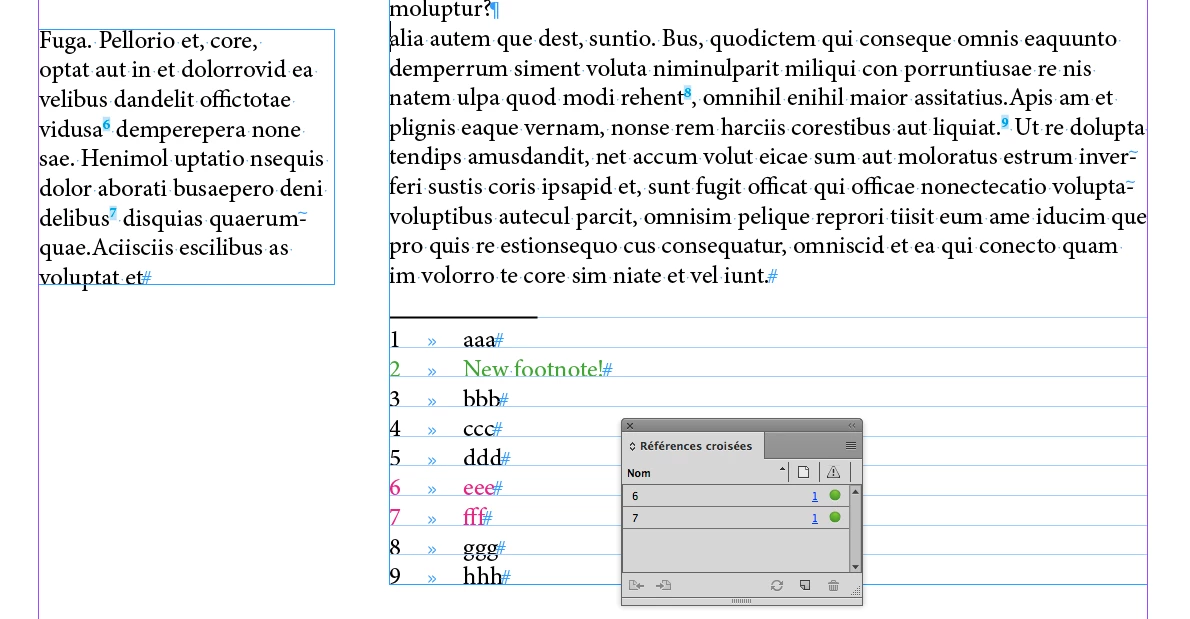
Magic!
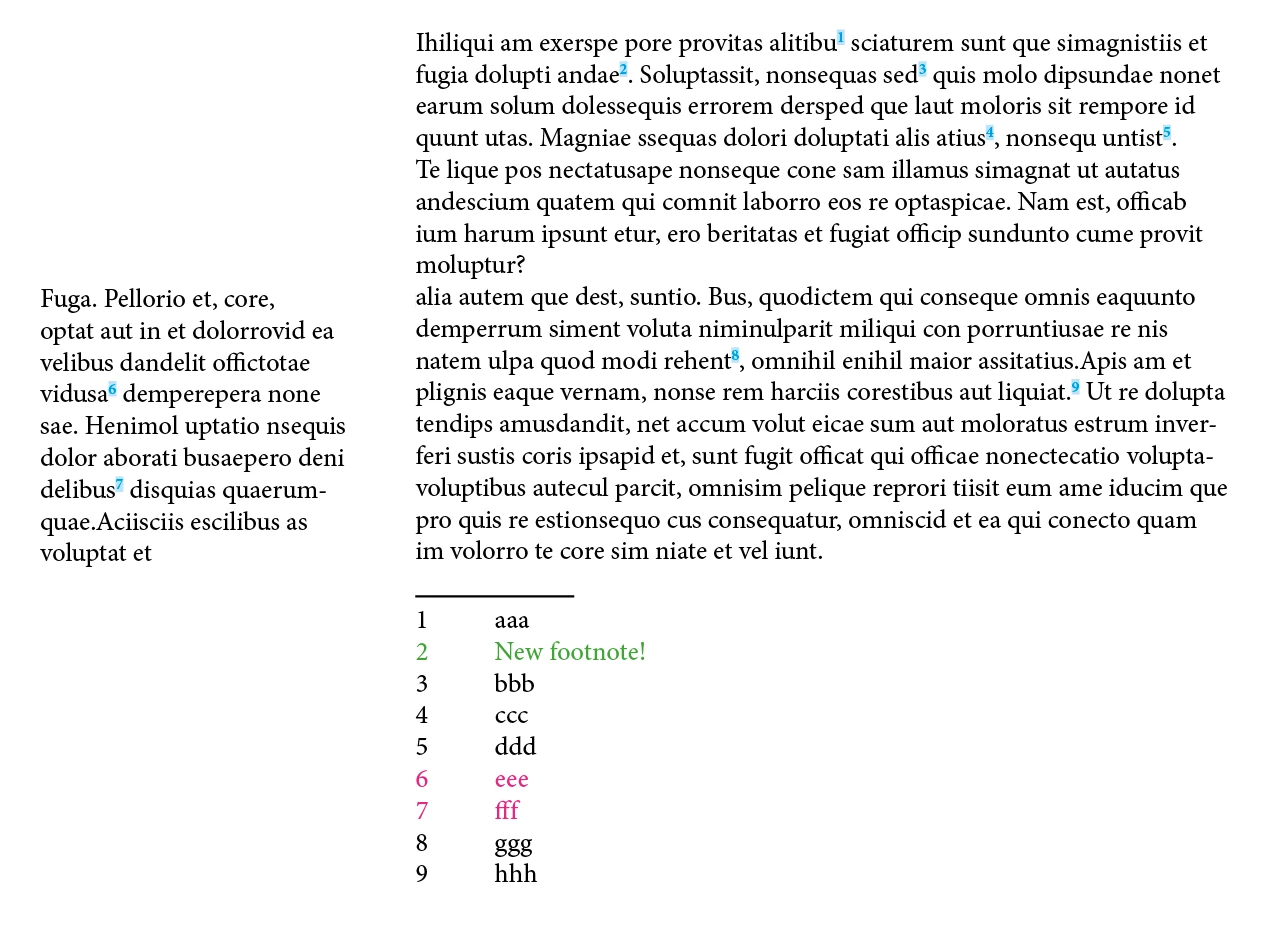
Even if the layout moves after, but if no new or deleted footnotes, it's just … done!!
As I said at the beginning, the only thing to do is to mark the text to be cut and moved! After that, just 1 click!
What else!?  … just a cup of coffee!
(^/)

 AdChoices