- Home
- InDesign
- Discussions
- Re: footnotes numbering not continuing
- Re: footnotes numbering not continuing
footnotes numbering not continuing

Copy link to clipboard
Copied
After reading through previous questions on this matter, I created a threaded 40-pg document (very inconvenient for layout) and still am having problems with my footnote numbering. It restarts at #1 with each page. I need to have a continuous number from page 1 thru 40, so by the end my footnotes may be up to numbers 35-40. Surely InDesign can do this, right?



 11
Replies
11
11
Replies
11




Copy link to clipboard
Copied
Hi adunate:
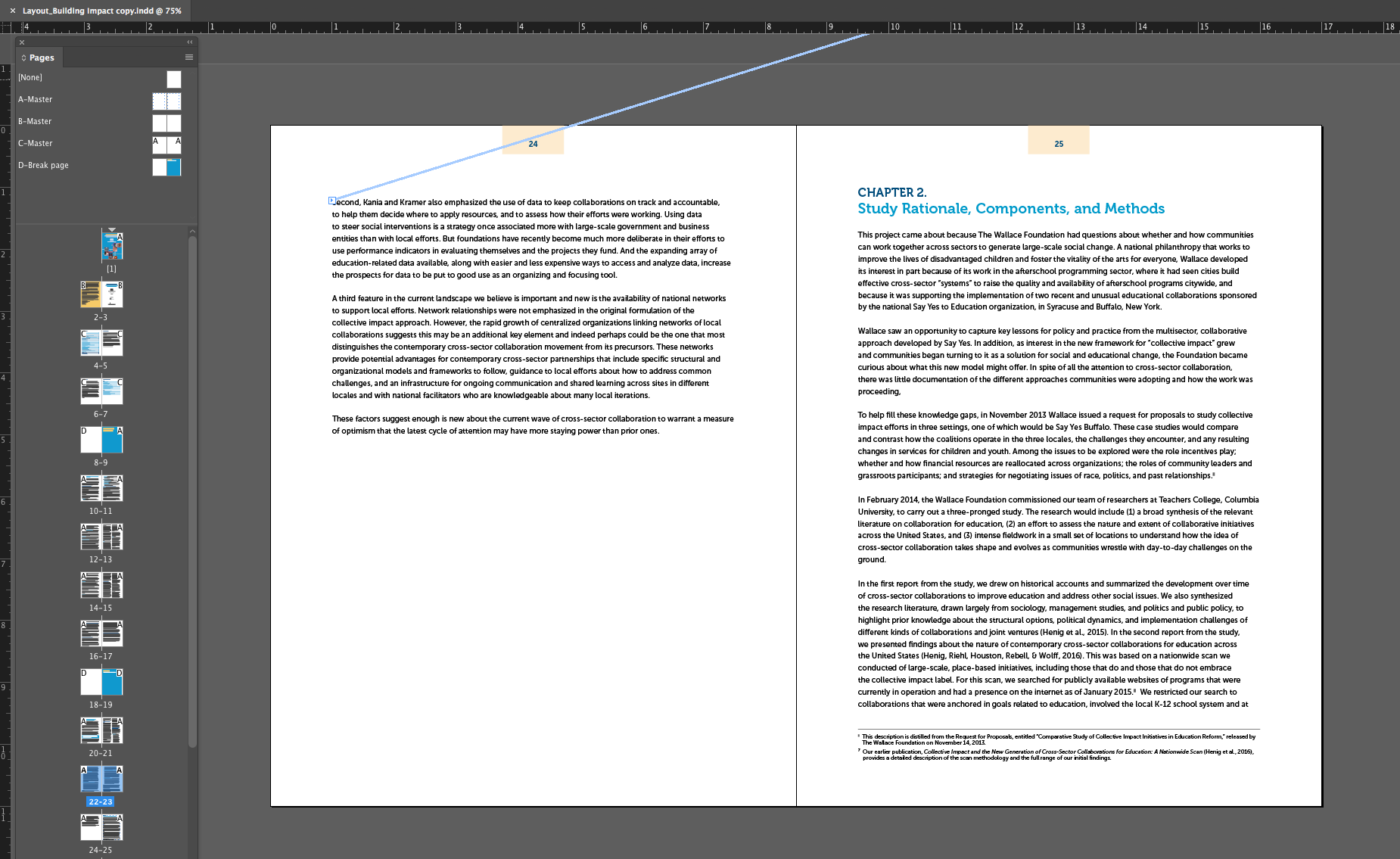
Yes, InDesign can do this, and it is the default for new documents, so the question is why yours isn't working. Would you mind sharing a screen shot that mirrors mine? It should show us the Pages panel, a two-page spread with a text frame selected and text threads visible.

~Barb

Copy link to clipboard
Copied
Copy link to clipboard
Copied
Hi Sandy: This is a different question. Adunate was asking about numbering in single file, you are asking about continuing numbering across chapters in a book. This is not currently a feature in InDesign.
Footnote numbering is not continued across documents in a book. If you don’t want numbering to restart in each document with the book, change the Start At value manually in each document after the editing is final.
—https://helpx.adobe.com/indesign/using/footnotes.html
~Barb

Copy link to clipboard
Copied
I'm having a similar problem after updating to InDesign 18.4 (2023).
- One INDD file, not a book with multiple files.
- Several threaded stories in the file.
- When footnotes appear in a new story thread, they restart numbering at "1" rather than continue from the previous story thread.
- Even when the threaded stories are sequenced in the Articles panel, they still restart at "1."
- I've confirmed the settings in Type / Document Footnote Options and everything's correct.
The only solution I've found is to manually thread the stories together into one long 64-page story, which is a royal pain and not the best tactic or structure for this accessible project.
Is this a bug?
Anyone else experiencing this?
@Barb Binder, any ideas why this just started happening?
| PubCom | Classes & Books for Accessible InDesign, PDFs & MS Office |

Copy link to clipboard
Copied
Not a bug but a totally normal (boring) InDesign Footnotes behavior since … InDesign added footnotes in its features, maybe CS1 (1999)!
(^/) The Jedi
Copy link to clipboard
Copied
Hi Bevi:
Unlike auto-numbers, there is no way to tell InDesign to continue numbering across stories. You can do the opposite—restart numbering within the same story—but not continue across separate stories.
For print or PDF publishing, of course we use page breaks on our headings so that it looks like there are separate stories. For your accessibility needs I'm not sure how you're going to be able to resolve this, other than manually controlling the starting number for each successive story, and keeping an close eye on the numbering after each round of edits.
~Barb
Copy link to clipboard
Copied
...For your accessibility needs I'm not sure how you're going to be able to resolve this, other than manually controlling the starting number for each successive story, and keeping an close eye on the numbering after each round of edits.
By @Barb Binder

Thanks @Barb Binder and @FRIdNGE for confirming my suspicions.
Is there a special command to change the footnote number, like when a new story begins and then restarts at 1 when it should be 20?
The only method I know is to manually change the 1 to 20, but then that completely kills the accessibility. Any changes to the footnote encoding in the layout removes the required tag structure and hyperlinks on both parts once the PDF is exported.
Why InDesign is still half-baked re: footnotes is beyond me.
| PubCom | Classes & Books for Accessible InDesign, PDFs & MS Office |
Copy link to clipboard
Copied
Hi Bevi:
It's manual—and honestly, I was teaching today and rushed off a quick answer at break so it was incomplete — each story needs to be its own file (and pulled into a book) for that to even work.
~Barb

Copy link to clipboard
Copied
> Why InDesign is still half-baked re: footnotes is beyond me.
You're not alone.

Copy link to clipboard
Copied
It should not be a seperate issue. It is Adobes lack of listening to the customers. It is about money not support of us, always has been since the original company got bought out and they moved to a profit only company. The only way to get them to listen is for users to band togther and stop using adobe products until they start listening. Ha, if high paid folks will be willing to do what unions are doing.
Copy link to clipboard
Copied
The only way to get them to listen is for users to band togther and stop using adobe products until they start listening.
Or—since this is how most of us pay our bills—file a feature request and get people to vote it up. The more interest a feature request receives, the more likely Adobe is to work on it.
https://indesign.uservoice.com
~Barb


Find more inspiration, events, and resources on the new Adobe Community
Explore Now
 AdChoices