

Formatting Options with Data Merge
Hi! I'm currently working on a catalog of products and their information, which is split into specific categories. I have an example CSV file / spreadsheet that carries all the information for each of the products:
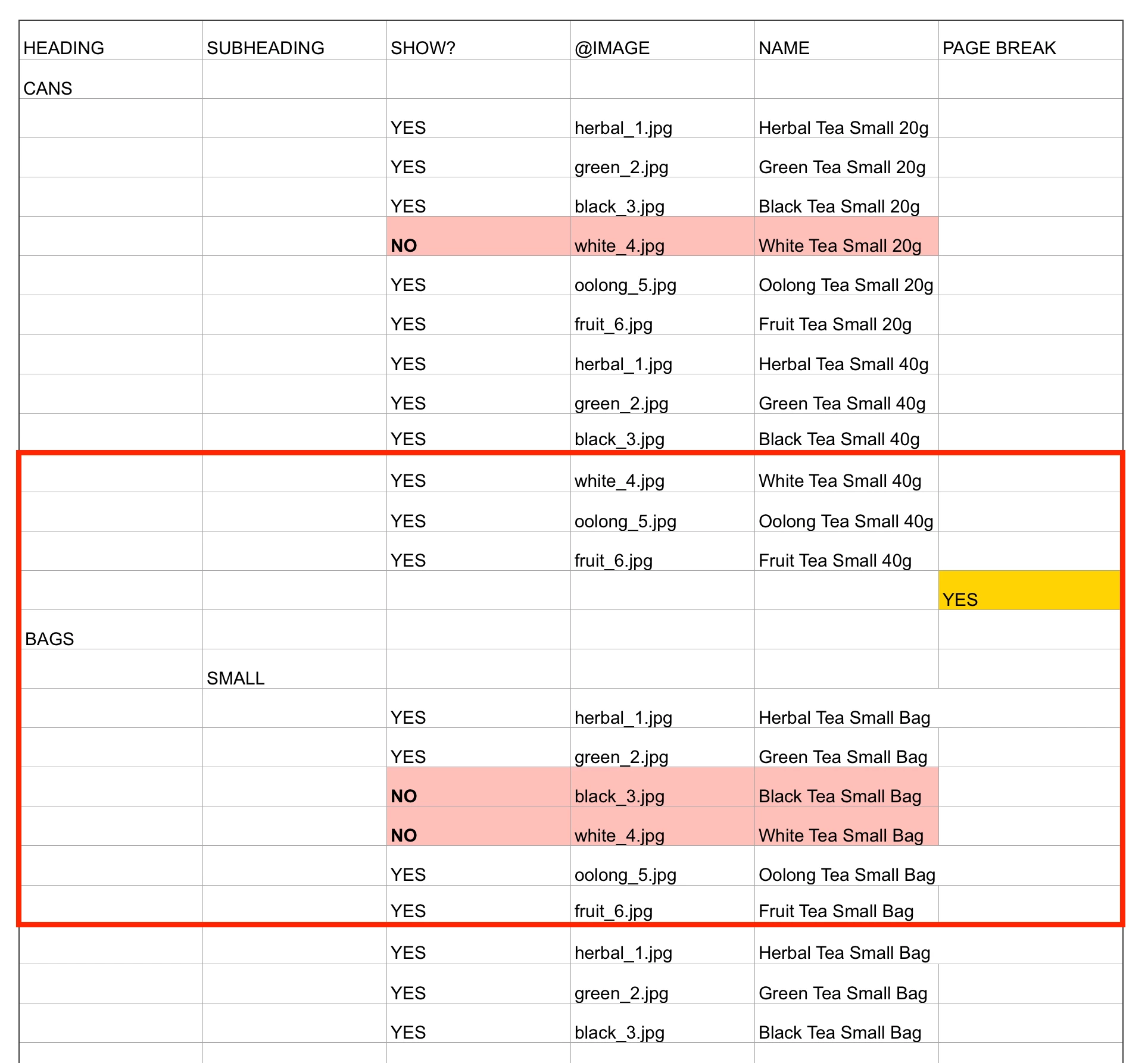
I have a few questions about how I can display this data. The way I understand Data Merge to work is that it goes down the CSV file one row at a time. Therefore, when I have a break of one cell, it chooses to display an empty graphic in the Multiple Records Merged Document.
First, I'd like to know if there is an option to have a page break in the middle of a set of data.
Second, I'd like to be able to insert headings and subheadings before the start of each category's set.
Third, I'd like to be able to skip over a product if I don't want to show it in the catalogue.
Below is how I would like the document to for those few lines that are outlined in the big red box:
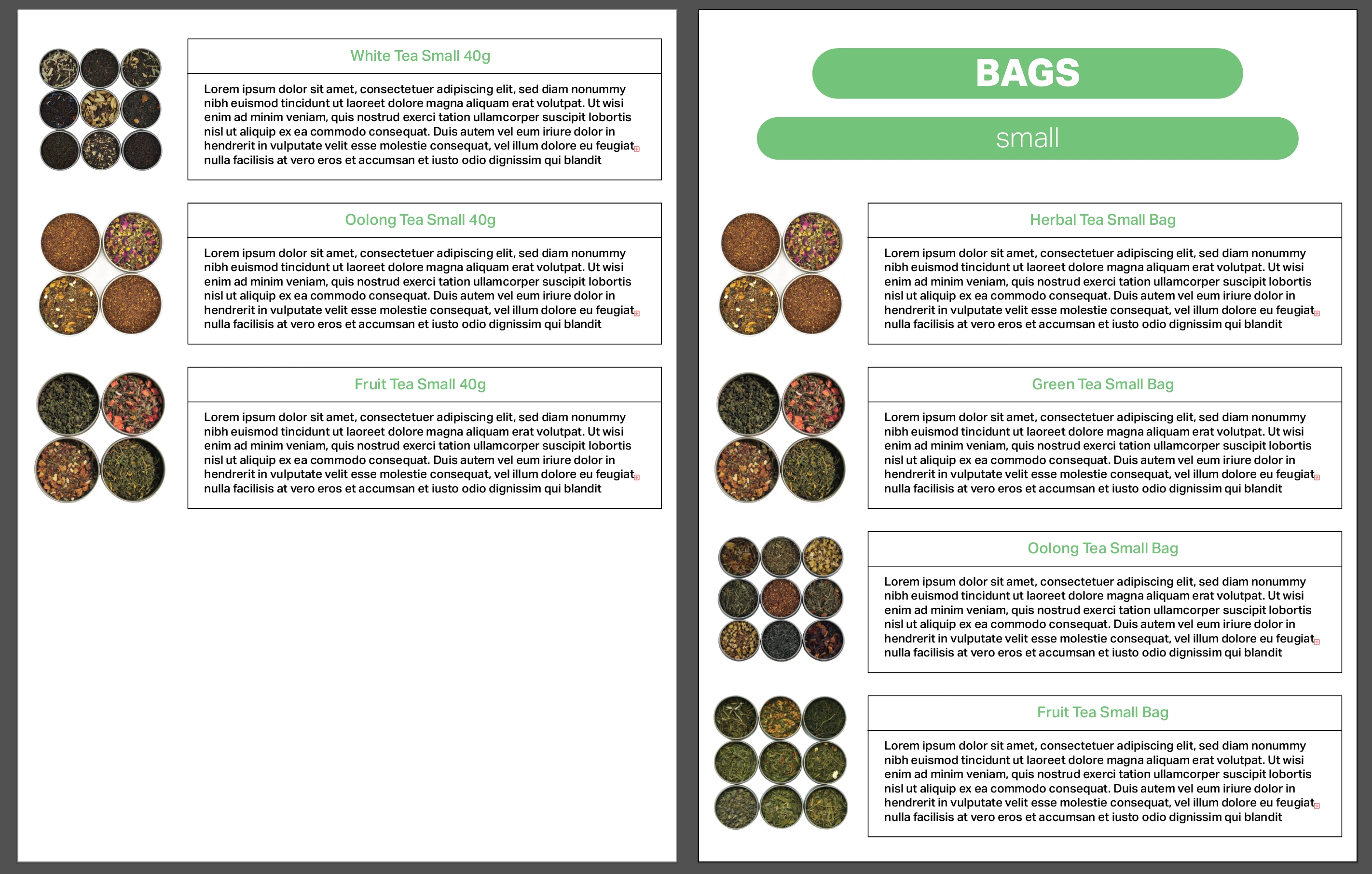
As you can see, rather than display a blank graphic, data merge would insert a page break where noted, place a graphic for the Heading and place a different graphic for a Subheading, and skip over the lines that I don't want to show. Are these things possible? I'm new to Data Merge so I don't know if this is within the capabilities of the platform. I also am not sure if this is better done (or even possible at all) with scripting.
I would really appreciate any feedback and help on this! Thank you so much! !
 AdChoices