Inspiring
September 11, 2022
Question

Frame tool not displaying properly.

  • September 11, 2022
  • 1 reply
  • 469 views

I was trying to do a polygon frame to place my image but for some reason it just shows as a rectangle.

Placing/aligning the image & frame to a place that I want becomes impossible. 

Attaching a SS.


Vijay.
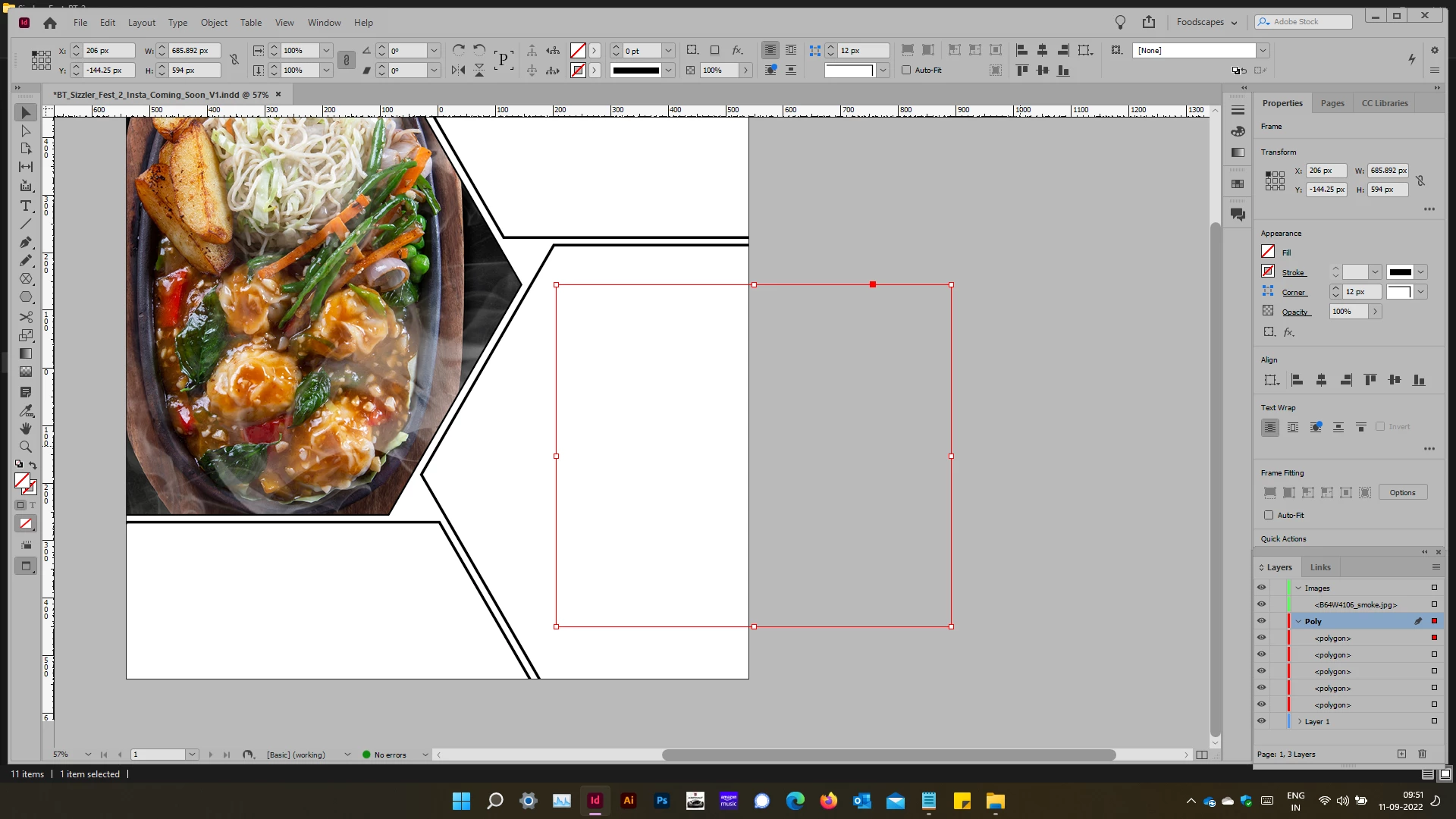
This topic has been closed for replies.

1 reply

Community Expert
September 11, 2022

Hi @Vijay Ramachandran,

The polygon has been created fine but you have selected it using the wrong tool. Do the following and if you did use the polygon tool correctly you will see it.

  • Navigate to the followign menu path and switch on the Show Frame Edges option. View>Extras>Show Frame Edges. This should now show you the polygon boundaries instead of the bounding box that you currently see.
  • Select the object using Direct Selection tool, the 2nd tool in your toolbar and you shall select the frame edges instead of the bounding box that you currently have.

-Manan

-Manan
Inspiring
September 11, 2022

Thanks for the reply Manan.

Frame edges is already selected. If I draw it in a new document it comes out fine. 

Even when I don't use direct selection, it shows both.


Community Expert
September 11, 2022

Show Frame Edges should be a document specific setting. So it can be off for one document and on for another. However, If you say that the issue is only with a particular document and you have checked all that we discussed then probably try exporting the document to IDML and then resaving as INDD.

If possible share the problematic document so that folks here can have a look and give suggestions.

-Manan

-Manan
