December 4, 2017
Answered

Full justify arabic text

  • December 4, 2017
  • 2 replies
  • 4345 views

hi my arabic text when i make it full justify looks like this
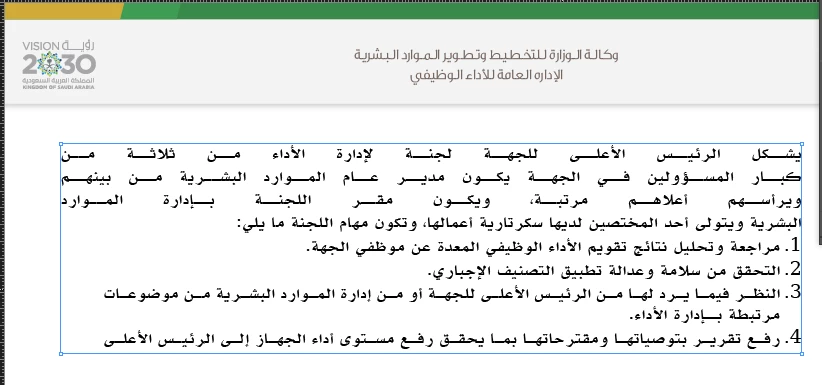
what is the problem

InDesign cc2017

thank you

    This topic has been closed for replies.
    Correct answer manal shanableh

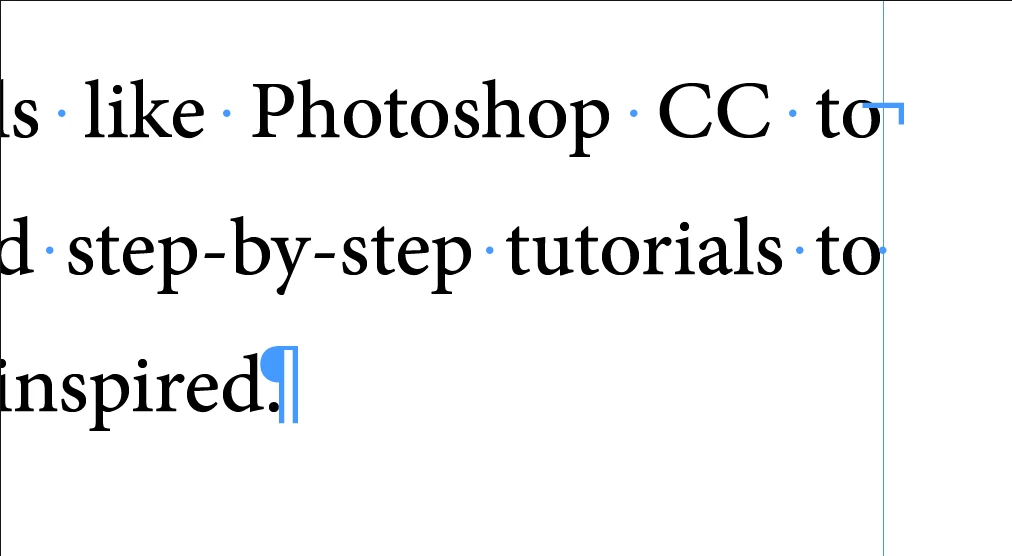
    go to Type > Show Hidden Characters

    you will notice the the blue characters and notice what is the sign at last of sentence, select it and replace it with a space.

    also you can copy it, and press cmd F (find and change) past it in find what and change to press space and change all

    this character name is: forced line braek it looks like you copy the text from browser.
    2 replies

    manal shanableh
    manal shanablehCorrect answer
    Legend
    December 4, 2017

    go to Type > Show Hidden Characters

    you will notice the the blue characters and notice what is the sign at last of sentence, select it and replace it with a space.

    also you can copy it, and press cmd F (find and change) past it in find what and change to press space and change all

    this character name is: forced line braek it looks like you copy the text from browser.

    Zaid Al Hilali
    Community Expert
    Community Expert
    December 5, 2017

    Oh my God Manal, how could you suggest a thing so wrong, replacing Paragraph Break with a space. Seriously!! This suggestion will ruin long articles.

    InDesign with Middle Eastern features has the MIDDLE EASTERN features for this purpose you know.

    Here are the options you ought to try…

    Select full text, then in Paragraph Panel use "Justify with last line aligned right".

    If you didn't like the result, you can go back to the "Justify All Lines" as it was before but test other features such as:

    Select full text, now click on the "Insert Kashida" drop menu to choose a longer Kashida length.

    Also try both World Ready Single Line Composer and World Ready Paragraph Composer as each will affect your paragraphs and lines differently.

    Now you may want to try different combinations with above displayed Middle Eastern options, as the more you play with them, the more you understand how they function but please don't insert unnecessary spaces in your text.

    manal shanableh
    Legend
    December 5, 2017

    As a moderator, I removed the Correct Answer because I think the whole thread represents the full answer. But there are several helpful answers. Let me know if you disagree.


    in all subjects in the forum, there are several thread answers represent the full answer and 1 answer is corrected.

    and my answer is the correct answer definitely.

    i have no problem to remove the correct answer. its okay.

    thank you

    Jongware
    Community Expert
    Community Expert
    December 4, 2017

    Post that image again, but with invisible characters showing.