Known Participant
December 8, 2020
Answered

Gradient Panel

  • December 8, 2020
  • 2 replies
  • 414 views

#Rant

The InDesign gradient panel is horrible. I'm not sure why Adobe cannot make it behave like Illustrator's or even Photoshop's. Instead, you have to work with swatches to try an make your gradient. When I drag a swatch into the gradient bar it won't even let me change the percentage of the color. I have to make a new swatch. Why is this so difficult?

I have to use Adobe products for work, but this is just one reason I've completely abandoned them for my personal use. There have been very few valuable improvments to their apps for designers in a long time. They just try to add "flashy" features instead of beneficial ones. Submitting feature requests or bug reports does no good either.

* InDesign 16.01

#EndRant
This topic has been closed for replies.
Correct answer rob day

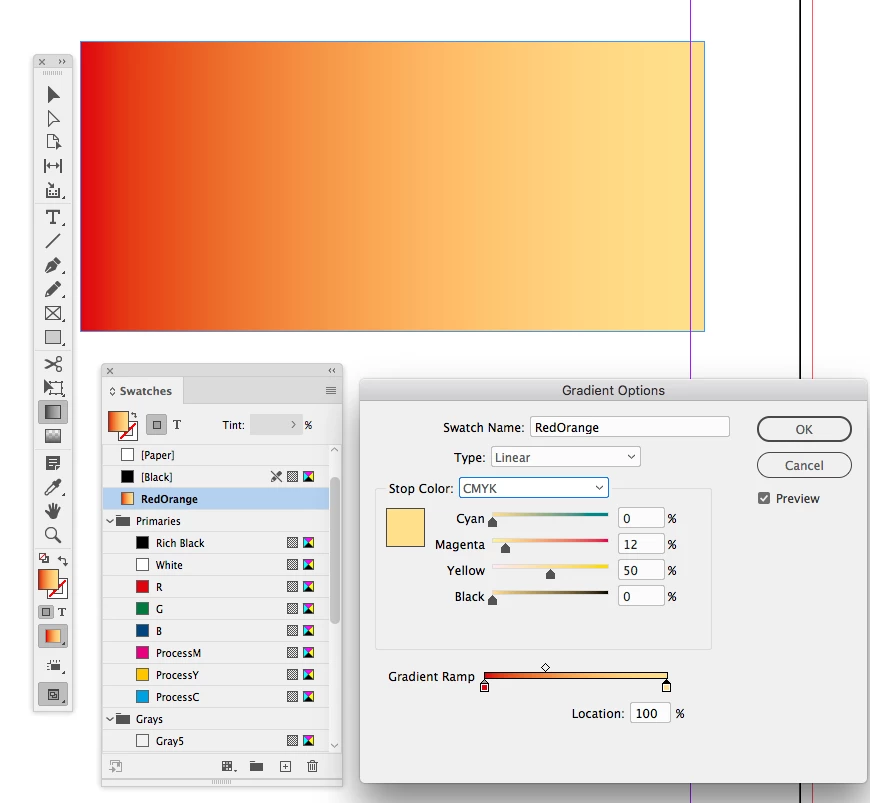
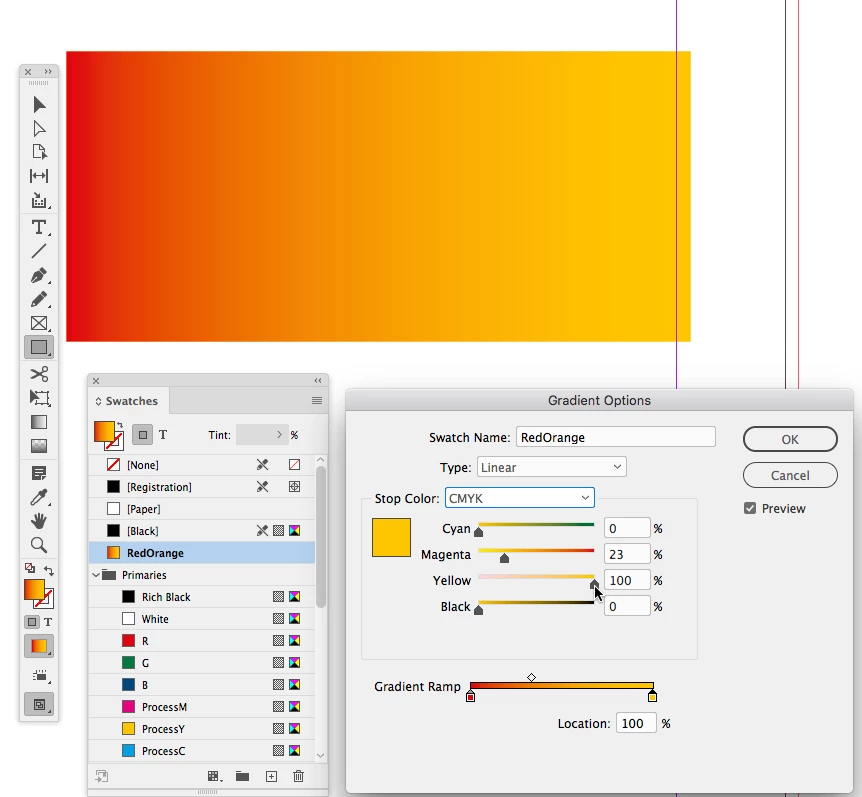
For process color set the Stop Color to a color mode and adjust the sliders with the shift key down. This would be the equivalent of a 50% tint:


2 replies

rob day
Community Expert
Community Expert
December 8, 2020

I have to make a new swatch. Why is this so difficult?


It is different, but not so difficult. You don’t have to make a new swatch, the stop colors for an existing Gradient Swatch can be edited and moved via the swatch options. The selected stop can be any color mode or an existing solid color swatch:


Stops can be easily added or edited:


The object fill’s gradient direction and distance is adjusted with the Gradient tool:


chirp88Author
Known Participant
December 8, 2020

I cannot simply change the color of a gradient by changing the percentage (Tint) of color that is in a swatch that is already used in my gradient. Instead, I have to open the Color panel and create an entirely new color OR create a new swatch for the percentage of the swatch color I need and then create a new swatch for that percentage. This is completely ridiculous.

rob day
Community Expert
rob dayCommunity ExpertCorrect answer
Community Expert
December 8, 2020

For process color set the Stop Color to a color mode and adjust the sliders with the shift key down. This would be the equivalent of a 50% tint:


chirp88Author
Known Participant
December 8, 2020

InDesign has been out for 20 years and the gradient panel hasn't changed at all.