

tpk1982
Legend
November 24, 2016
Question

Graphic frame bounding box

  • November 24, 2016
  • 2 replies
  • 6666 views

Hi,

I need to know which image have extended graphic frame.
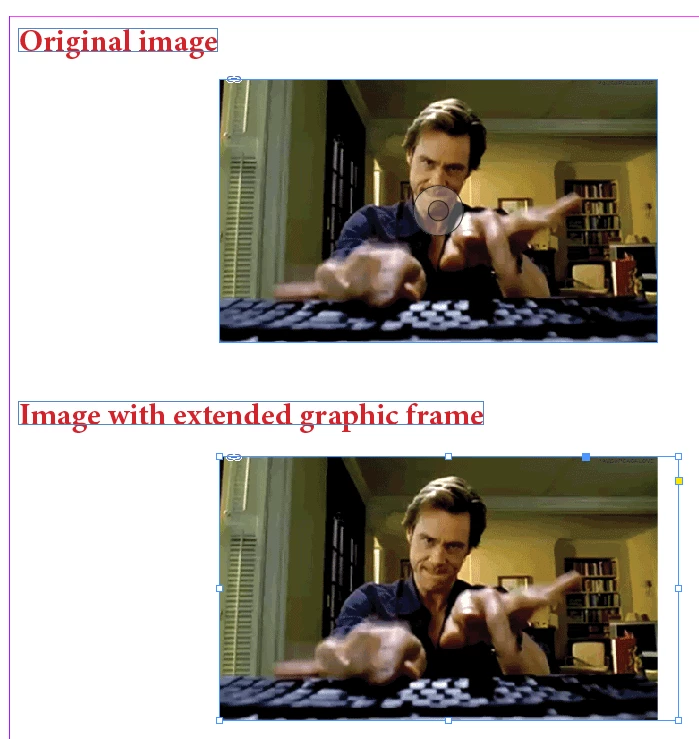
Below coding is working fine for me:

app.activeDocument.viewPreferences.rulerOrigin = RulerOrigin.PAGE_ORIGIN; 

app.activeDocument.viewPreferences.horizontalMeasurementUnits = MeasurementUnits.POINTS;  

app.activeDocument.viewPreferences.verticalMeasurementUnits = MeasurementUnits.POINTS;  

var link, image, frame; 

var doc = app.activeDocument; 

var graphics = doc.allGraphics; 

var graphicsname=[]

for (var i = 0; i < graphics.length; i++) { 

link = graphics.itemLink; 

image = link.parent; 

frame = image.parent; 

image0=Math.round(image.geometricBounds[0]);

image1=Math.round(image.geometricBounds[1]);

image2=Math.round(image.geometricBounds[2]);

image3=Math.round(image.geometricBounds[3]);

frame0=Math.round(frame.geometricBounds[0]);

frame1=Math.round(frame.geometricBounds[1]);

frame2=Math.round(frame.geometricBounds[2]);

frame3=Math.round(frame.geometricBounds[3]);

if((image0>frame0) || (image1>frame1) || (image2<frame2) || (frame3 >image3)){

    graphicsname.push(link.name)

}

alert(graphicsname.join("\n"))

But the problem is when the image is shear or rotated in the graphic frame, it throw as error. Even the image box does not have empty space. Any suggestion i move forward?
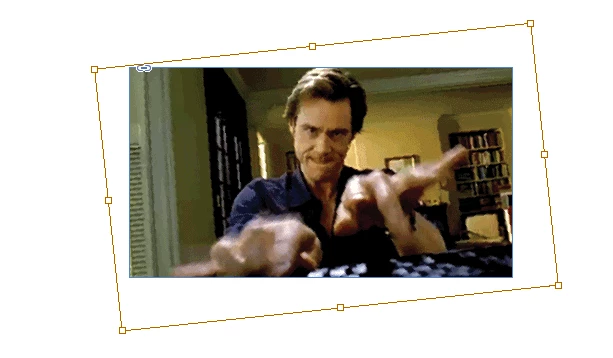
Also if you have suggestions to improve my above coding that also great.

Thanks,

K

This topic has been closed for replies.

2 replies

Marc Autret
Legend
November 29, 2016

Hi all,

In terms of bounding boxes the question could first be addressed as follows. To ensure that the parent container does not extend beyond the image area, it is sufficient to check that the parent inner box is contained within the image inner box. Which is satisfied if and only if each corner point of the parent box belongs to the child box. That specific problem can be solved very quickly using (u,v) coordinates of the respective boxes, without any transformation or Pathfinder operations.

However, the figure below shows that the condition, although sufficient, is not necessary:

Here we have a configuration where the child box does not contain the parent box (blue regions overlap) while the actual parent shape still entirely stands inside the child box. What would be great for addressing any possibility would be to handle the “in-child” box of the parent, that is, the visible bounding box of the parent framed in the perspective of the child coordinate space. Unfortunately, the DOM does not provide simple access to “in-child” boxes! One can access the in-parent box of the child, but not the in-child box of the parent :-(

Note. — At first you may think that checking the state of the in-parent box of the child relative to the parent inner box could be an indirect way of addressing the original problem. But this is definitely wrong. The figure below clearly shows that the in-parent box of the child can entirely contain the parent box while the polygonal shape extends beyond the image area.

So we need a workaround for really testing the parent shape bounding box seen in the perspective of the image space. (And, by the way, we need the visible box rather than the geometric box of the parent, in case rounded corners would be applied.)

Fortunately we have two interesting properties at hand. First, the fact of “extending beyond the image area” is invariant by any transformation. That is, if we transform the container in some way this doesn't change the state of the problem. Secondly, the whole image area by nature coincides with its inner box, which is a parallelogram in the perspective of the pasteboard. Therefore we can find a transformation T that, being applied to the parent, will change the image box into a rectangle in the pasteboard space. Then, we can consider the visible “in-board” box of the parent, that is, the rectangle that encloses the parent in the perspective of the pasteboard space. We know have two comparable rectangles Rchild and Rparent and the problem reduces to checking whether Rchild entirely contains Rparent.

The figure below summarizes the trick:

As usual, the implementation requires a “machine epsilon” (see my EPSILON constant) in order to prevent floating-point approximation errors which frequently occur in InDesign coordinate system. Here is the code I suggest:

const CS_BOARD = +CoordinateSpaces.pasteboardCoordinates,

      BB_VISIBLE = +BoundingBoxLimits.outerStrokeBounds,

      BB_PATH = +BoundingBoxLimits.geometricPathBounds;

const EPSILON = 1e-6;

var image = app.selection[0], // target image

    parent = image.parent;

// Temporarily transform the container so that its image (inner) box

// be a rectangle in the perspective of the pasteboard.

// ---

var origin = image.resolve([[.5,.5],BB_PATH],CS_BOARD)[0],

    mx = image.transformValuesOf(CS_BOARD)[0],

    T = app.transformationMatrices.add(1,1,-mx.clockwiseShearAngle,-mx.counterclockwiseRotationAngle);

parent.transform(CS_BOARD,origin,T);

// Retrieve image corners in board coord space.

// ---

var iTL = image.resolve([[0,0],BB_PATH],CS_BOARD)[0],

    iBR = image.resolve([[1,1],BB_PATH],CS_BOARD)[0];

// Retrieve parent *inboard box* corners in board coord space.

// ---

var pTL = parent.resolve([[0,0],BB_VISIBLE,CS_BOARD],CS_BOARD)[0],

    pBR = parent.resolve([[1,1],BB_VISIBLE,CS_BOARD],CS_BOARD)[0];

// Revert the transformation.

// ---

parent.transform(CS_BOARD,origin,T.invertMatrix());

// Check whether the rectangle <pTL,pBR> is included in <iTL,iBR>

// ---

var r = pTL[0] >= iTL[0]-EPSILON && pTL[1] >= iTL[1]-EPSILON

     && pBR[0] <= iBR[0]+EPSILON && pBR[1] <= iBR[1]+EPSILON;

alert( r ? 'OK' : 'KO' );

And a few test screenshots:

@+

Marc

tpk1982
tpk1982Author
Legend
November 29, 2016

Hi Marc,

First i like to give a big THANKS for your wonderful explanation. I aware i have only 0.1% knowledge what you have done with your coding.

I blindly tried your coding with just place an image in indesign. But it always throws the alert KO even the image in correct position.

Could you please suggest?

PS: My head starts rounding after i read the explanation

Regards,

Karthi

Marc Autret
Legend
November 29, 2016

Hi Karthi,

could you post a screenshot of a result that went wrong with Marc's script?
Or maybe even provide a packaged InDesign file with the case?


Hi Marc,

cool code. Just tested with my samples.

In all cases but one your method is working as expected.


However, there seems to be at least one case where it did not work.
Could be a "border case" perhaps.


Here a screenshot of the case:


And here the values for the geometric bounds of the image and the container frame:


Image:

41.2984310497206

23.8046101032331

122.578431049721

132.177943436566


Container frame:

41.2984310497206

23.8046101032331

110.700965911279

110.194786856753


rotationAngle and shearAngle values for image and container frame are 0 .


Below a link to my test files that also contain a special case with an image that is cropped by a PhotoShop path.
This case would result in a false positive with all scripting solutions presented in this thread. Another case we should tackle. I already have some ideas for that.


EDIT 220421 NEW LINK TO MY TEST FILE:

https://www.dropbox.com/s/7gok1uxklowpgvm/Marc%20Autret%20%20DoesImageFillFrameEntirely-v1.zip?dl=1


Tested with InDesign CS6 v8.1.0 on Mac OSX 10.6.8.
Did not test with a different version yet.


Thanks,
Uwe


Hi Uwe,

Thanks for your feedback. Looking closer at your "false negative" example (#20) it seems to me that that the container stroke slightly extends beyond the image area. So the visible box actually violates the condition and it's a true negative. Now in my code you can replace BB_VISIBLE by BB_PATH in pTL and pBR determination and then you will get OK, I think. The problem with using BB_PATH is mainly that it doesn't properly address rounded corners (the geometric box is larger than the visible box.)

Note. — The DOM provides no way (so far) to access a visible bounding box disregarding stroke weight.

@+,

Marc

Trevor:
Legend
November 24, 2016

See Check if two line segments intersect · GitHub

and Calculating the intersection of two lines. - JSFiddle

If the brown inner frame is bigger than the blue outer frame and the lines don't intersect then there's no empty space.

If they intersect only on a non extreme point like the corner of the blue frame or the tops etc. and the browns bigger that it encapsulates the blue one then there's no empty space

if the 2 frames don't intersect and are on different parts of the screen then there's a lot of empty space

Here's a start

javascript - Check if polygon is inside a polygon - Stack Overflow

HTH

Trevor

tpk1982
tpk1982Author
Legend
November 24, 2016

Thanks Trevor. Got some idea. Let i try.

Regards,

K

Community Expert
November 24, 2016

Hi K,

to proof if and how two polygons ( closed path, but arbitrary shaped! ) intersect, one could use also InDesign's pathfinder functionality.

I did not test very much but the pathfinder operation addPaths() could help to determine if a graphic frame is filled totally by an image or not.

Cases and results:

Code:

/**

* @@@BUILDINFO@@@ Example-addPath()-DoesImageFillFrame.jsx !Version! Thu Nov 24 2016 20:29:09 GMT+0100

*/

/*

    Uwe Laubender:

    Test if image fills the graphic frame entirely.

    Using pathfinder operation addPaths()

*/

// Graphic frame with image is selected:

var myGraphicFrame = app.selection[0];

var doesFillEntirely = doesImageFillsGraphicFrame(myGraphicFrame);

alert("image fills graphic frame: "+doesFillEntirely); // true or false

// Returns true or false

function doesImageFillsGraphicFrame(/*graphic frame*/graphicFrame)

{

    // Duplicate the graphic frame and work with the duplicate:

    var dupGraphicFrame = graphicFrame.duplicate();


    // Duplicate the graphic

    // NOTE: Not tested with graphics that contain clipping paths!!

    var polygonOfGraphic = dupGraphicFrame.pageItems[0].duplicate();

    // Do the pathpoint operation addPath:

    var resultFrame = polygonOfGraphic.addPath(dupGraphicFrame);


    // Path points length of all paths of the result:

    var resultFramePPL = resultFrame.paths.everyItem().pathPoints.everyItem().getElements().length;

    // Get rid of the added object:

    resultFrame.remove();

    // Test, if the pathfinder operation results in a frame, that

    // consist of 4 path points entirely:

    if(resultFramePPL == 4){return true}

    else{return false};


    // Maybe a better test would be to compare

    // the result's entirePath Array with

    // the polygonOfGraphic's entirePath Array.

};

Regards,
Uwe