
SebastiaoV
Known Participant
May 7, 2022
Answered

GREP - change regular space to small or minum space

  • May 7, 2022
  • 3 replies
  • 1187 views

Hi people 

I have a GREP command to convert all numbers inside parenthesis in superscript notes.
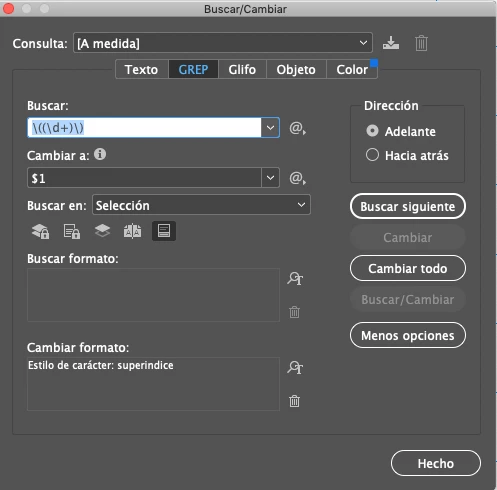


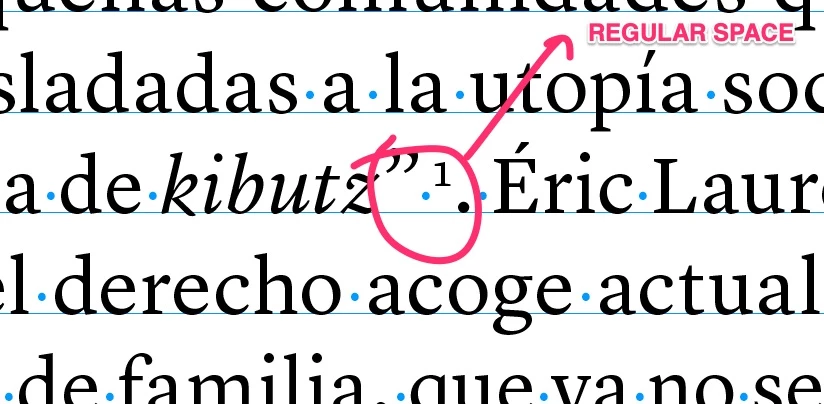
I would like to change the regular separation space of the superscript to a small space so it is no so distant from the word. I mean this space in the image


so if i can change it to this smaller space
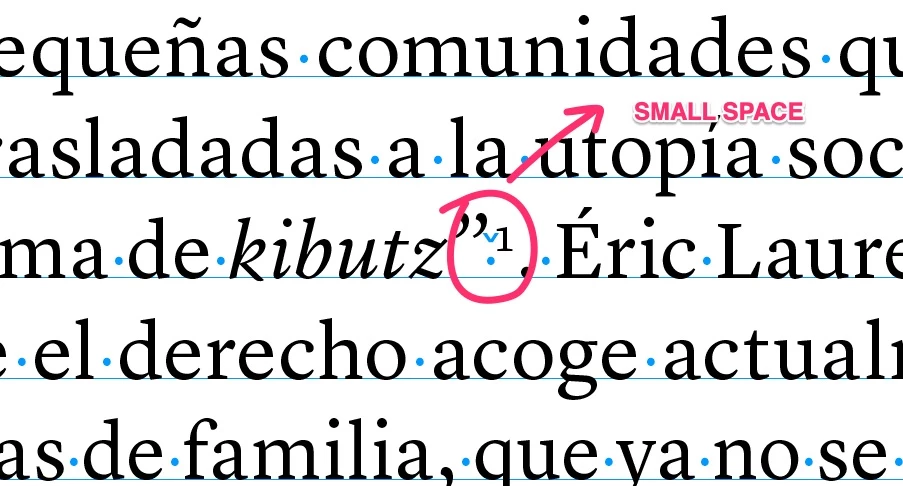


How can i do that?

Any help or ideas?

Thanks 1000!


This topic has been closed for replies.
Correct answer m1b

The problem is you have added \r but the actual text has a period. Try removing the \r and let me know how it goes.

3 replies

Scott Falkner
Community Expert
Community Expert
May 8, 2022

You could use this in a GREP style as part of a paragraph style. Make a character style that uses horizontal scaling at, maybe, 50% and apply that with the GEP Style.

m1b
Community Expert
Community Expert
May 7, 2022

Hi @SebastiaoV, I'd go for something like this:

Find what:


\s?\((\d{1,2})\)


Change to:


\x{2009}$1


In the Find What, the \s? means match a whitespace character or not, so will match kibutz (3) as well as kibutz(3). I've changed your + to "{1,2}" which means match 1 or 2 digits, so it will match (3) and (30) but not (2022). Just an idea.


In the Change To, the \x{2009} is a unicode for a thin space. Other unicode values for narrow spaces can be found here. Basically \x{2004} to \x{200A} — higher code points = thinner spaces (\x{200B} is zero-width).

- Mark

SebastiaoV
Known Participant
May 7, 2022

Thanks for the good advice m1b
The code looks very interesting but I might be doing something wrong since i get the sign "No matches" when applying it 😉

how can solve it?

Thanks!


m1b
Community Expert
m1bCommunity ExpertCorrect answer
Community Expert
May 8, 2022

The problem is you have added \r but the actual text has a period. Try removing the \r and let me know how it goes.

brian_p_dts
Community Expert
Community Expert
May 7, 2022

Are you using the Footnote/Endnote tool? If so, the find is:


\h(?=~F)


SebastiaoV
Known Participant
May 7, 2022

Not really using the footnote tool but thanks for the tip 😉
They send me the Word file with the footnotes as numbers inside parenthesis, for example: (6) and that GREP command will convert them all as superscript. The only thing is that they get a bit far a part from the text with a regular space.