Copy link to clipboard
Copied
Hi,
how do i use grep to look in my paragraph style that every time it finds the word "Table" with a number next to it, and the word "Figure" with a number next to it to apply bold to it?
as in Table 1 or Figure 1 or Table 12 and so on to become Table 1 or Figure 1 or Table 12
Thanks
Jonathan
This isn't for the table titles or captions, is it Jonathan? (If so, define in Bullets and Numbering). If you mean when you reference Table X or Figure X within the body of the document this would work:
(Figure|Table) \d+
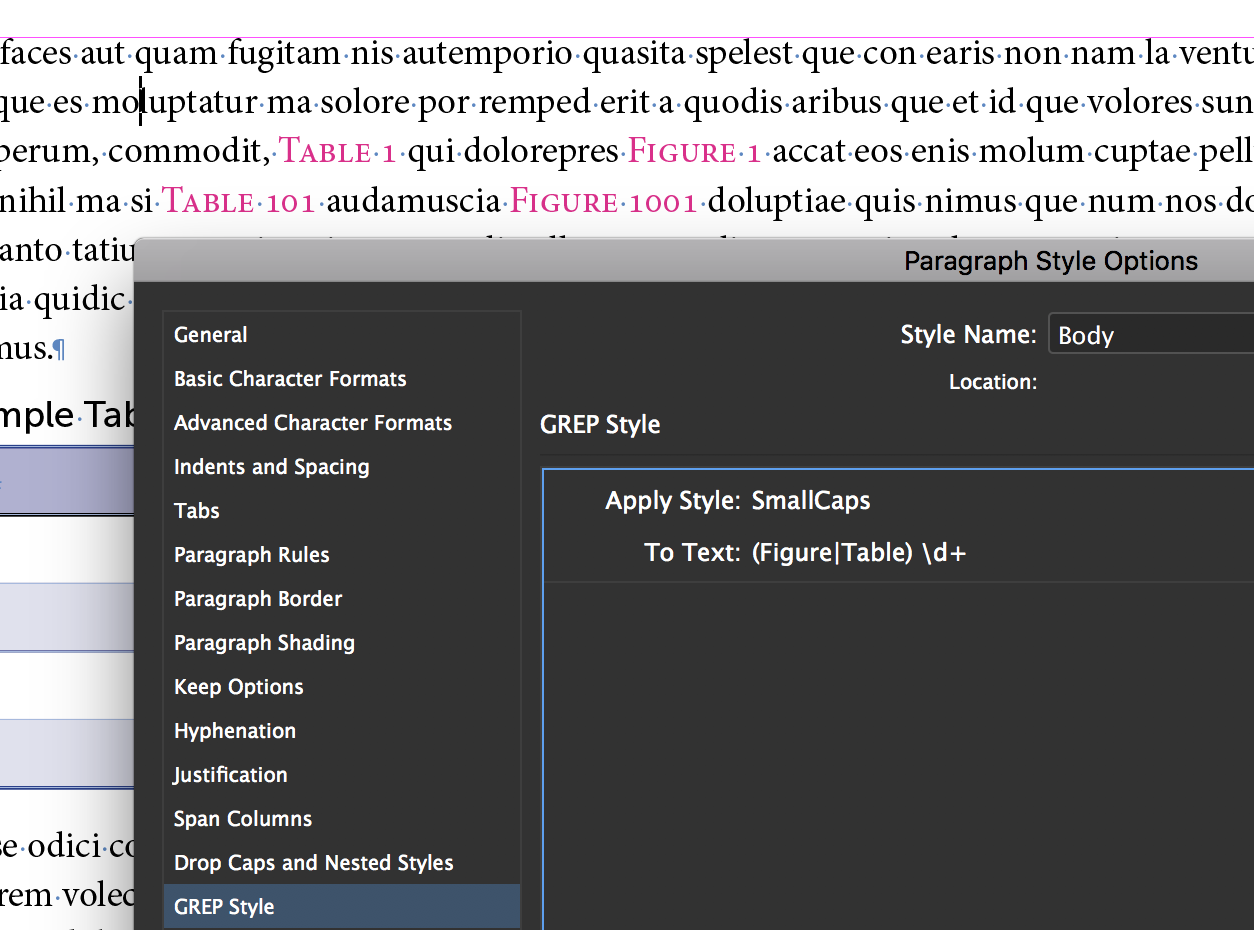
Of course, that would be better with a cross-reference in case the numbers change.
But...

Copy link to clipboard
Copied
This isn't for the table titles or captions, is it Jonathan? (If so, define in Bullets and Numbering). If you mean when you reference Table X or Figure X within the body of the document this would work:
(Figure|Table) \d+

Of course, that would be better with a cross-reference in case the numbers change.
But...
Copy link to clipboard
Copied
hmmmm.. it is just for my body copy style. but you make a good point about the cross-references. i have never used cross-references like that. been that you showed me how to use them for the first time for my references.. lol.
I think i will set them as cross-references that is a better way of working.
Copy link to clipboard
Copied
Sounds like a good plan, Jonathan. And you can add the character style when you set up the x-ref format so you won't need the GREP style. Use the + button to add it to the definition.
~Barb
Copy link to clipboard
Copied
A good plan … for the user? …
Not really sure! Unless of course, starting from a manual numbering, all the RC are made in 1 click!
Best,
Michel, for FRIdNGE
Get ready! An upgraded Adobe Community experience is coming in January.
Learn more


