
rehana36276218
Known Participant
February 13, 2022
Answered

Grep Style

  • February 13, 2022
  • 1 reply
  • 511 views

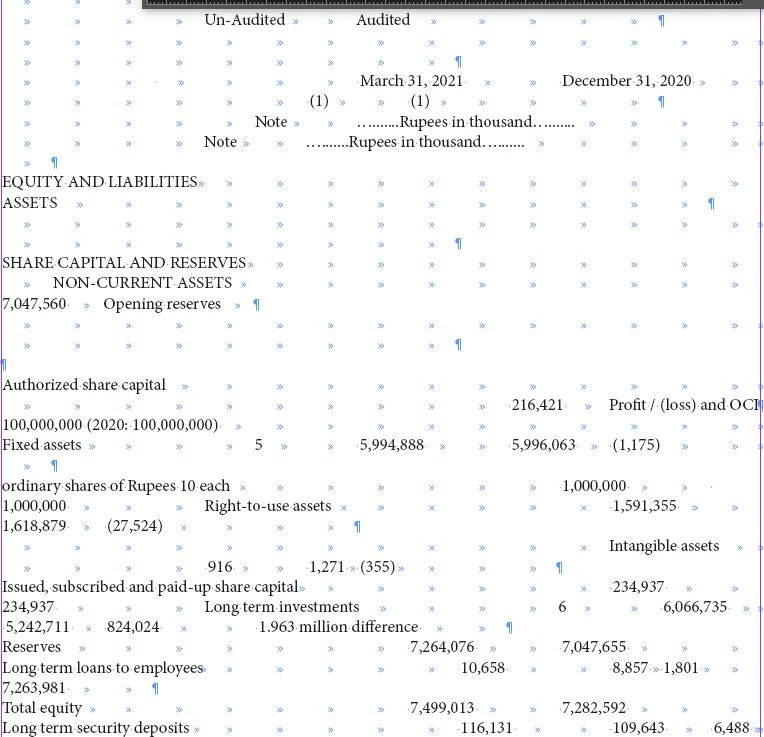
Hi all , i am doing financial report in indesign, in this image you can see alot of tabs annoying me , the data i copy from excel and paste in to indesign, now i want to use tab to align text properly , but first i need to remove unwanted tabs , returns no issue i can manage manually , but tabs i want to remove all but only 1 tab i need between values , i dont know how to use grep expression to do that , please share your experience how to to use grep to remove mulitiple tabs to single tab, i find alot but didn't find any expression.


Thanks in advance

This topic has been closed for replies.
Correct answer Barb Binder

Hi @rehana36276218:


To quickly remove all duplicate tabs, save your file, then:


GREP

Find: \t+

Change: \t


~Barb

1 reply

Barb Binder
Community Expert
Barb BinderCommunity ExpertCorrect answer
Community Expert
February 13, 2022

Hi @rehana36276218:


To quickly remove all duplicate tabs, save your file, then:


GREP

Find: \t+

Change: \t


~Barb

~Barb at Rocky Mountain Training
rehana36276218
Known Participant
February 14, 2022

Thanks and one more thing if i want to find one by one tab and delete tab , that expression ...? plz

Community Expert
February 14, 2022

Then that would be

Find What

\t

Change To, keep it blank

-Manan

-Manan