
Participant
November 1, 2022
Answered

Grey lines in PDF for printing

  • November 1, 2022
  • 3 replies
  • 2186 views

I finished a InDesign-Project. After exporting to pdf for printing, there are to grey lines on each page, presumably at the boundary between page and bleed. Didn't find a way to get ride of them. Can anyone help? Thx Gab
This topic has been closed for replies.
Correct answer Mike Bro

@Gab5CAC

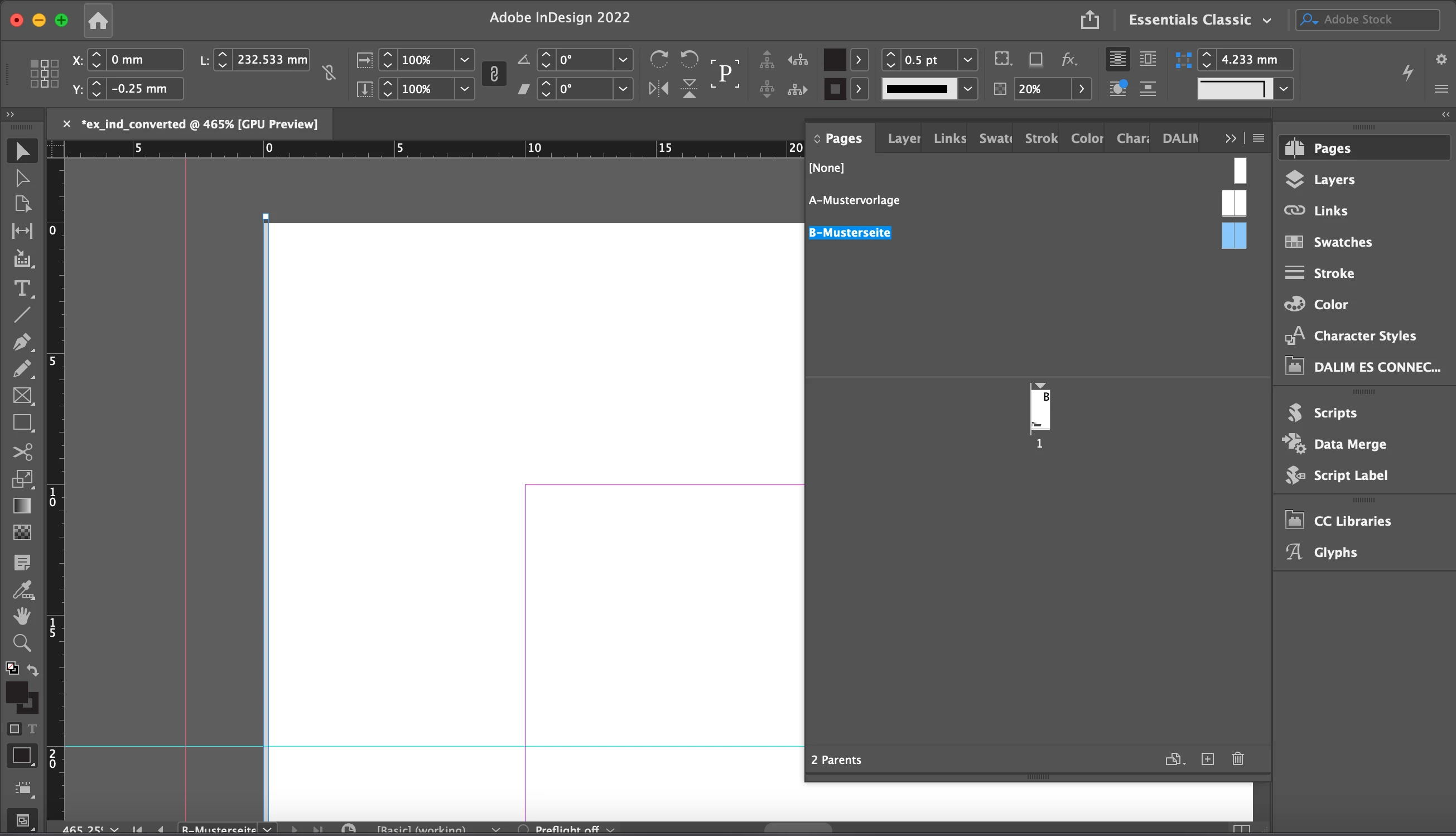
Those lines are on the parent page B, remove them from there...

Regards,

Mike

3 replies

Jumpenjax
Community Expert
Community Expert
November 1, 2022
Lee- Graphic Designer, Print Specialist, Photographer
rob day
Community Expert
Community Expert
November 1, 2022

Hi @Jumpenjax , as Mike noted, the lines are in the ID file and PDF, Acrobat’s Object Inspector shows them as stroked paths.

Jumpenjax
Community Expert
Community Expert
November 1, 2022

Thank you.

Lee- Graphic Designer, Print Specialist, Photographer
Legend
November 1, 2022

@Gab5CAC,


I downloaded your pdf and found that there's two grey lines on each side of the page as you described. These lines are coming from your InDesign document,  you'll need to go back and remove them there.

Regards,

Mike

Gab5CACAuthor
Participant
November 1, 2022

Thanks, I think you are - the problem is: I don't know how. I took over the project and this was already there - but I only noticed it now.

Gab5CACAuthor
Participant
November 1, 2022

@Gab5CAC

Those lines are on the parent page B, remove them from there...

Regards,

Mike


Thx very much @Mike Bro Finally I found them 😉

rob day
Community Expert
Community Expert
November 1, 2022

Hi @Gab5CAC , Are you viewing in Acrobat? By default the Acrobat trim is a green line—should look like this when crops are included: