

Answered
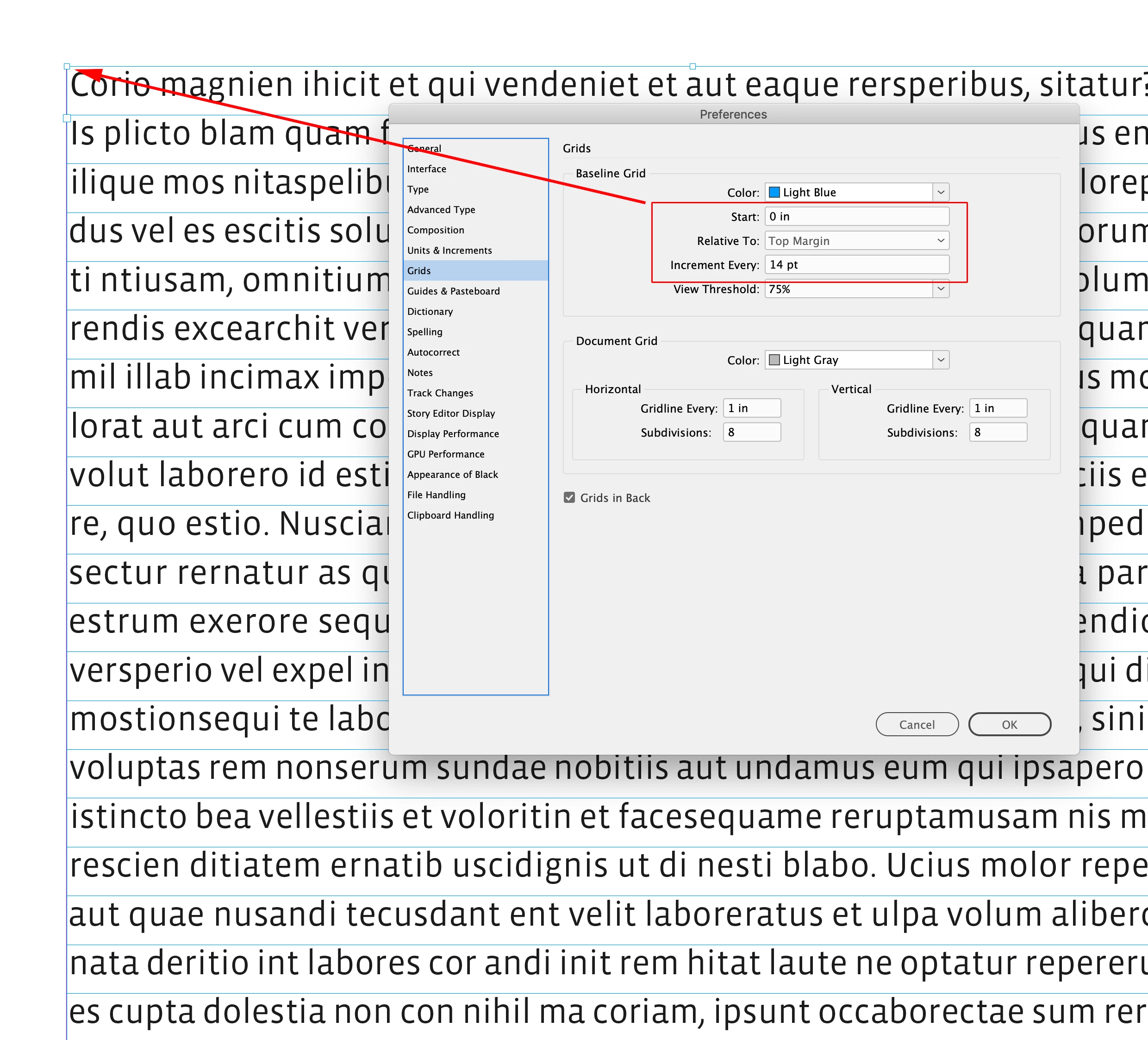
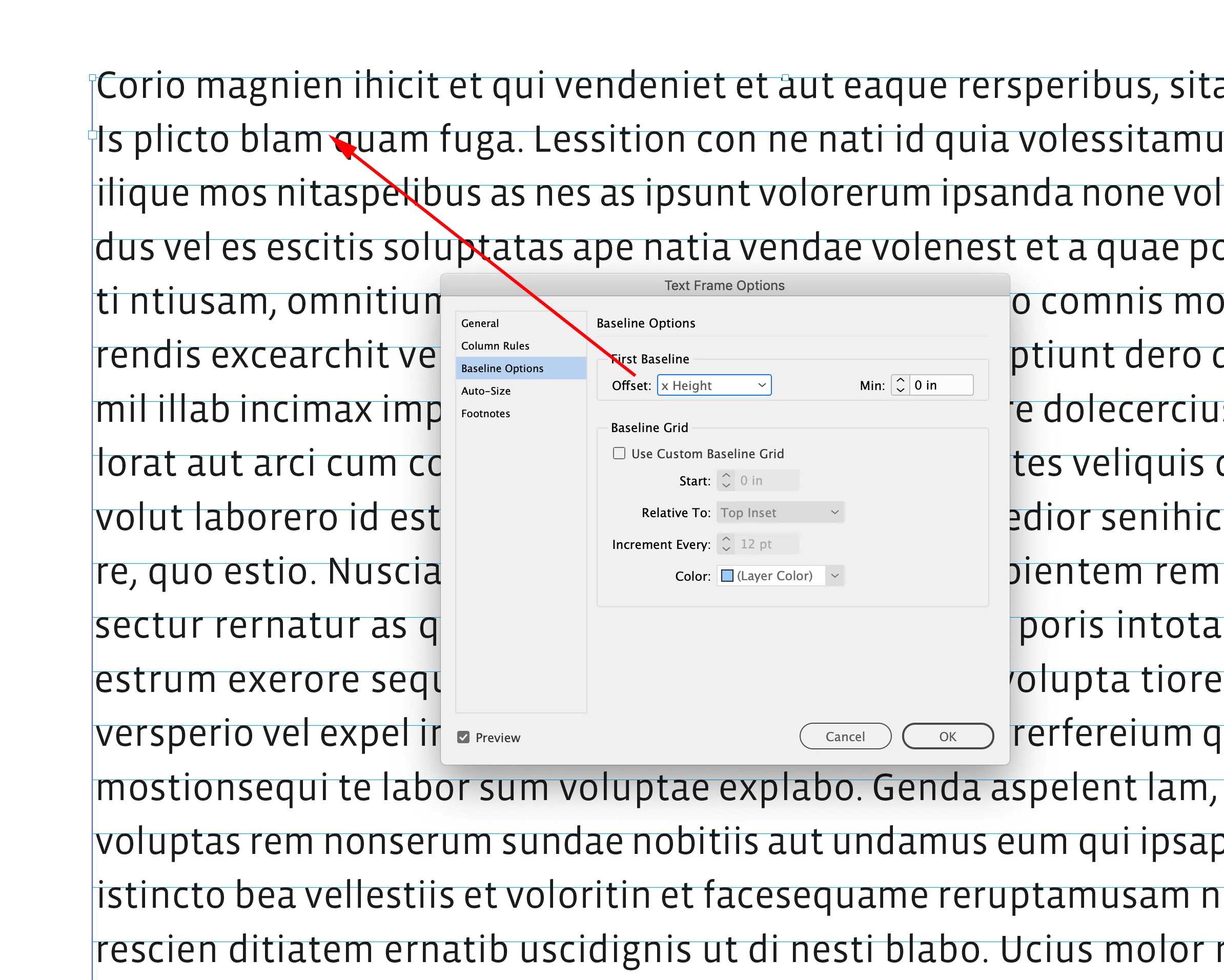
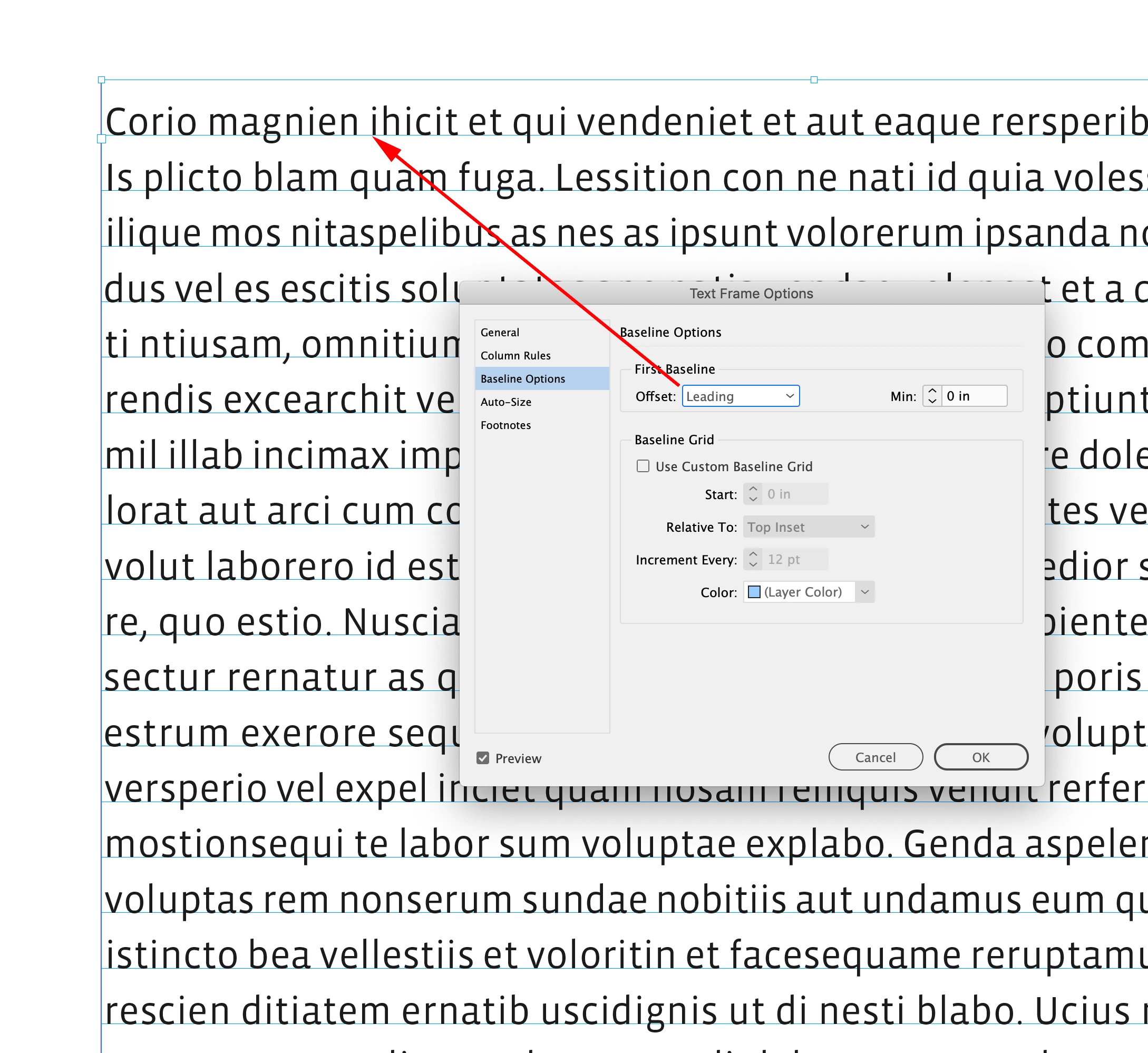
Grids or Guides along X-height
I’d like a grid or guides option with horizontal lines for:
- x-height of body text
- ascender height of body text
- base of body text
Finding after an extended period of self study reviewing dozens of Taschen publications (and this applies far more broadly), photos and other elements often align to the main text's x-height, not just to base or ascender. For example, photo captions or the first line of margin notes or captions beside the main text don't align to the base of the body text, but rather their x-height top aligns to the top of the adjacent body text x-height. How are such guides achieved in ID? Seems ideal to have very light but different color guides for 1, 2, & 3 respectively.
Admittedly this is a very incomplete understanding of grids in ID, but I'm aware of the goal: conforming and aligning elements to the main text's x-height. Many thanks in advance.
 AdChoices