Participant
September 20, 2021
Answered

Half fill Table Cell

  • September 20, 2021
  • 4 replies
  • 2628 views

I am using a Table to create a calendar.  Each cell has a number for the date. Some of the cells are shaded to indicate an event is occuring. Some days have 2 events so I would like to have the shading/background have 2 colors (split in half diagonlly)  but also still include the date.  I'm hoping someone has a trick for this that can happen in the cell.  If I turn the cell to a graphic cell, the number disappears.  The only other thought I have to put the background as a graphic behind the table... not ideal.


Thank you
This topic has been closed for replies.
Correct answer SJRiegel

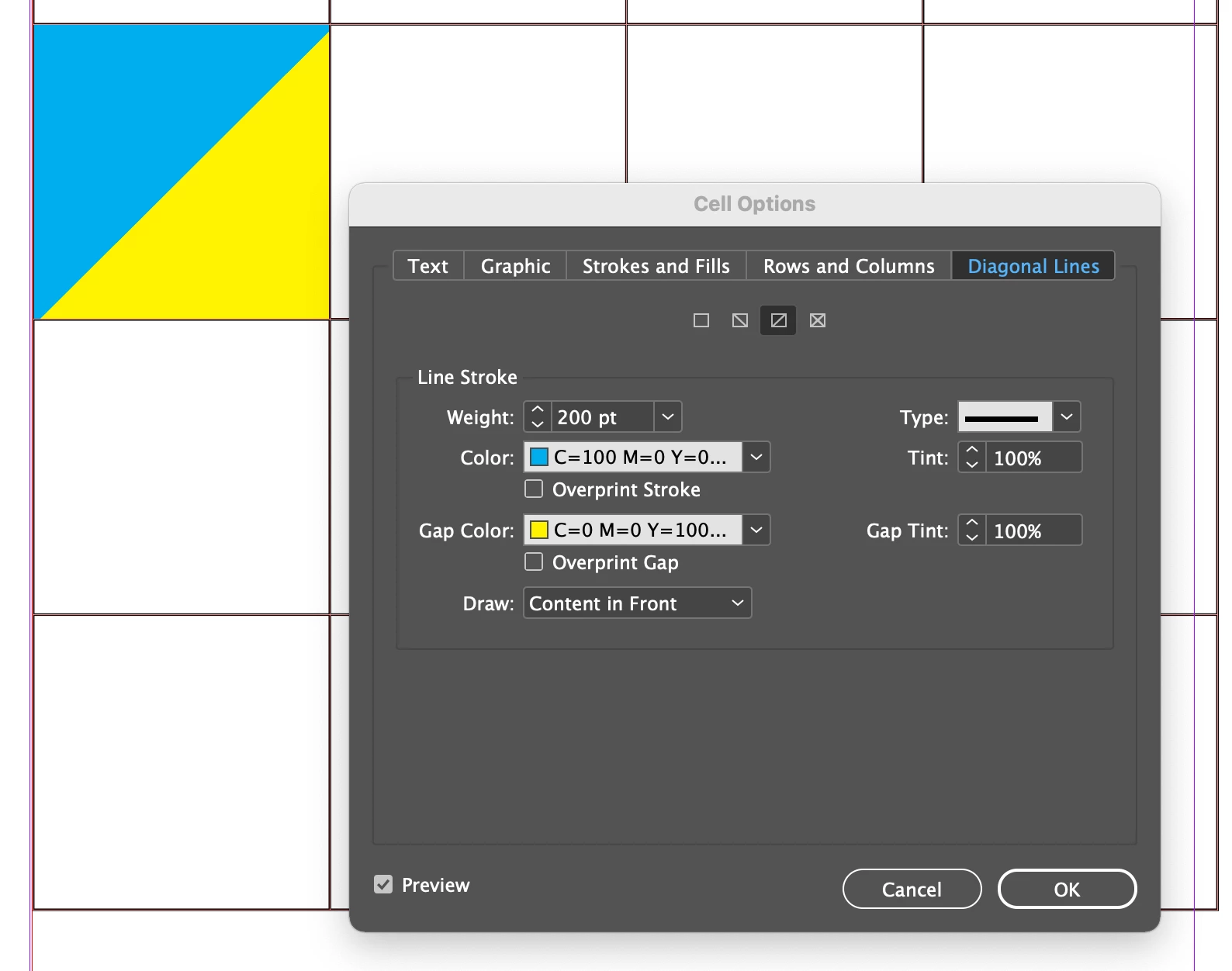
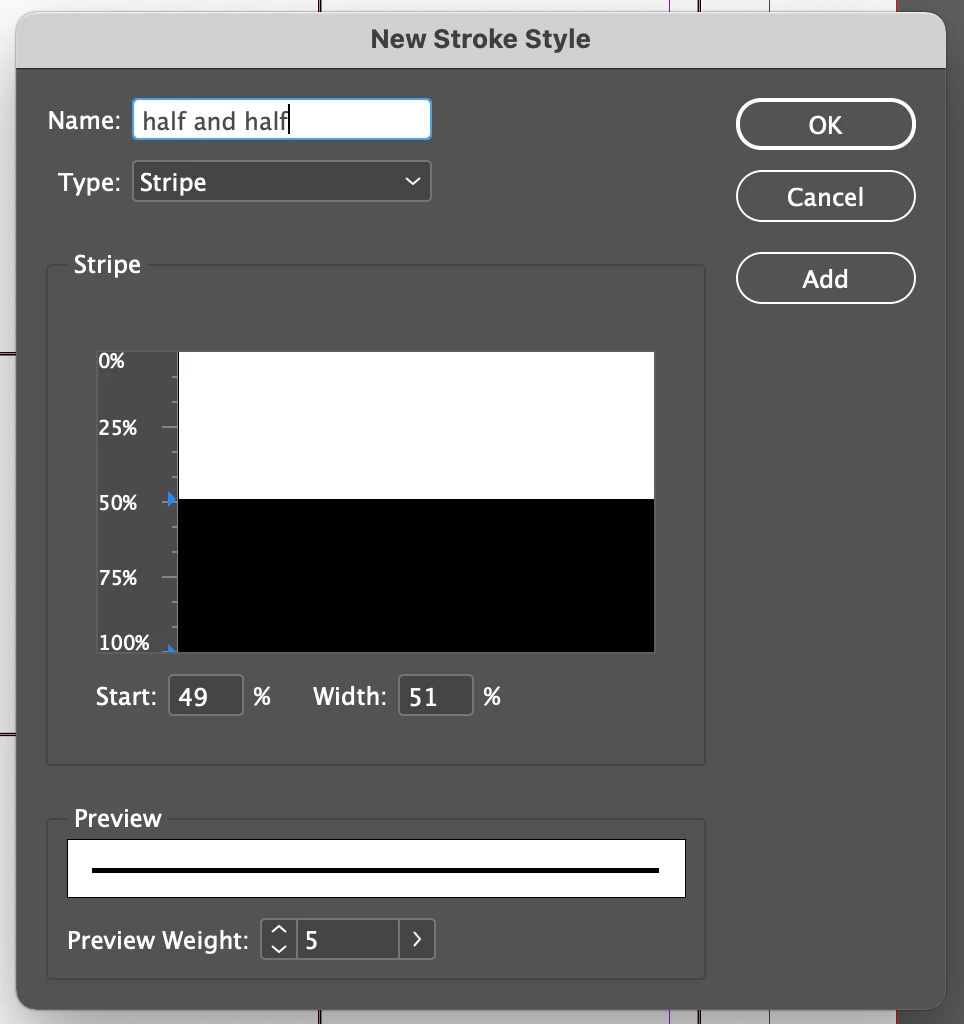
Another option is to use the Diagonal Lines table cell option. First, set up a new stroke style that is half black, half gap.

Then create your diagonal line in the cell using the half and half line style you have created - with a wide enought stroke to fill the cell. One of your colors will be the stroke color, and the other, the gap color. 

4 replies

Community Expert
September 20, 2021

And it's way more flexible when it comes to changing the dimensions of the cells.


Regards,
Uwe Laubender

( ACP )

Community Expert
September 20, 2021

Hi fabulousdesigner,

SJRiegel's solution is the easier option. So stick with this.


Regards,
Uwe Laubender

( ACP )

Participant
September 20, 2021

Thank you for your reply.  You're right, the stroke style option abover worked like a charm.


SJRiegelCorrect answer
Legend
September 20, 2021

Another option is to use the Diagonal Lines table cell option. First, set up a new stroke style that is half black, half gap.

Then create your diagonal line in the cell using the half and half line style you have created - with a wide enought stroke to fill the cell. One of your colors will be the stroke color, and the other, the gap color. 

Participant
September 20, 2021

Perfect and so easy!  Thank you.   Laubender's solution could work with a some finagling but couldn't work with the way I had my text designed.

Community Expert
September 20, 2021

Hi fabulousdesigner,

there is a trick to do that.


You need a square that is anchored Above Line in the text cell filled with a gradient that has 4 color stops at 0% 50% for the one color of the diagonal and stops 50%, 100% for the second color where the gradient in the square is rotated by -45°. From my German InDesign where the anchored square is selected. Cell insets are 0. No cell strokes:


Download my sample InDesign 2021 document from my Dropbox:

https://www.dropbox.com/s/oas2pwzk0hufh0f/DiagonalFilledCell-2021.indd?dl=1


Regards,
Uwe Laubender

( ACP )