
Have Old Editions on my Hard Drive and I'm Almost Out of Disk Space
Help! I am rapidly running out of disk space on my computer and need to delete old junk. So imagine my surprise when I went into my Applicatons folder and found not one, not two, but three different editions of InDesign and two diffecnt editions of PhotoShop on my computer. No wonder I'm running out of disk space!!
I thought Adobe automatically wrote over the old editions when I updated. I guess I'm just not tech savvy enough, but back when I used to buy my software in a box it would, as I recall, write over the old editon when I installed the new edition.
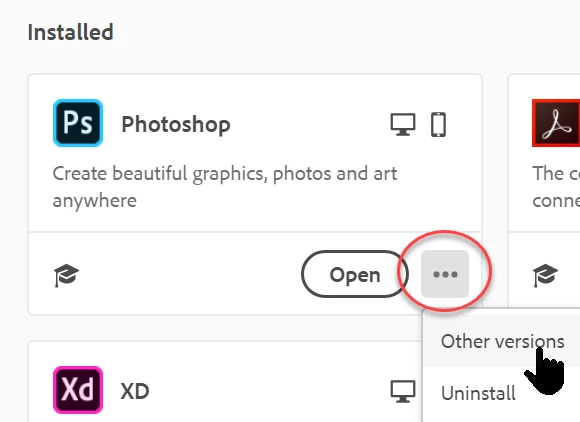
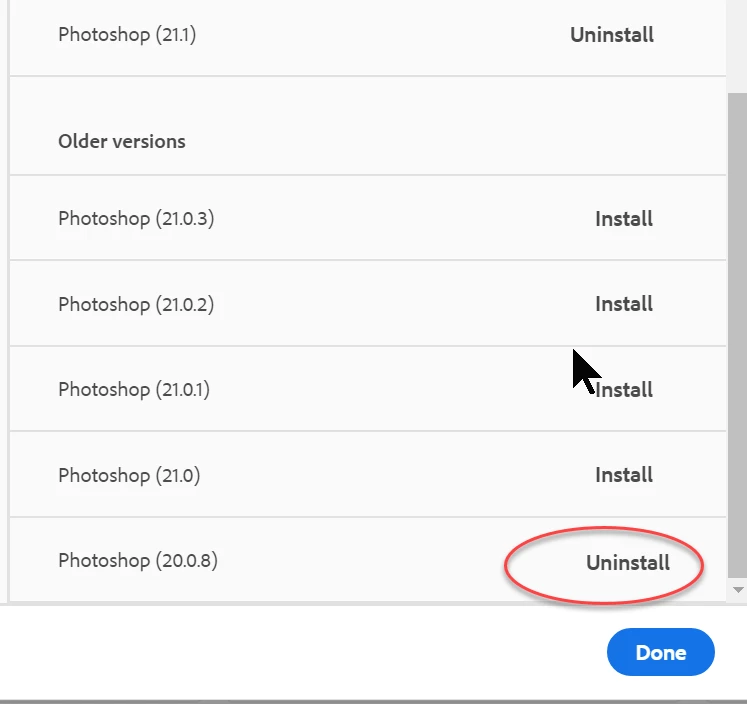
So, what do I do now? I'm rapridly running out of disk space! I want those old versions gone! I tried looking up how to get rid of them, but the artlices all begin by saying I have to do such and such in Windows. Hello! I'm a Mac user! None of these articles apply to me. I'm also an artist! I don't speak geek.
The only way I know how to "deinstall" anything is to go into the applications folder, grab the folder for the application I want to get rid of, and drag it into the trash. Howver, I'm told this doesn't work.
Sorry guys, but I'm a right-brained creative. I neither speak, nor do I understand, geek. Trying to read thise articles is very, very confusing to me and they're as clear and easy to understand as mud. Sorry, but we can't all be software engineers. Can someone, who's a Mac user, please tell me, in simple, layman's English, what to do to get rid of the outdated editions? I can't afford to buy a new computer with a bigger hard drive.
Thank you in advance for your time. I know I'm coming across as panicing, because I am starting to panic here. My apologies if I'm offfending anyone.
 AdChoices