Participant
May 31, 2017
Question

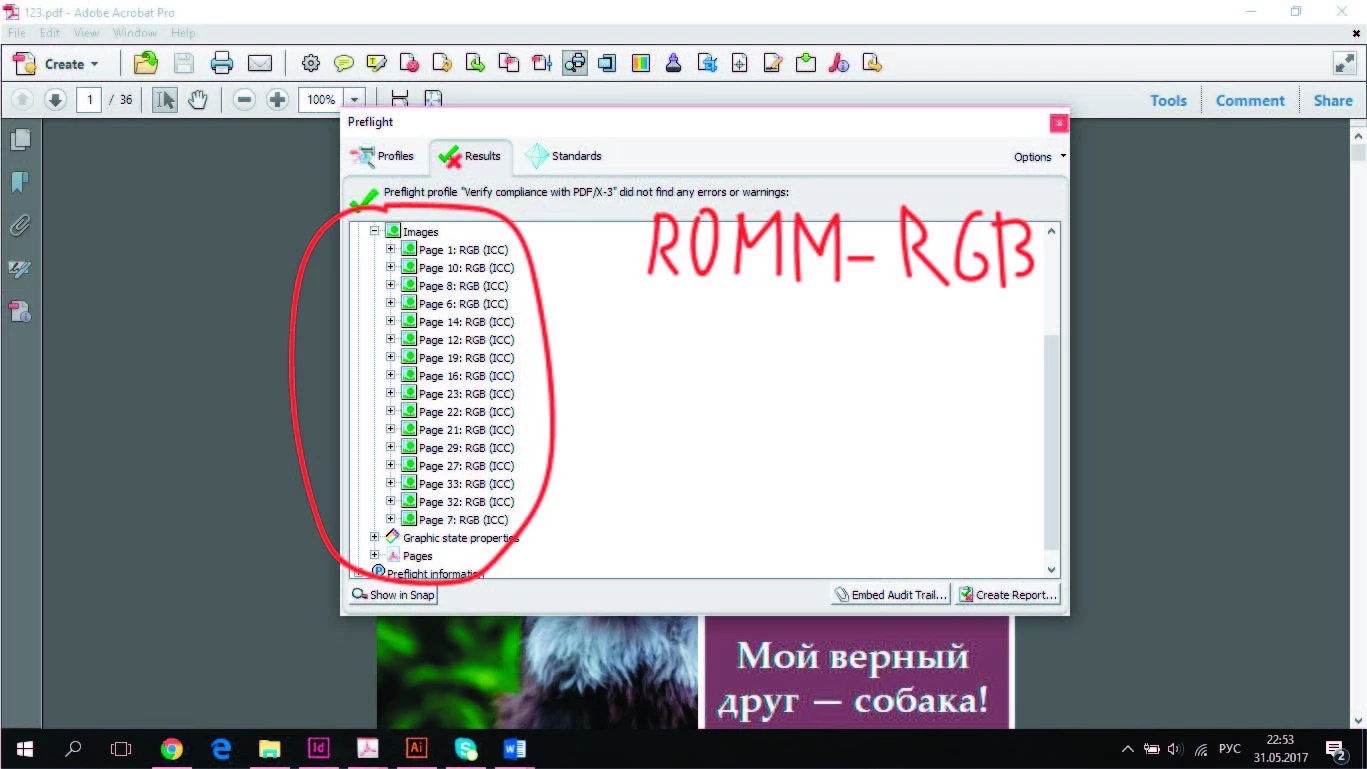
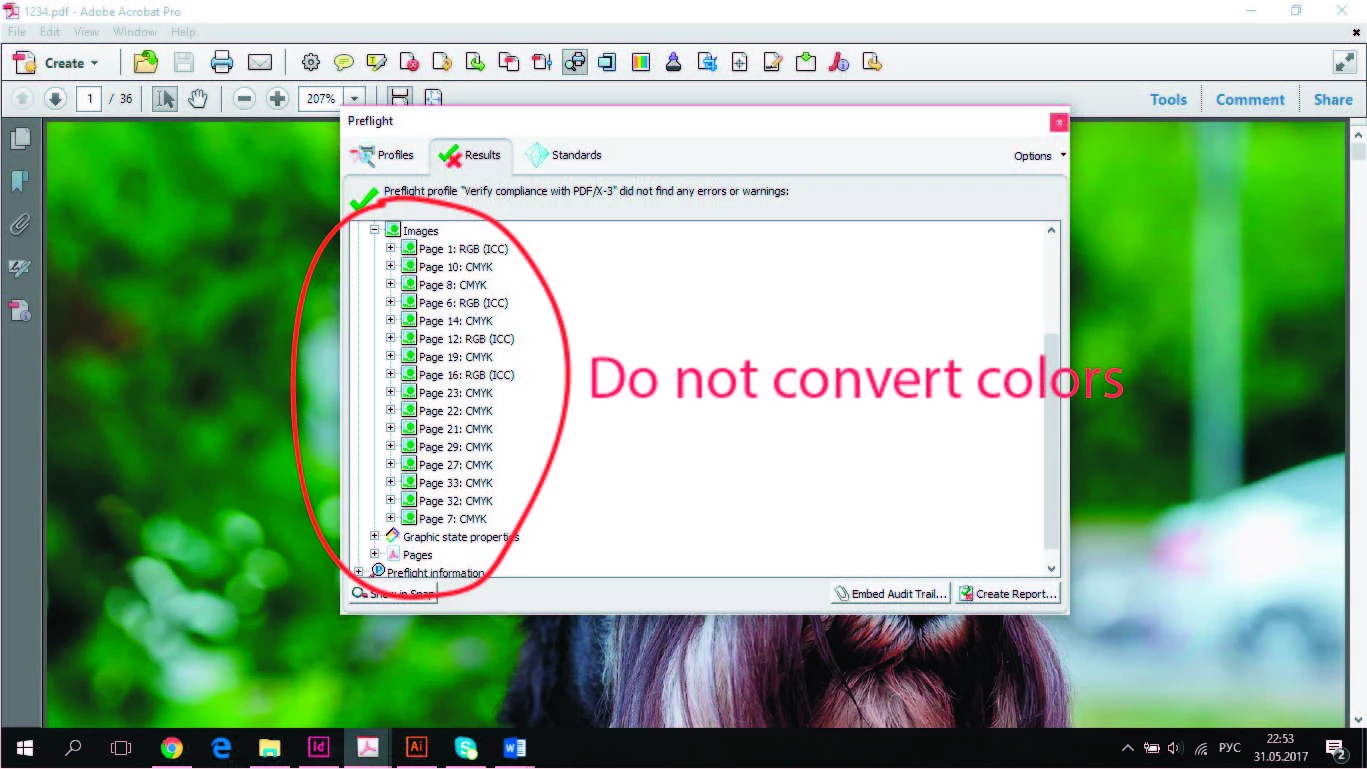
Help !!! Images in the RGB, in the Acrobat are displayed as CMYK
  • May 31, 2017
  • 2 replies
  • 1958 views

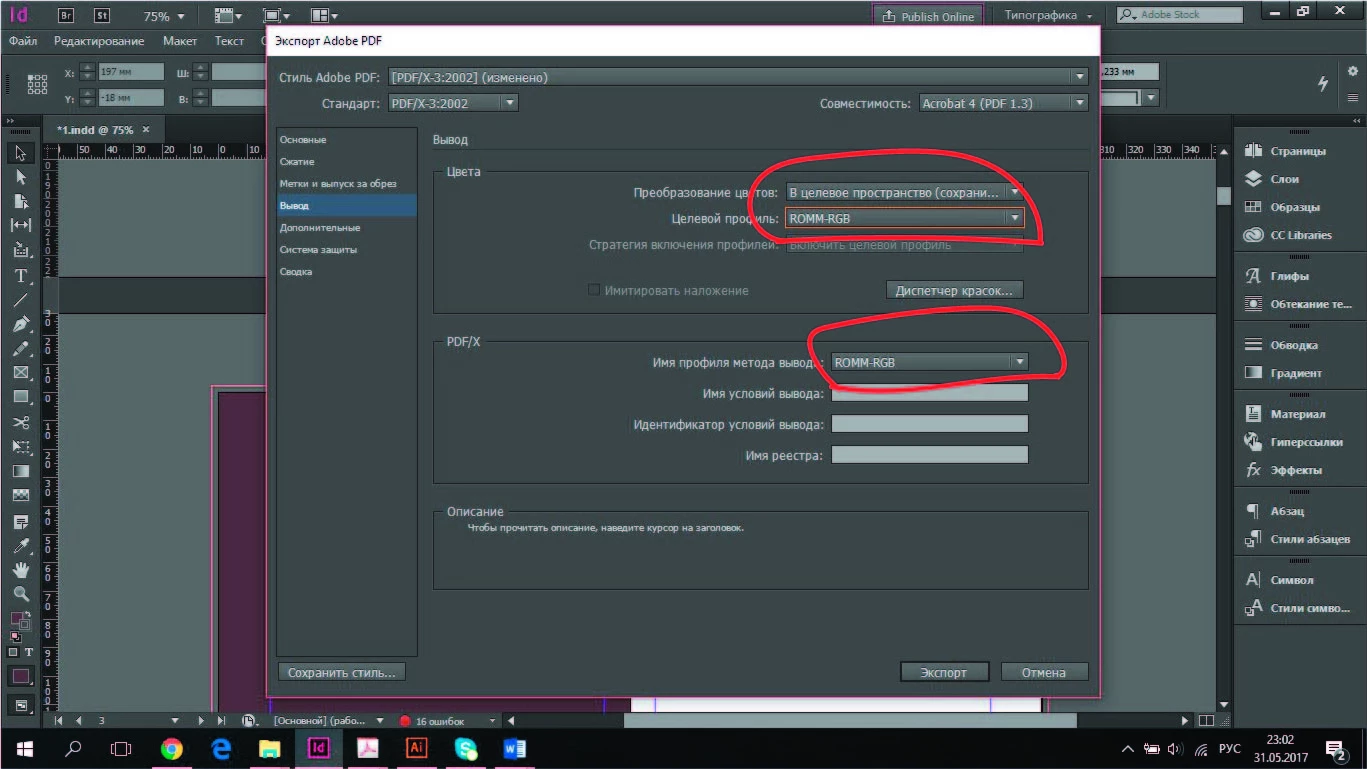
When exporting a document from Adobe InDesign, some images when viewed in the Acrobat become in the CMYK, although all the images were initially edited in Photoshop and all the profile had a Adobe RGB (1998). Pictures become RGB only when I put the target space of the ROMM-RGB. But then the text also becomes in the RGB, but it is necessary in CMYK!!!!!!!!!!  The style of printing should be PDF/X-3:2002, for digital printing and that colors are not converted. What to do about it? Already tried everything...  Maybe somewhere that is not right?

    This topic has been closed for replies.

    2 replies

    rob day
    Community Expert
    Community Expert
    May 31, 2017

    Also, it looks like you are using an old version of AcrobatPro. Earlier versions might simulate the output intent even when Output Preview was closed. The current version of AcrbatPro (and Reader DC) show no simulation with Output Preview closed.

    rob day
    Community Expert
    Community Expert
    May 31, 2017

    The style of printing should be PDF/X-3:2002, for digital printing and that colors are not converted. What to do about it? Already tried everything...  Maybe somewhere that is not right? 

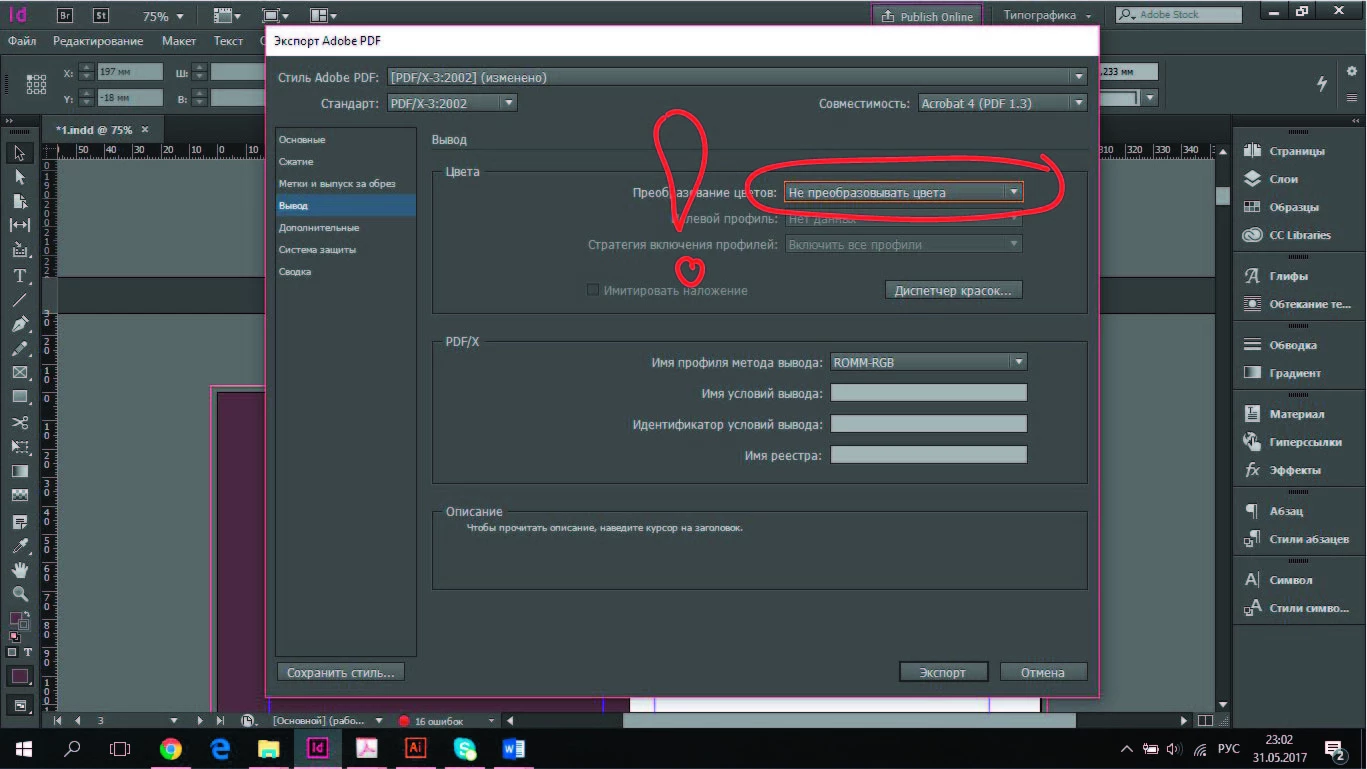
    In The Export>Output panel set Color Conversion to No Color Conversion. Your document's CMYK profile will be set as the Output Intent Profile, but the intent profile is just the intended print conditions, as long as you use No Color Conversion RGB colors and images will export unchanged.

    AcrobatPro DC is showing my RGB colors unchanged with their assigned profiles:

    However if I open Output Preview the default Simulation will be to the CMYK output intent profile. The colors haven't been converted I am just seeing the expected output:

    I can also set Preview to Object Inspector and get the object's actual color space. Here it is showing AdobeRGB for the green swatch and DeviceCMYK for the [Black] swatch:

    Participant
    June 1, 2017

    Since you said does not come out. When exporting from the InDesign, the profile of the pictures changes from RGB to CMYK. Some of the pictures still remain in the RGB, but the rest is changing. And why does not it help.

    rob day
    Community Expert
    Community Expert
    June 1, 2017

    When exporting from the InDesign, the profile of the pictures changes from RGB to CMYK

    Can you select an RGB image in your InDesign layout that is changing to CMYK when you export to the default PDF/X-4 peset (No Color Conversion) and capture the Links panel info for the image? Then after exporting show us a capture of the same image in the PDF with Output Preview Object inspector—click on the image to get it's color space. Something like this:

    The image's info in InDesign:

    The same page exported to default PDF/X4 with AcrobatPro's>Print Tools>Output Preview>Object Inspector's info: