
Known Participant
February 11, 2022
Question

Help preparing document with Spot Colors for printing on Heidelberg Versafire

  • February 11, 2022
  • 5 replies
  • 3220 views

Hello, for an important job, I'm working with a printing company to print special spot colors in gold and silver on a Heidelberg Versafire.

Unfortunately, I can't seem to fix an issue now for days with setting up the document for printing.

For some reason, all spot colors I set up, show what I believe to be correctly in the Separations & Output Previews.
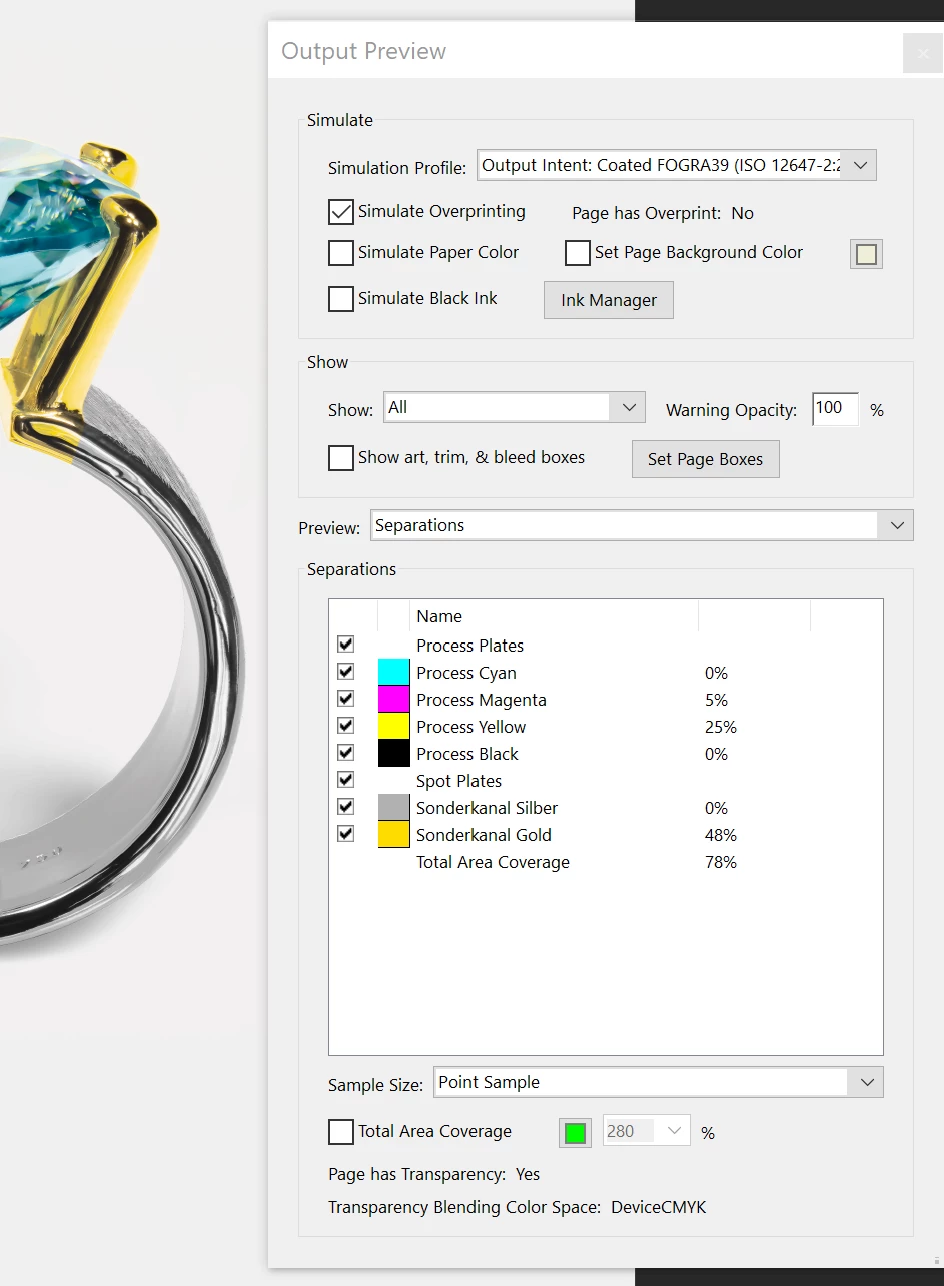
However, the printing company says that for them, they show up black and cant be printed. I do not know what they mean by that or how it looks for them. I first suspected them to need the spot channels on separate layers within the file, but the example file they sent me (which works for them), does just like my file have all channels within the same image.


If anyone has experience with this, or knows where I can find proper resources or example files, it would help me out so much, as I literally don't know what else to do and kinda need to get this done.


Thanks for your time and help!

This topic has been closed for replies.

5 replies

YAID3dAuthor
Known Participant
February 13, 2022

I believe I might have found the issue. In a resource I found, it said that the colors have to be set to NOT overprint.

When I uncheck, Simulate Overprinting, my document loses the gold and silver spot colors. 

However, when I uncheck it with the working provided PDF the gold and silver stays present.

Unfortunately, I have no idea how this is achieved.

YAID3dAuthor
Known Participant
February 13, 2022

When saving as PDF X-3 2003, the spot colors seem to start overprinting, which the original working example PDF does not seem to do. Which also makes the file show up as "Page Has Overprint: Yes"

When saving as PDF X-4 this effect does no longer occur. And the page shows up as "Page Has Overprint: No"

Also, when using CMYK as color profile for the Photoshop file, the identifier changes to FOGRA27 and the Output Preview show behavior becomes the same as the working example. I do have hope this may work, So I will file this version and cross my fingers while I pray.

Brad @ Roaring Mouse
Community Expert
Community Expert
February 13, 2022

There's a company I use here that has one (they did a lovely job for me with White spot under the CMYK). I can ask them what they need. That being said, I was under the undertsnding that it's a 5 colour machine, so only ONE spot colour with CMYK so, unless they are doing a double pass...Hmmm


YAID3dAuthor
Known Participant
February 13, 2022

Hello Brad, if you could ask them for me, or provide me one of the file setups any maybe export settings which worked in printing with them for you, that would a tremendous help. Thank you very much for taking the time to help me with this! I appreciate it greatly.


You are also right, the machine only has 1 extra slot for spot colors. So if, like in this case, two spots are used,  the paper needs to go through the machine twice.


Legend
February 13, 2022

One quick thought: could you ask them to send you a sample PDF containing silver and gold (that prints OK for them)? You can check that out and see if there is any difference you can see in preflight/preview.

Lukas Engqvist
Community Expert
Community Expert
February 12, 2022

With spot colours the exact name is normally important.

If the spot colour is for a foil then it may be that you must limit your design to use 100% or 0% of the spot colour (it must be black or white, no shades of grey for that chanel)

Both PdfX-1 and PdfX-4 support spot colour, but there can be problems with transparent objects and spot colour if there is transparency and/or if spot colours are renamed in the workflow.

rob day
Community Expert
Community Expert
February 12, 2022
Luke Jennings3
Community Expert
Community Expert
February 12, 2022

Your original Illustrator file is RGB with spot colors, I'm not sure it matters, but it might work if it were cmyk with spot colors.

rob day
Community Expert
Community Expert
February 12, 2022

Thanks Luke that could be it.


A PDF/X-4 export with the Output Destination Profile set to the Coated FOGRA39 output intent would make the PDF CMYK + Spots.


rob day
Community Expert
Community Expert
February 11, 2022

Can you share the PDF, or show the individual Separations with the image area showing?

YAID3dAuthor
Known Participant
February 11, 2022

Thanks for getting back to me, here is one of the individual channels:

The PDF you can take a look at here https://drive.google.com/file/d/1avJafZKE4AkjPrm64zFMzHN_1LTQbiu_/view?usp=sharing

Maybe you can see something I missed or did wrong.

Thanks for your time! I really appreciate it.

rob day
Community Expert
Community Expert
February 11, 2022

I can’t see a problem. Have you shown them screen captures of the two spot plates from your AcrobatPro?