elizabetht93523931
Participant
December 7, 2018
Answered

Help with facing pages - New pages not facing

  • December 7, 2018
  • 4 replies
  • 8183 views

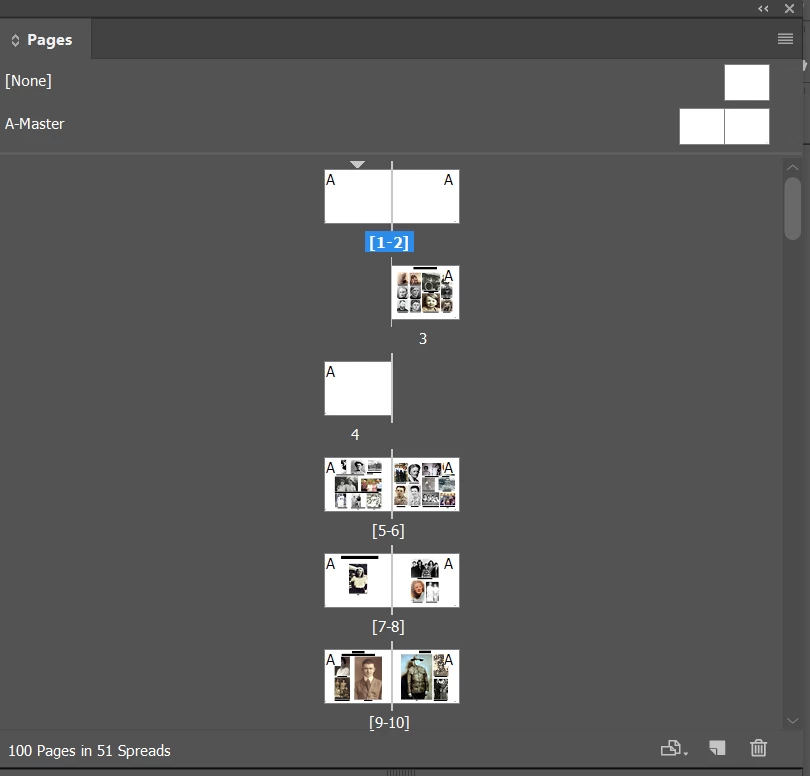
I'm a relative newbie to InDesign, so I'm hoping there's an easy answer. I inserted two pages to my document of 98 facing pages (49 spreads).  They inserted as individual pages that I can't get to view as facing for some reason.

I've tried moving them around (which at one point had me have four pages facing which was not what I wanted)

I've tried  going to Document Settings and unchecking and rechecking facing pages. 

What should I try next?
This topic has been closed for replies.
Correct answer SJRiegel

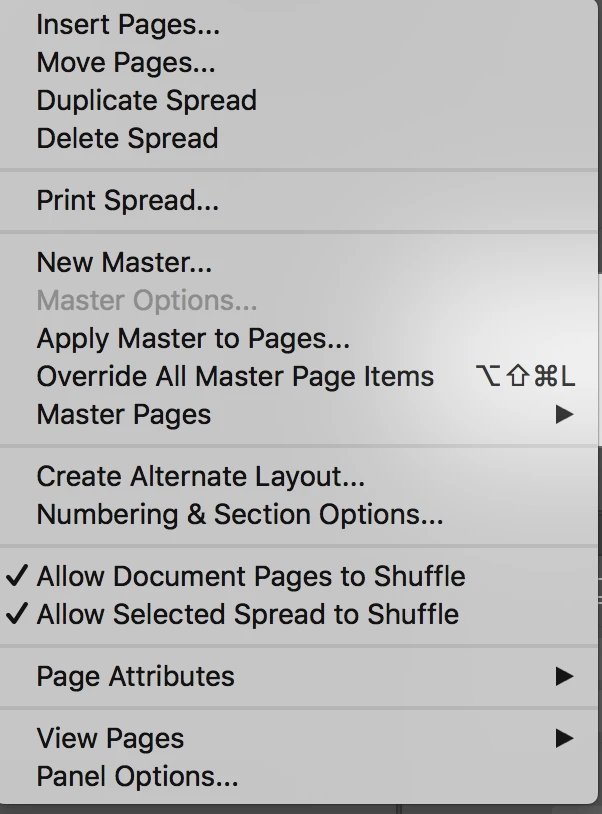
With all pages selected in the pages pallet, make sure that both of the Allow Pages to shuffle and Allow select spread to shuffle are checked.

4 replies

rob day
Community Expert
Community Expert
December 8, 2018

I'm a relative newbie to InDesign

If your book is going to be printed and bound, you have to be careful about starting with page 1 (the cover?) on the left. When the book is bound the cover has to be to the right of the spine. You'll see the problem if you export to PDF with General>Viewing>Layout set to Two-Up Continuous:

elizabetht93523931
Participant
December 7, 2018

The allowing spreads and pages to shuffle helped a lot.

But it also reshuffled my page spreads so I have orphans at the front and back. Instead of 50 spreads, I have 51.  Strange.  I think I can work with that though.

Legend
December 7, 2018

elizabetht93523931  wrote

The allowing spreads and pages to shuffle helped a lot.

But it also reshuffled my page spreads so I have orphans at the front and back. Instead of 50 spreads, I have 51.  Strange.  I think I can work with that though.

Not really strange.  Ff you look at any book, the first and last pages are the front and back covers. 

If you have your outside cover pages in a separate document, you can go back to starting on a two page spread by using your numbering and section options to start your document on an even page number. (Start Page Numbering at [  2  ].

Jeff Witchel, ACI
Community Expert
Community Expert
December 7, 2018

Is there a reason you want page 1 to the left? Odd pages are usually to the right.

Participant
December 15, 2022

It took a comment this simple to answer my question 

SJRiegelCorrect answer
Legend
December 7, 2018

With all pages selected in the pages pallet, make sure that both of the Allow Pages to shuffle and Allow select spread to shuffle are checked.