
Participant
March 31, 2011
Answered

Hiding a "paragraph / text mark"?

  • March 31, 2011
  • 5 replies
  • 75521 views

Hi there, quick google search gave me nothing as I believe the reason being they aren't called paragraph marks.
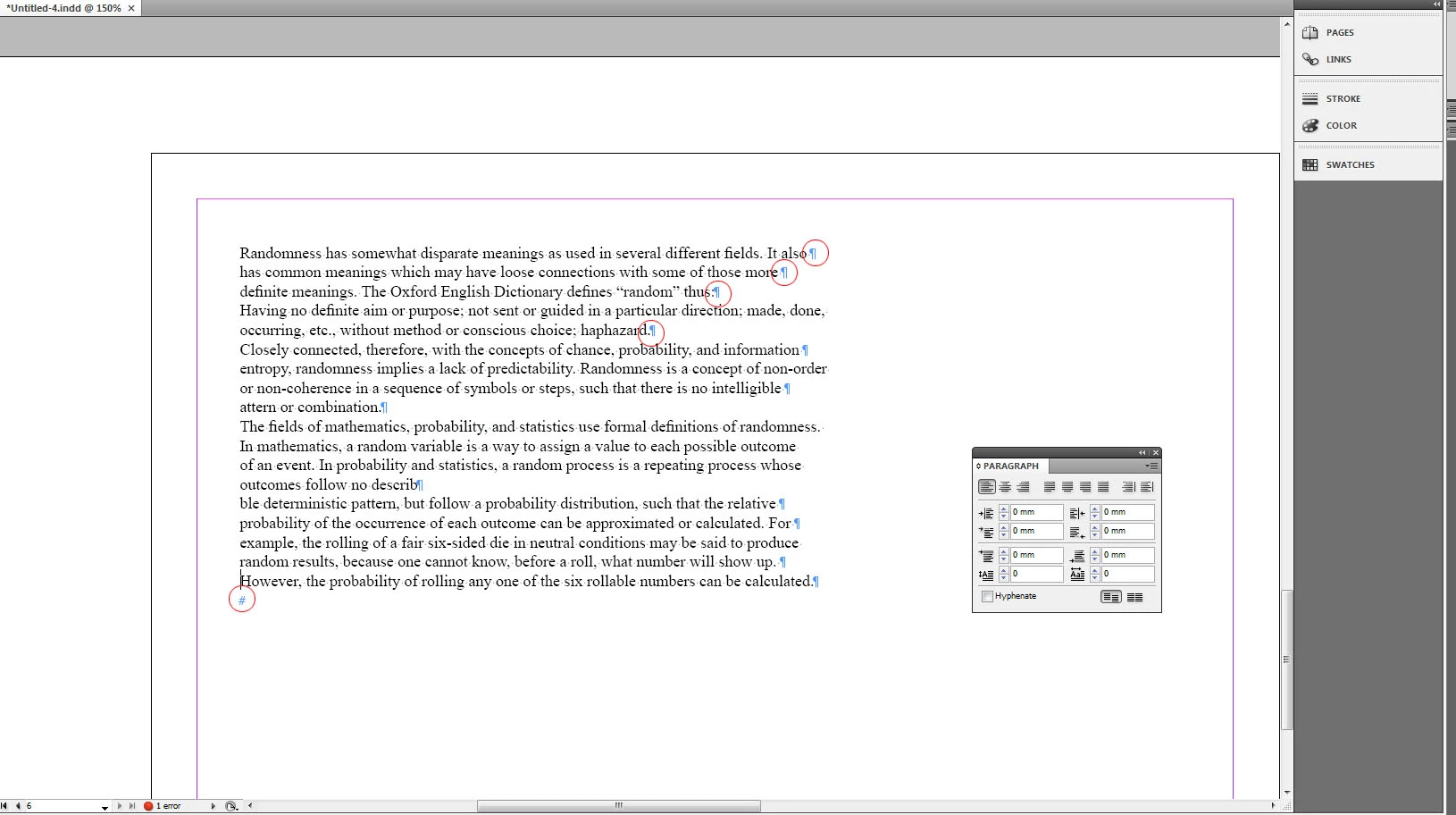
This occured when I was albowed my keyboard and now they won't go away, and strangely these marks are

extremely annoying to look at after a while, thanks in advance!

    Correct answer Stix_Hart

      Go to the Type menu and choose Hide Hidden Characters!  That will also show you the Keyboard shortcut that you "elbowed"!

    5 replies

    joet082964
    Inspiring
    January 13, 2016

    I just read "pilcrow" and "Blobface" in the same sentence.

    Life is complete.  :-)

    Participant
    January 13, 2016

    So simple but so hard! Thanks for posting this easy solution.

    Participant
    May 17, 2015

    Just in case anyone else is looking this up on a Mac in CC it's CMD+ ALT - although thanks to Blobface and his pilcrows for pointing me in the right direction ;-)

    BobLevine
    Community Expert
    Community Expert
    March 31, 2011

    They're call pilcrows.

    http://en.wikipedia.org/wiki/Pilcrow

    Bob

    Inspiring
    January 13, 2016

    No Bob - they're called "elbows"!

    Arf arf - sorry mate ...

    Malcolm

    Stix_Hart
    Stix_HartCorrect answer
    Inspiring
    March 31, 2011

      Go to the Type menu and choose Hide Hidden Characters!  That will also show you the Keyboard shortcut that you "elbowed"!

    BlobfaceAuthor
    Participant
    March 31, 2011

    Thanks a lot!

    Alt-Ctrl-I !? How the hell did I elbow that... 

    Stix_Hart
    Inspiring
    March 31, 2011

    Knobbly elbows?!