


Highlight text using conditional text
Hi,
I need to highlight text using conditional text in InDesign. I can highlight text using the below code.
var myDoc = app.activeDocument;
colorToHighlig = myDoc.conditions.add ({name:"Yellow",indicatorMethod:ConditionIndicatorMethod.USE_HIGHLIGHT, indicatorColor:UIColors.YELLOW});
app.findGrepPreferences = app.changeGrepPreferences = null;
app.changeGrepPreferences.appliedConditions = [colorToHighlig] ;
app.findGrepPreferences.findWhat = "chapter";
myDoc.changeGrep();
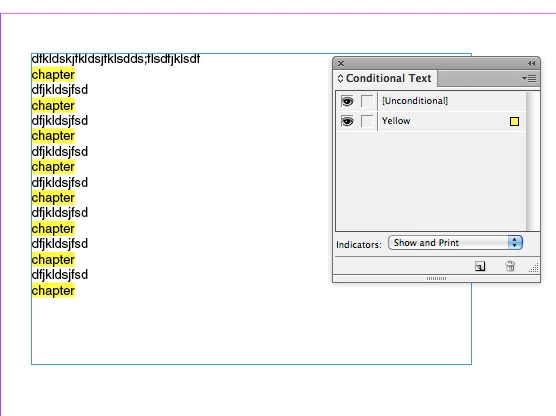
But I need to set Indicator to "Show and Print" coz while generation pdf with indicator mode "show", highlights are missing in PDF. I can retain those highlights with the indicator mode "Show and Print". Dono how to set it..
If anyone know, pls help me.
Thanks in advance,
Sudha K
 AdChoices