
Hindi (Devnagri) Text with English (Roman) Digits in Adobe InDesign
Hi everyone,
I'm using Google Input Tools for typing text in Hindi (Devnagri Script) in Adobe InDesign and it's working smoothly. It automatically transliterates everything that is being typed in English/Roman into Hindi/Devnagri in real time. The problem is that I want the words/text to be in Hindi/Devnagri (as they already are) but I want the digits/numbers to be transliterated into English everytime I enter a digit in real time, or say I don't want the digits to be transliterated into Hindi/Devnagri script once I hit space.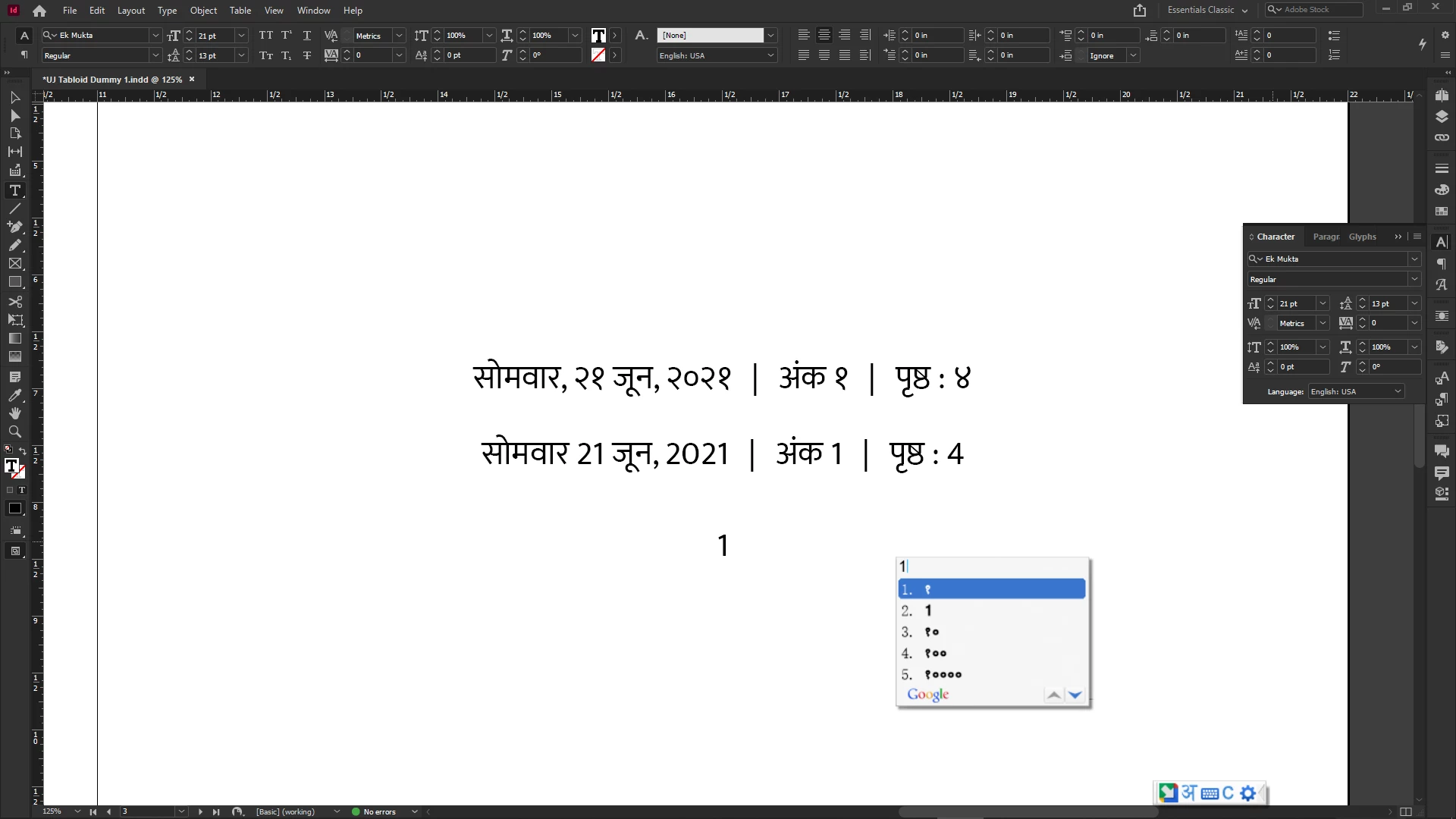
The font that I am using includes / supports both Devnagri/Hindi and Roman/English glyphs (screeshot shared below). In the above screenshot, those Hindi/Devnagri digits got typed by default while in the second line, I had to manually change those digits to Roman/English using Glyphs. Now the problem is that it's not only tiresome but also prone to mistakes if one changes each and every number manually.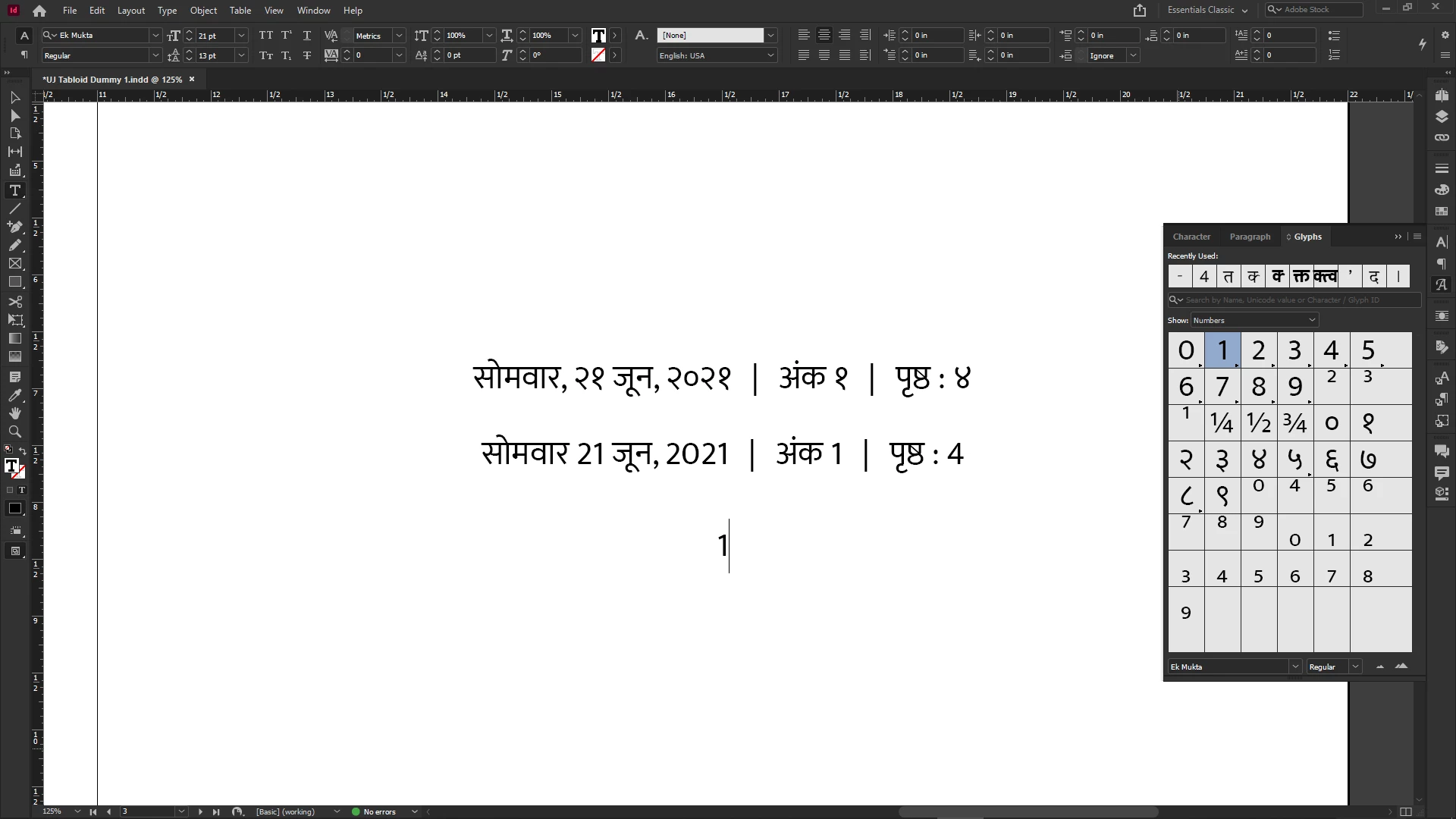
-------
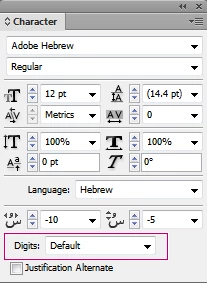
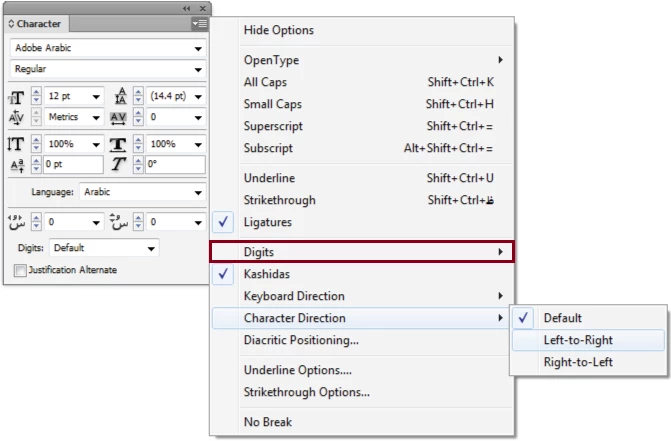
As you can see in the above picture that I've taken from another thread here, there used to be a setting for the Arabic / Hebrew fonts in the Character panel below the 'Language' option to set Default Digit Type but it's no more visible in the application even when I tried to work with Adobe Arabic font. That would have been the best solution to use globally for my above mentioned problem with the Hindi & English digits. I want to know how can it be done? As you can see in the below picture, there's no option for Digits like the one in the above pictures.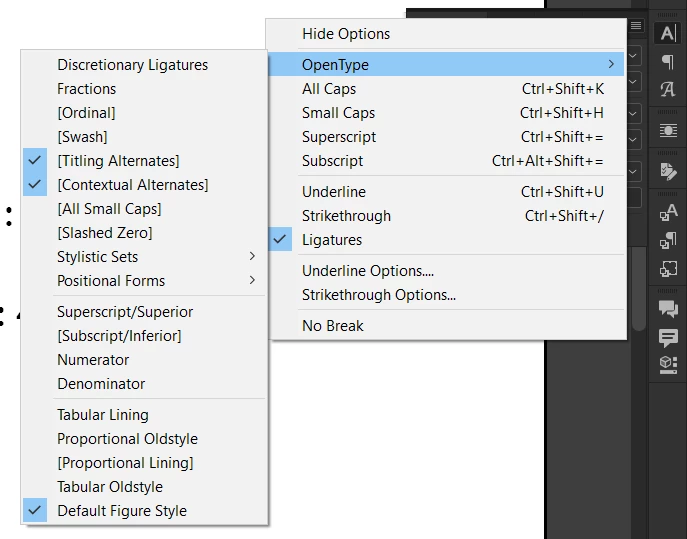
Is there any other setting that can be done to make this possible? Can something be done with GREP settings to manipulate the working as per the needs? I'm not too acquaint with how GREP works. Kindly help with a solution. I would really appreciate any help.
Thank you.
 AdChoices