
Answered
Holding key for accent won't work in InDesign (Mac)
On a Mac, if you hold down a letter a contextual menu appears above it with the various accent glyphs:
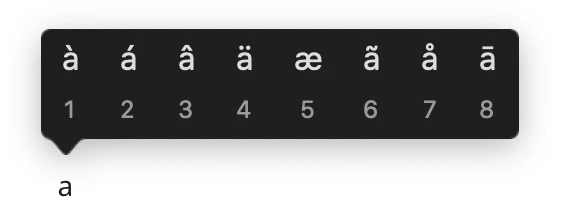
It's very handy when you work in languages that require them. Unfortunately, it seem to work everywhere except in Adobe software. If you hold down "a", you get aaaaaaaaaaa instead of that menu. I know about keyboard mapping, the glyph panel and Option-shortcuts --- what I'm trying to find out is if there's a way to activate that pop-up menu. It's really, really handy.
 AdChoices