

Question
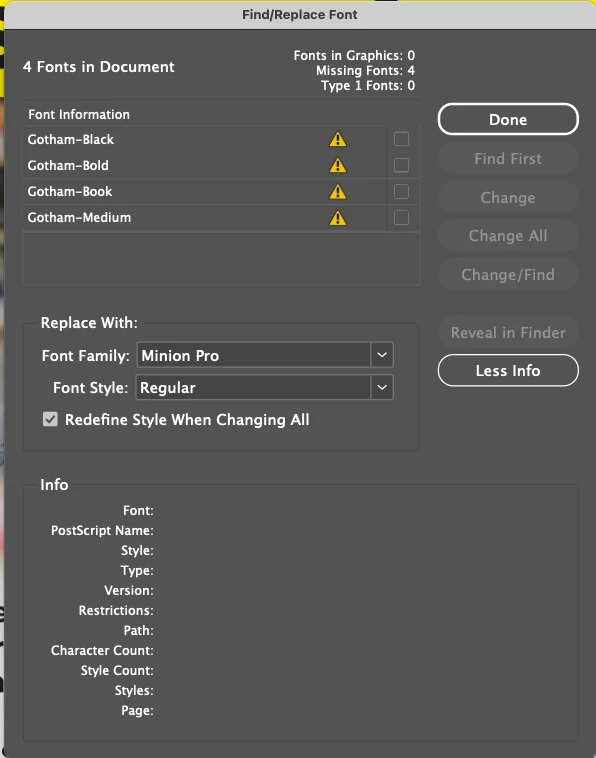
How can I change the default replacement font in Find/Replace Font?
I've already set my Basic Paragragh style from Minion Pro to my preferred font (by selecting my preferred font — with no document open — in the Character window and by modifying my Basic Paragraph style in the Paragraph Style window). This works great for opening new documents. My problem is this: How can I change the default replacement font when I accessthe Find/Replace Font option in InDesign? It always comes up as Minion Pro. I'm using InDesign 20.4.1 on a Mac running OS 15.5.
 AdChoices