Known Participant
February 18, 2025
Question

How can I create side-by-side bullet lists?

  • February 18, 2025
  • 2 replies
  • 2770 views

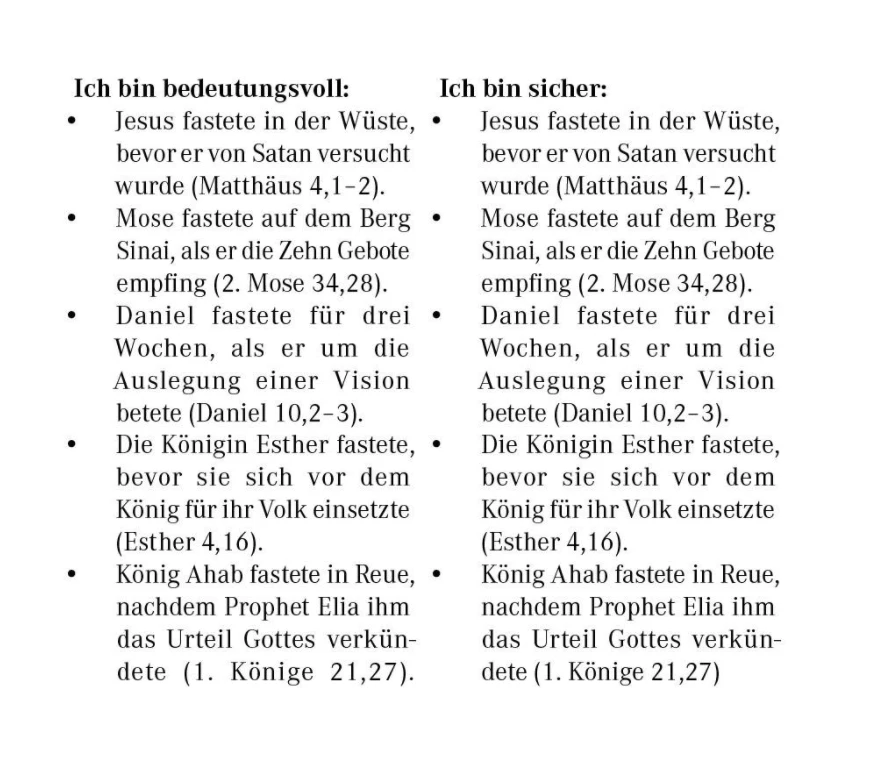
How can I create something like this in InDesign? Thank you for any help!
2 replies

Robert at ID-Tasker
Legend
February 18, 2025

@Mateomono


Is it a contents of the same thread / Story - or two separate threads / Stories?


MateomonoAuthor
Known Participant
February 18, 2025

@Robert at ID-Tasker What Is a thread / Story?

MateomonoAuthor
Known Participant
February 20, 2025
quote

@Robert at ID-Tasker Thank you! So you suggest going with Two column table with a lot of rows? Did I understand that correctly? 


By @Mateomono


Yes, there is no other way, unfortunately. 


Sometimes, you might have extra empty lines / space - if Cell on the left will have less / more text than Cell on the right - but it'll eliminate the need to split contents between the pages manually - if you'll have one big block of text - multiple bullet points - in each big Cell - every time when main text reflows. 


@Robert at ID-Tasker

Thank you very much! The only issue I am facing now is that the text is not aligning with the baseline grid, like we discussed in a different thread. 😂

 
BobLevine
Community Expert
Community Expert
February 18, 2025

Two columns or two text frames side by side.

Paragraph style for the heading and one for the bullets.


That's really all there is to it. If you need details, let us know.

MateomonoAuthor
Known Participant
February 18, 2025

@BobLevineThank you! I think I will try the two-column option. This is achieved with the table feature, right?

BobLevine
Community Expert
Community Expert
February 18, 2025

You can go that route if you'd like but I would create two text frames side by side.
