Participant
September 20, 2019
Answered

How can I move a text with frame?

  • September 20, 2019
  • 2 replies
  • 1180 views

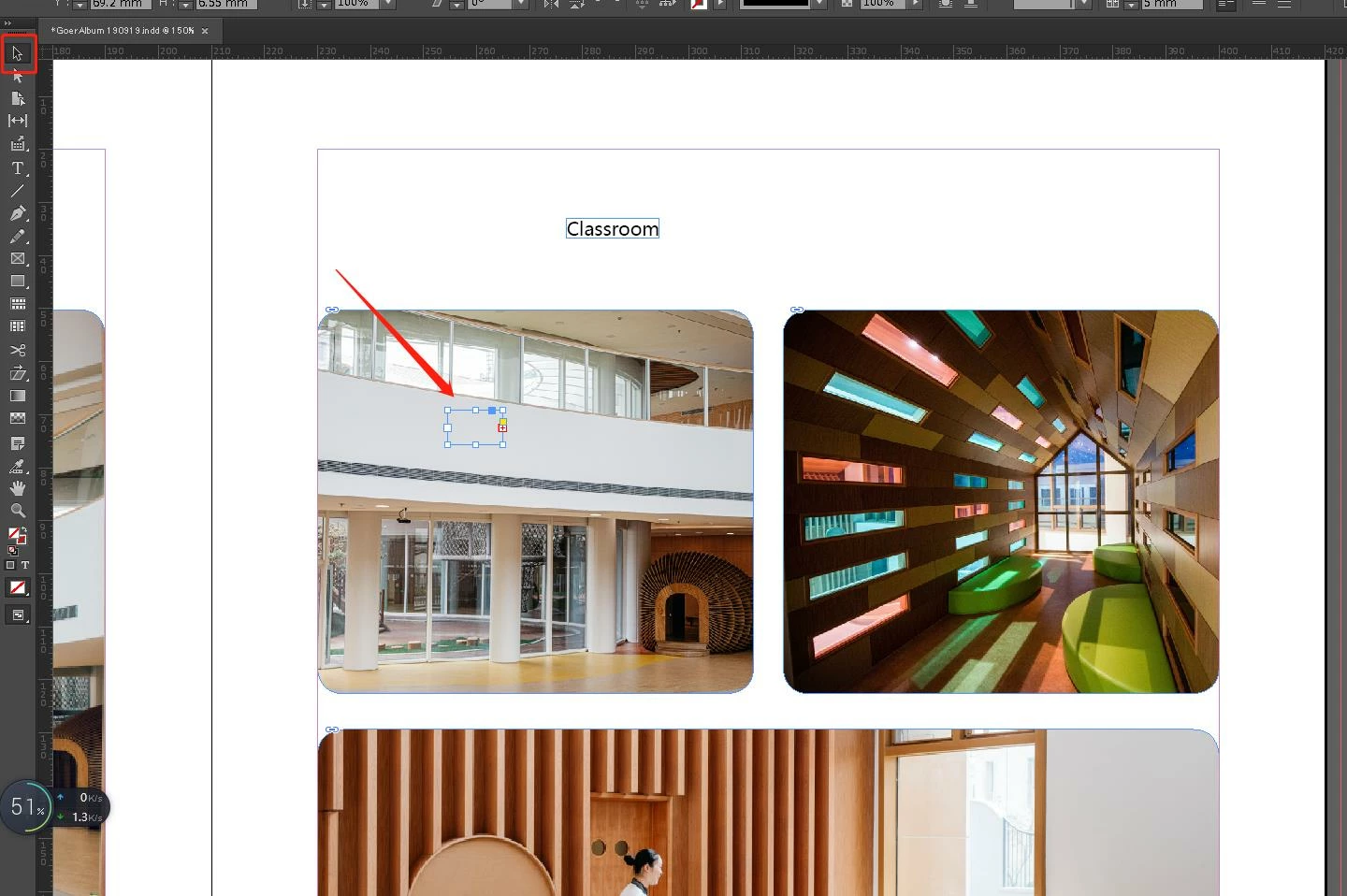
Excuse me, I just wanna move a single word but the frame isn't stick together.

What should I do?
 

    This topic has been closed for replies.
    Correct answer Scott Falkner

    Two possibilities: The text frame is behind hte graphic or there is a text wrap applied to the graphic. I suspect the latter.


    Open the Text Wrap panel and click on the graphic, then turn off text wrap (the leftmost icon). Or select the text frame, go to Object > Text Frame Options, then turn on Ignore Text Wrap.

    2 replies

    Scott Falkner
    Community Expert
    Scott FalknerCommunity ExpertCorrect answer
    Community Expert
    September 20, 2019

    Two possibilities: The text frame is behind hte graphic or there is a text wrap applied to the graphic. I suspect the latter.


    Open the Text Wrap panel and click on the graphic, then turn off text wrap (the leftmost icon). Or select the text frame, go to Object > Text Frame Options, then turn on Ignore Text Wrap.

    Participant
    September 20, 2019
    Thank you very much. Thank you for share a useful information
    Sunil Yadav
    Legend
    September 20, 2019

    Where you want to move that text?

    Within the text frames or making a new text frames?

    Can you share some screenshots?


    Sunil

    Participant
    September 20, 2019
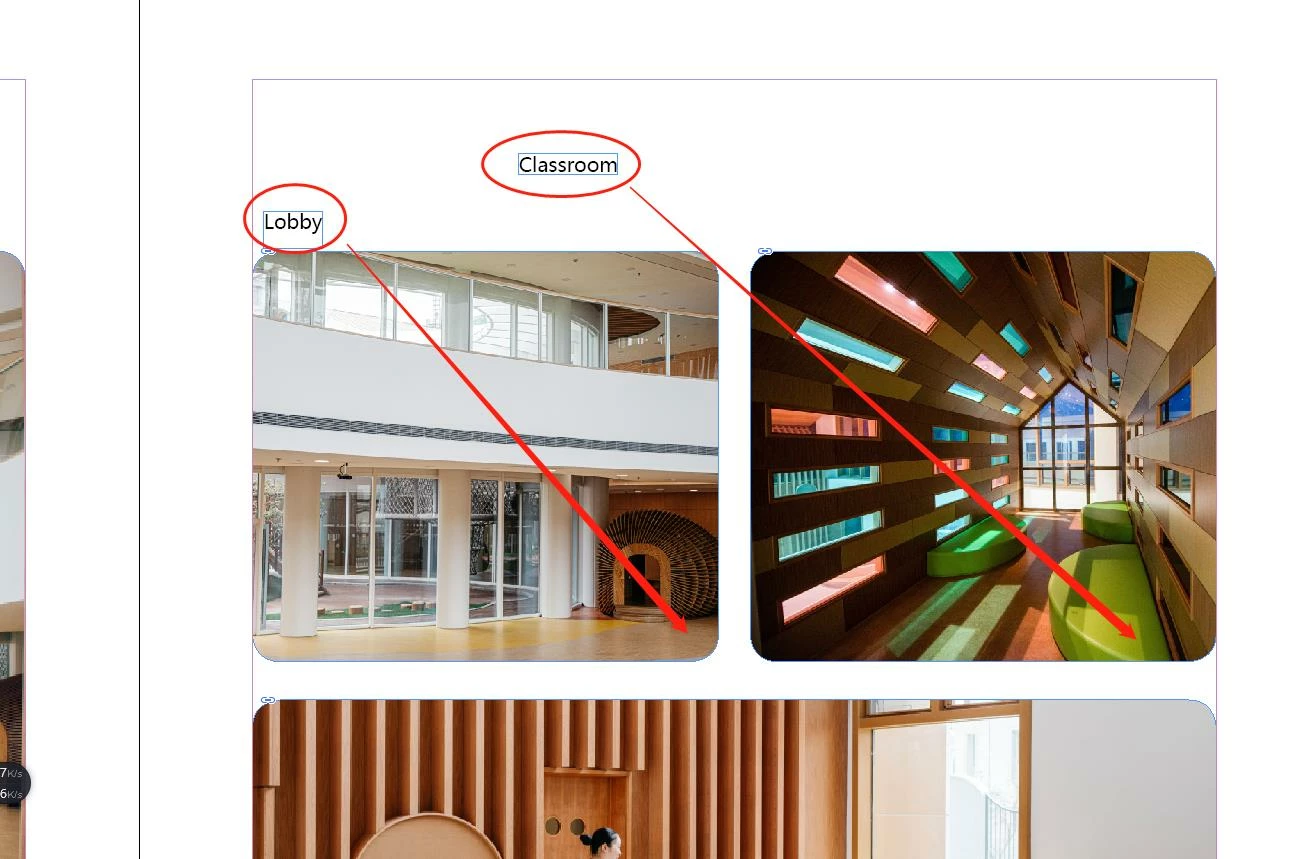
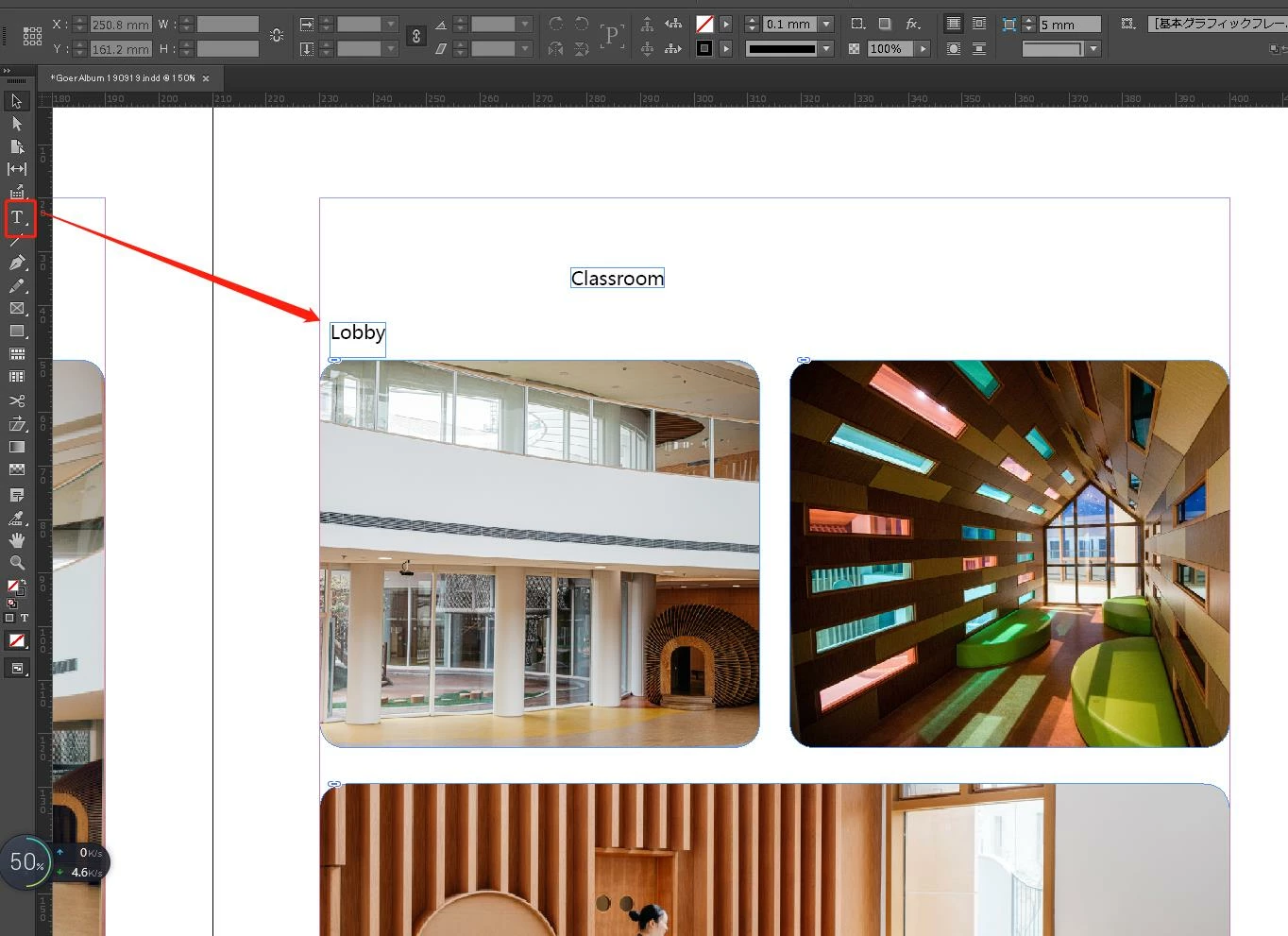
    Thank you for your reply. I just wanna move a room title such as "Lobby" nearby the pic. But after I move it, it is disappear ( I am not sure is it only the frame be moved). I use Black select tool and White select tool are same result.
    Sunil Yadav
    Legend
    September 20, 2019

    Your image is applied with object style with jump object. This is the reason your text frames getting overset. It is not vanishing. Try after removing jump object.


    Best

    Sunil