You can do this using either Paragraph Rules or by adjusting the amount of underline offset for selected type.
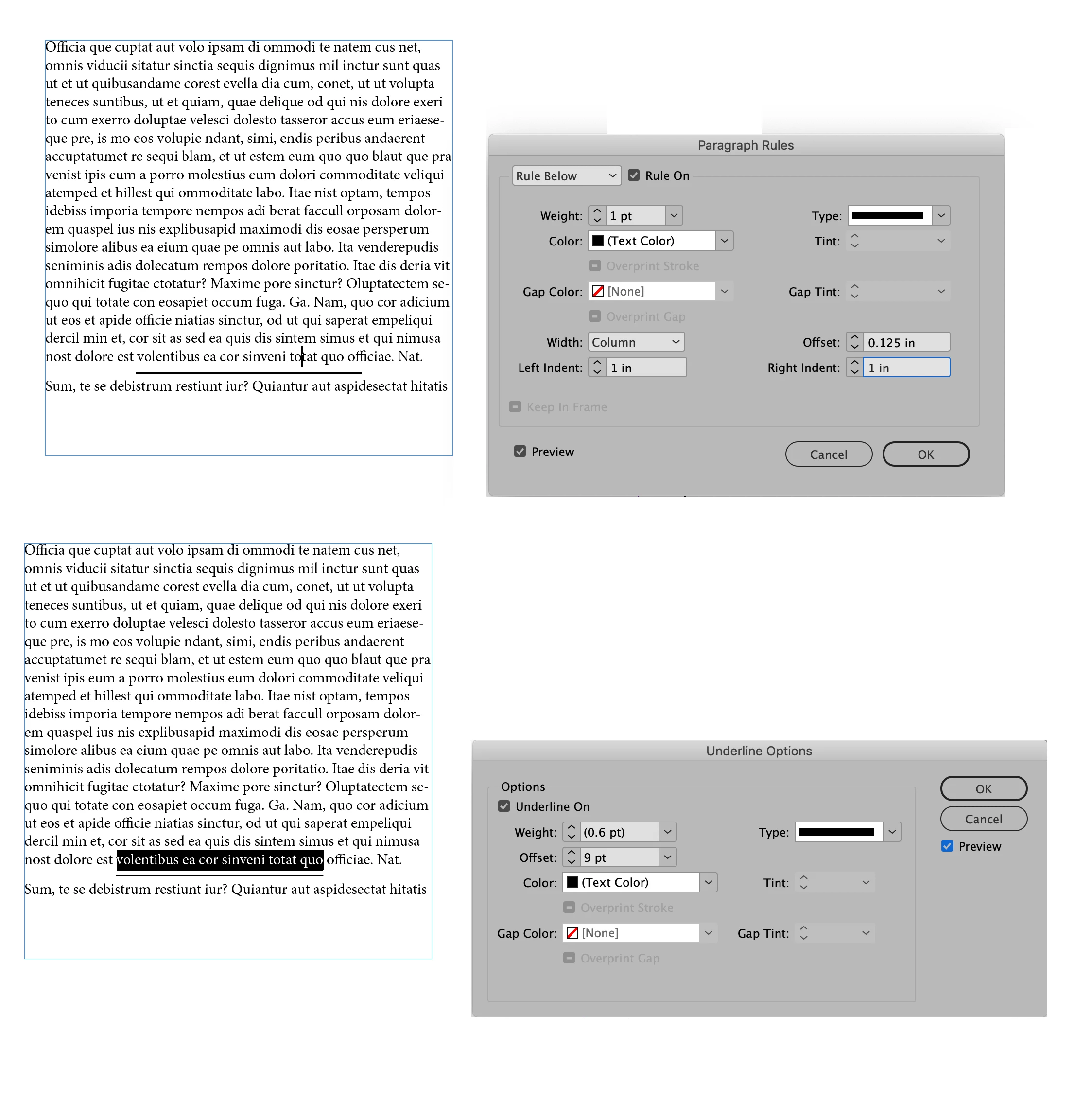
The top picture shows the Paragraph Rule dialog that is accessed through the Paragraph Panel pull-down menu. The Rule Below option has been chosen and by setting the width control to Column you can control the amount of distance from the edges the line is indented without regard for the width of the actual text. This way can also be used as part of a Paragraph Style and will apply the rule consistently for all paragraphs that the style is applied to.
In the bottom picture the width of the underline is determined by the amount of selected text. Using the Underline Options dialog (found under the Character Panel pull-down menu) you can adjust the amount of distance that the underline falls relative to the text using the Offset control.

 AdChoices