Your left indent and your tab settings need to be the same. If the number pushes the text beyond the tab setting, the text will move over to the next 0.5 inch measurement (if using inches).
Since you may have to account for double digits (beyond 9), you should move the left and tab setting to the right in your paragraph style.
David Creamer: Community Expert (ACI and ACE 1995-2023)
1° imput (tab) after date than go top control tex left return, first line left indent, and digit number until the text on the first line aligns with the text below. imm 01
2° there is special commad click right botton mouse and choise > insert special character > other > it comes back up to here.
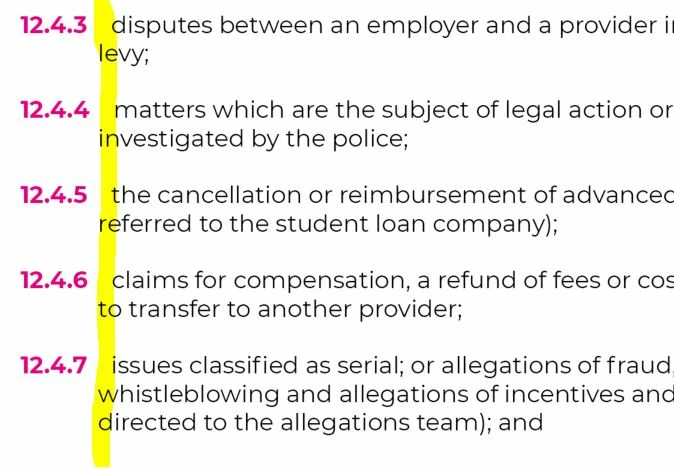
Create a hanging indent. For example, set the left-indent of the paragraphs to 1 inch (if that is enough to account for the long subsection number), and set the first-line indent of each paragraph to -1 inch.
Then, make sure to separate each subsection number and the text that follows it with a tab rather than a simple space.
All the subsections will now be aligned left, and all the text will be aligned on the 1-inch mark.
Visit www.id-extras.com for powerful InDesign scripts that save hours of work — automation, batch tools, and workflow boosters for serious designers.
TaW gave you a start on setting a hanging indent numerically, but you can also do it visually by calling up the Tabs panel (Type > Tabs).
(With the text selected), Shift+Drag the bottom indent stop across the ruler to the point where you want the text to start after the section number, and wrap on subsequent lines. Enter a Tab after your section number.

 AdChoices