Answered
How do I change the color picker in InDesign (2019)
Ho do I change the color picker/color space view to what it looks like in the other Adobe programs?
I have problems with the look and function of this color view.
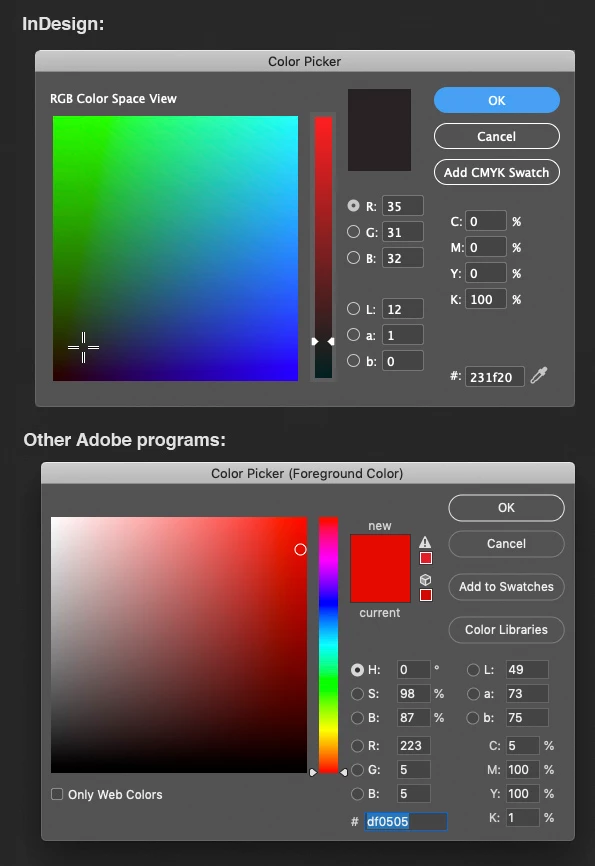

Ho do I change the color picker/color space view to what it looks like in the other Adobe programs?
I have problems with the look and function of this color view.
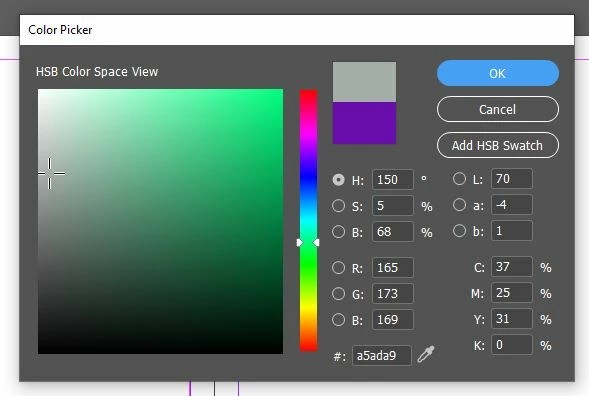
Click on the color picker, after the dialogue box opens up it will look something like the image below. As you can see it by default the option R will be selected (The one highlighted in blue). Now all you have to do is just select the circle next to the letter H and it will activate your HSB view which will look like the 2nd img below. 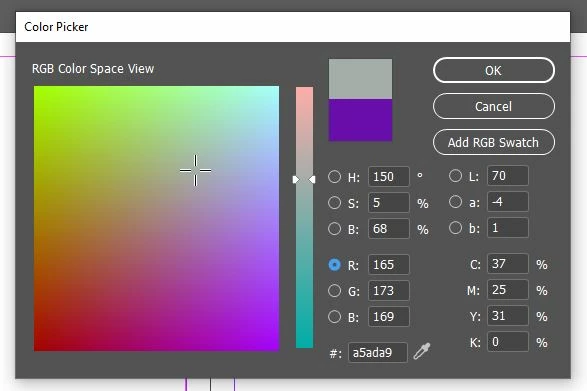
Already have an account? Login
Enter your E-mail address. We'll send you an e-mail with instructions to reset your password.
 AdChoices