
Inspiring
April 15, 2025
Answered

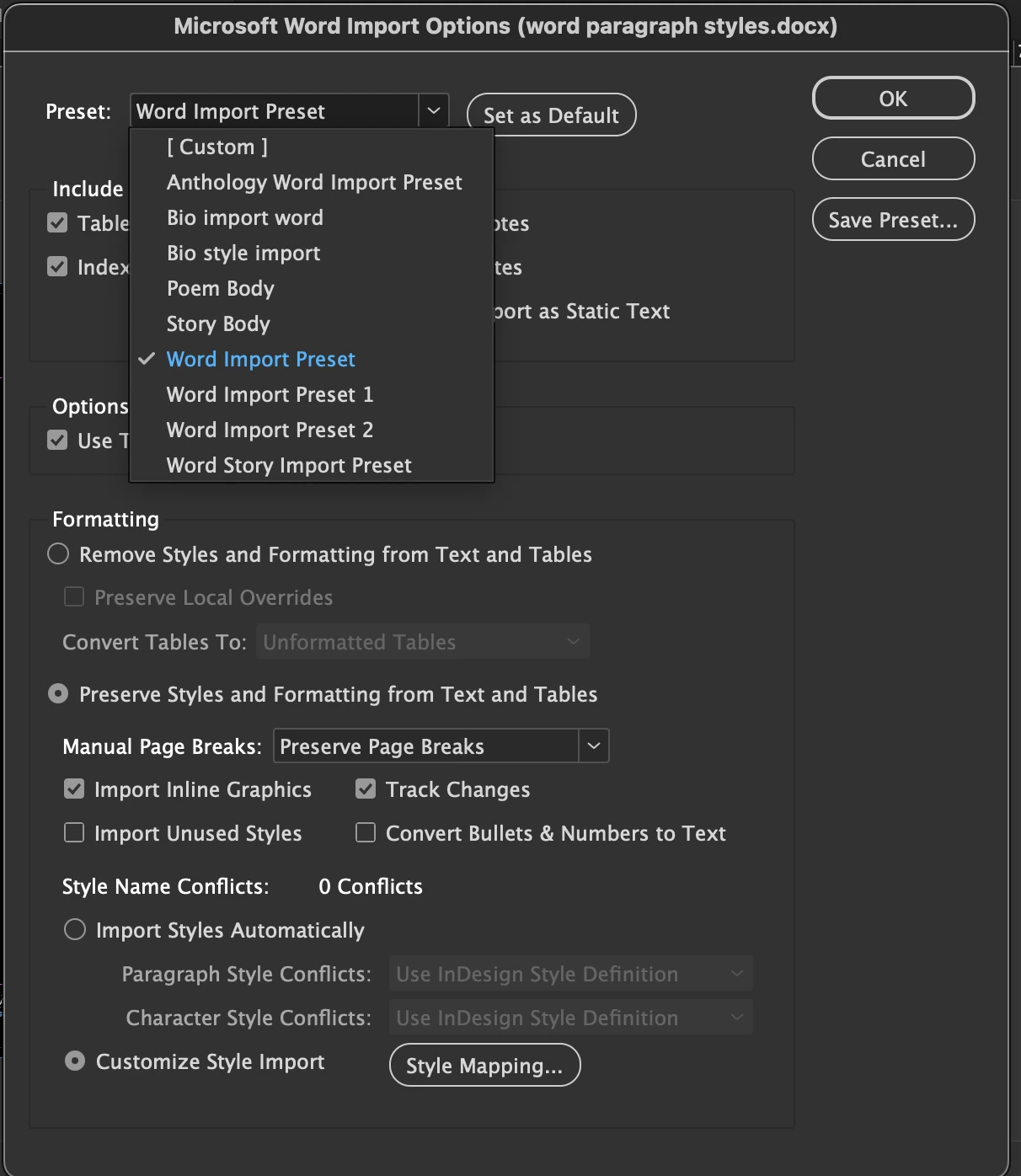
How do I delete Word import [paragraph styles] mapping presets?

  • April 15, 2025
  • 1 reply
  • 237 views

Should be simple, right? Please let it be simple. I am neurodivergent and the extra presets (I made while learning) are driving me insane.


Maybe I'm being too much. Please help.

Do you know what I'm talking about? Screenshot attached.


Thanks,

David
Correct answer david mcnicholas

awesome! thank you Abhishek!

for Macos,

go to finder

use drop down "go" menu

click "go to folder"

hold option to reveal proprties folder.

1 reply

Abhishek Rao
Community Manager
Community Manager
April 15, 2025

Hi @david mcnicholas,


You can manually delete those saved Word import mapping presets by going directly into your system folders. Here’s how to do it based on your operating system:

On Windows:
Go to:
C:\Users\<YourUsername>\AppData\Roaming\Adobe\InDesign\Version 20.0\<Language>\Word Import Presets


On Mac:
Navigate to:
/Users/<YourUsername>/Library/Preferences/Adobe InDesign/<Version #>/<Language>/Import Presets


Note: 

Just replace <YourUsername> with your actual user name, <Version #> with the version of InDesign you're using (like Version 19.0 for InDesign 2024), and <Language> with your installed language(typically something like en_US).


Once you're in the correct folder, delete the specific preset(s) you no longer want. After that, restart InDesign and check the import window again to confirm they’re gone.


Let me know how it goes. 

Abhishek

david mcnicholasAuthorCorrect answer
Inspiring
April 16, 2025

awesome! thank you Abhishek!

for Macos,

go to finder

use drop down "go" menu

click "go to folder"

hold option to reveal proprties folder.

thanks