
How do I disable proportion scaling for effects in Indesign 2019?
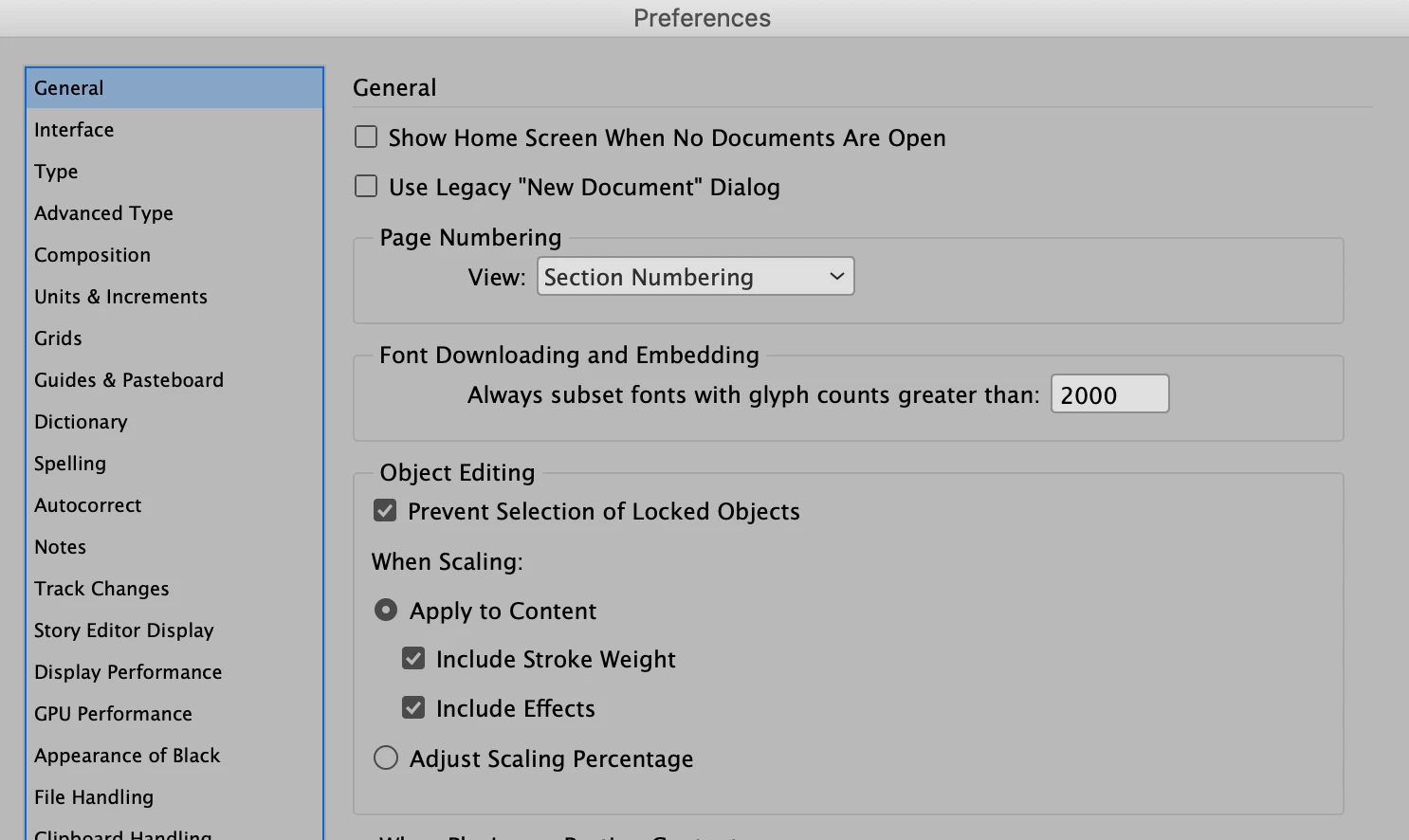
My colleagues and I are having trouble in that when adding drop shadow effects to images/objects and scaling the size of the image/object the settings we have for the effect changes proportionately. We cannot have this happen. The effects need to remain the same throughout the document for all images/objects, regardless of the size of the image/object itself. Is there a way to disable this feature so it does NOT scale any effect settings no matter what the image/object is scaled/sized to like previous versions?
We upgraded from CS6 to 2019 which we did not have this issue with. We have standards for our documents and this is causing problems we have no time to afford fixing. I'm assuming there is a way to turn this off as it does not serve any purpose for what we do and only causes headache and problems. Any advice would be appreciated as this problem is affecting our deadlines.
 AdChoices