Mohammad Modassir
Inspiring
August 6, 2017
Answered

How do I find the shortcutpanel?

  • August 6, 2017
  • 4 replies
  • 998 views

hi,

i want to see the command for all shortcut-keys in indesign, where is it located?

Would appreciate reply.

Kind, Modassir

This topic has been closed for replies.
Correct answer Frans v.d. Geest

The only options that I can think of were both already mentioned. Winterm's Show Set answer (left) and my tool hints panel answer (right). Where did you hear about it? Can you share any additional information?
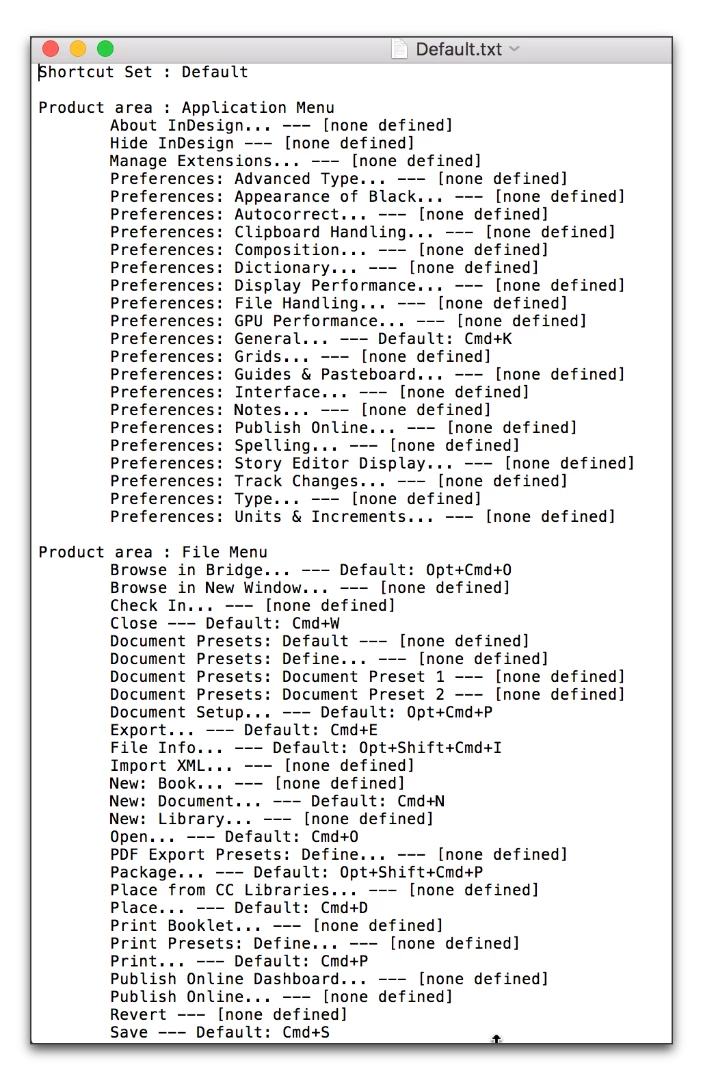
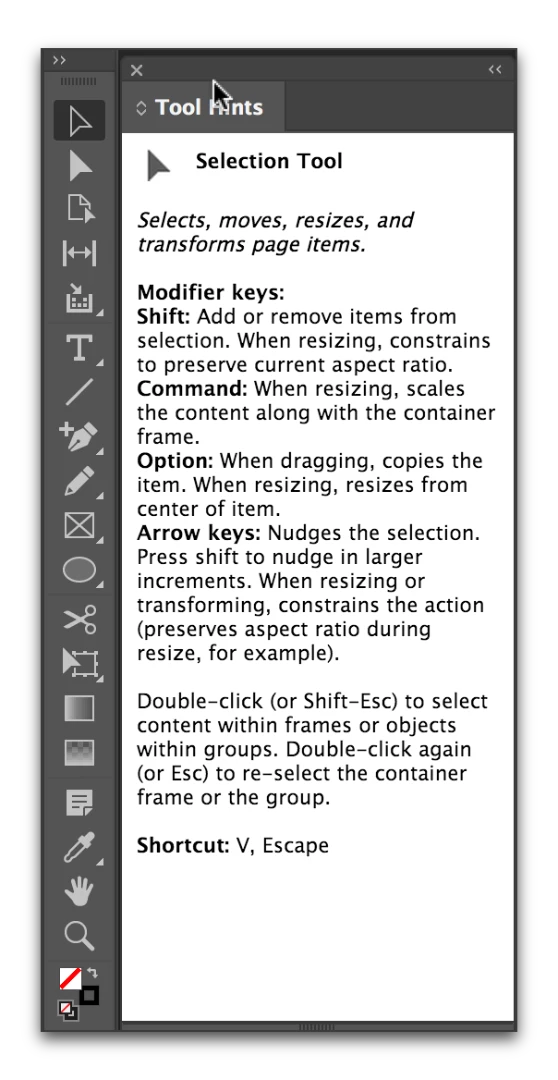
Maybe he means the Quick apply? Cmnd-Return (Ctrl-return on PC).

(Note: there is such a panel from DTP Tools that was free, now part of their DTP Tools Cloud, but the free version was never updated for CC... The last supported version for the free tool was CS4:

DTP Tools - Keyboard Shortcuts for Adobe InDesign/InCopy )

4 replies

Barb Binder
Community Expert
Community Expert
August 6, 2017

How do I find the shortcutpanel?

Shortcut panel? Do you mean Window > Utilities > Tool Hints?

~Barb at Rocky Mountain Training
Mohammad Modassir
Inspiring
August 6, 2017

No, i mean, the command to enter, so that a list of all shortcut-keys pops up on the screen, it's a small box containing all short keys...

Steve Werner
Community Expert
Community Expert
August 7, 2017

yeah , that‘s the one, thanks!

Kind, Modassir


I'm glad you got it sorted.

BobLevine
Community Expert
Community Expert
August 6, 2017

Please don’t your posts to change the entire question.

BobLevine
Community Expert
Community Expert
August 6, 2017

Keyboard shortcuts for styles must use a modifier and a number from the number pad. If your keyboard doesn't have a number pad you cannot create or apply a keyboard shortcut for a style.

winterm
Legend
August 6, 2017

You're talking about keyboard shortcuts, I guess.

Go Edit > Keyboard shortcuts...

Click the button Show Set..., your current Shortcut Set will open, in txt format.